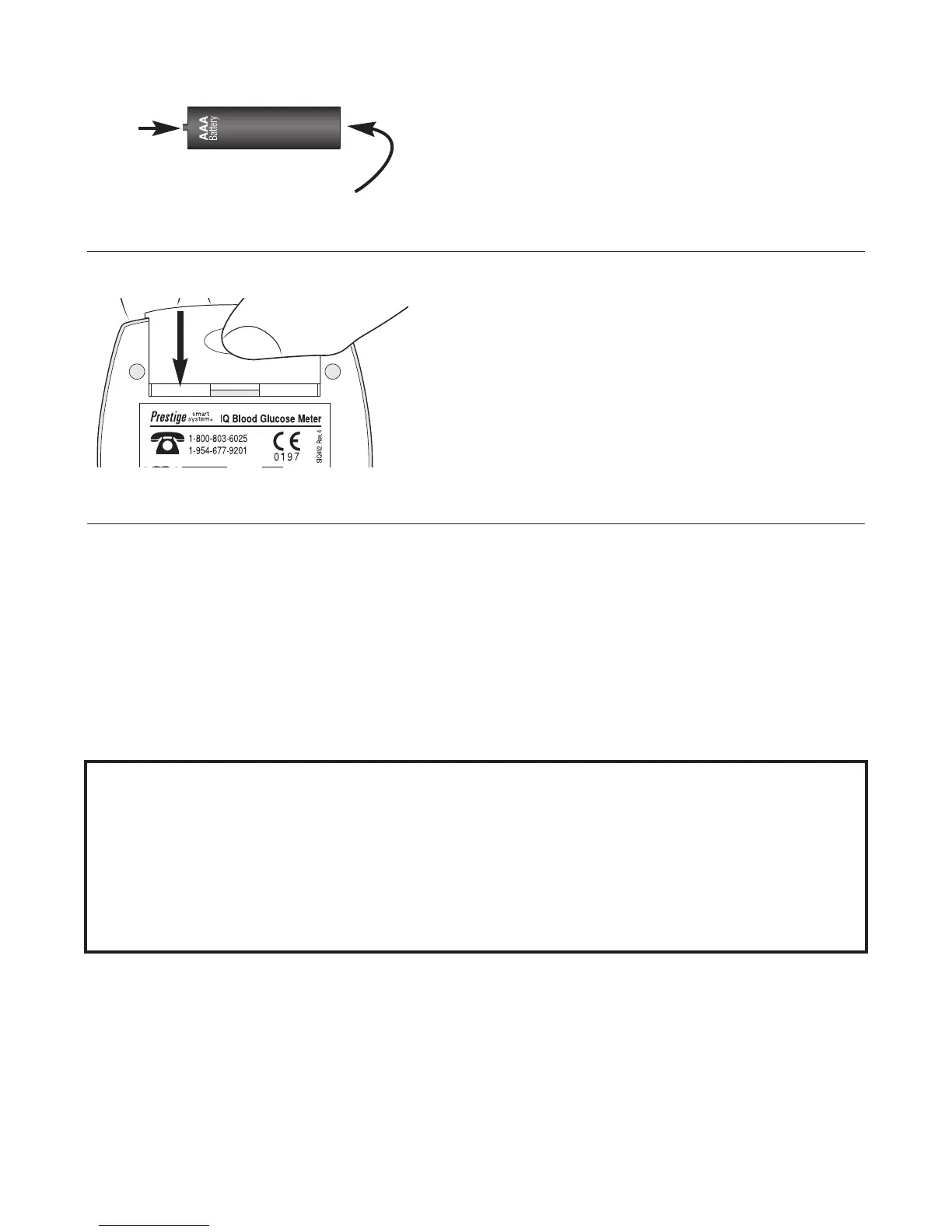
4. Replace Battery. Place ribbon at bottom of
Battery Compartment. Insert
new battery over ribbon,
with positive (+) end facing
left.
5. Replace Battery Door.
Slide Door back until locked
into positon.
6. Verify Date and Time settings.
Press and release
P
P
o
o
w
w
e
e
r
r
Button. If date and time are
not correct, reset
(see Sec. 1,
Set Meter Options)
.
N
N
O
O
T
T
E
E
:
:
B
B
a
a
t
t
t
t
e
e
r
r
i
i
e
e
s
s
m
m
i
i
g
g
h
h
t
t
e
e
x
x
p
p
l
l
o
o
d
d
e
e
i
i
f
f
m
m
i
i
s
s
h
h
a
a
n
n
d
d
l
l
e
e
d
d
.
.
D
D
o
o
n
n
o
o
t
t
d
d
i
i
s
s
p
p
o
o
s
s
e
e
o
o
f
f
b
b
a
a
t
t
t
t
e
e
r
r
y
y
i
i
n
n
f
f
i
i
r
r
e
e
.
.
D
D
o
o
n
n
o
o
t
t
d
d
i
i
s
s
a
a
s
s
s
s
e
e
m
m
b
b
l
l
e
e
o
o
r
r
t
t
r
r
y
y
t
t
o
o
r
r
e
e
c
c
h
h
a
a
r
r
g
g
e
e
b
b
a
a
t
t
t
t
e
e
r
r
y
y
.
.
D
D
i
i
s
s
p
p
o
o
s
s
e
e
a
a
c
c
c
c
o
o
r
r
d
d
i
i
n
n
g
g
t
t
o
o
l
l
o
o
c
c
a
a
l
l
/
/
c
c
o
o
u
u
n
n
t
t
r
r
y
y
r
r
e
e
g
g
u
u
l
l
a
a
t
t
i
i
o
o
n
n
s
s
.
.
29
+
(positive)
-
(negative)


 To Next Page