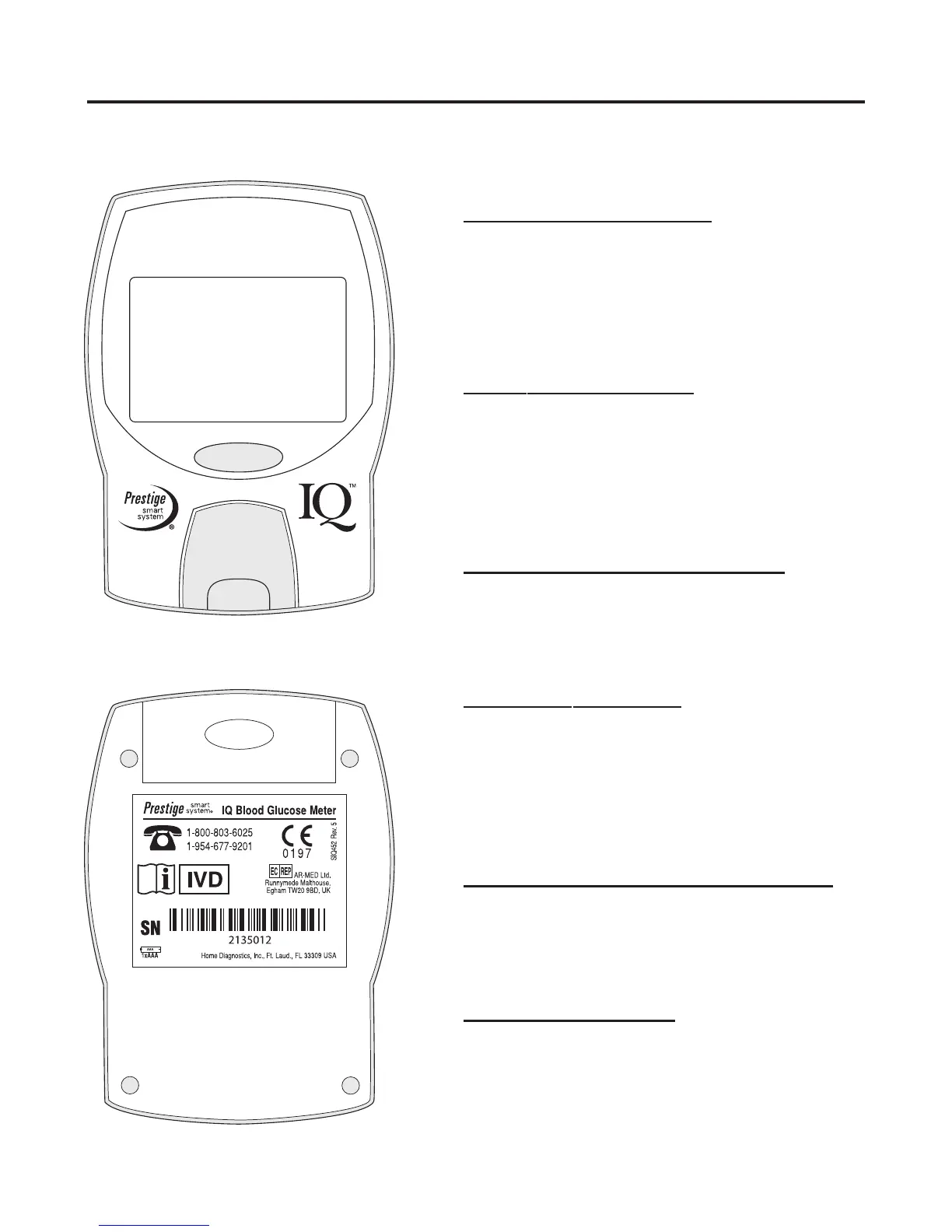
Back of Meter
Î
Ï
4
Front of Meter

·
¸
¹
Section 1 The Prestige Smart System
®
Prestige Smart System
®
IQ Meter

Display Screen:
Shows numbers, words and
symbols needed to operate
the Meter.
·
Power Button:
Turns Meter on and off.
Meter turns off after 3
minutes of non-use.
¸
Test Strip Platform:
Holds Test Strip or Standard
Strip in place during a test.
¹
Test Window:
Area under Test Strip
Platform that contains Meter
optics.
Î
Battery Compartment:
Holds one replaceable AAA
(1.5 volt) alkaline battery.
Ï
Meter Label:
Provides Meter name, serial
number and toll-free number
for assistance.


 To Next Page