EasyManua.ls Logo

Prestige IQ - Page 7

Prestige IQ
44 pages
Print Icon
To Next Page IconTo Next Page
To Previous Page IconTo Previous Page
Loading...
5
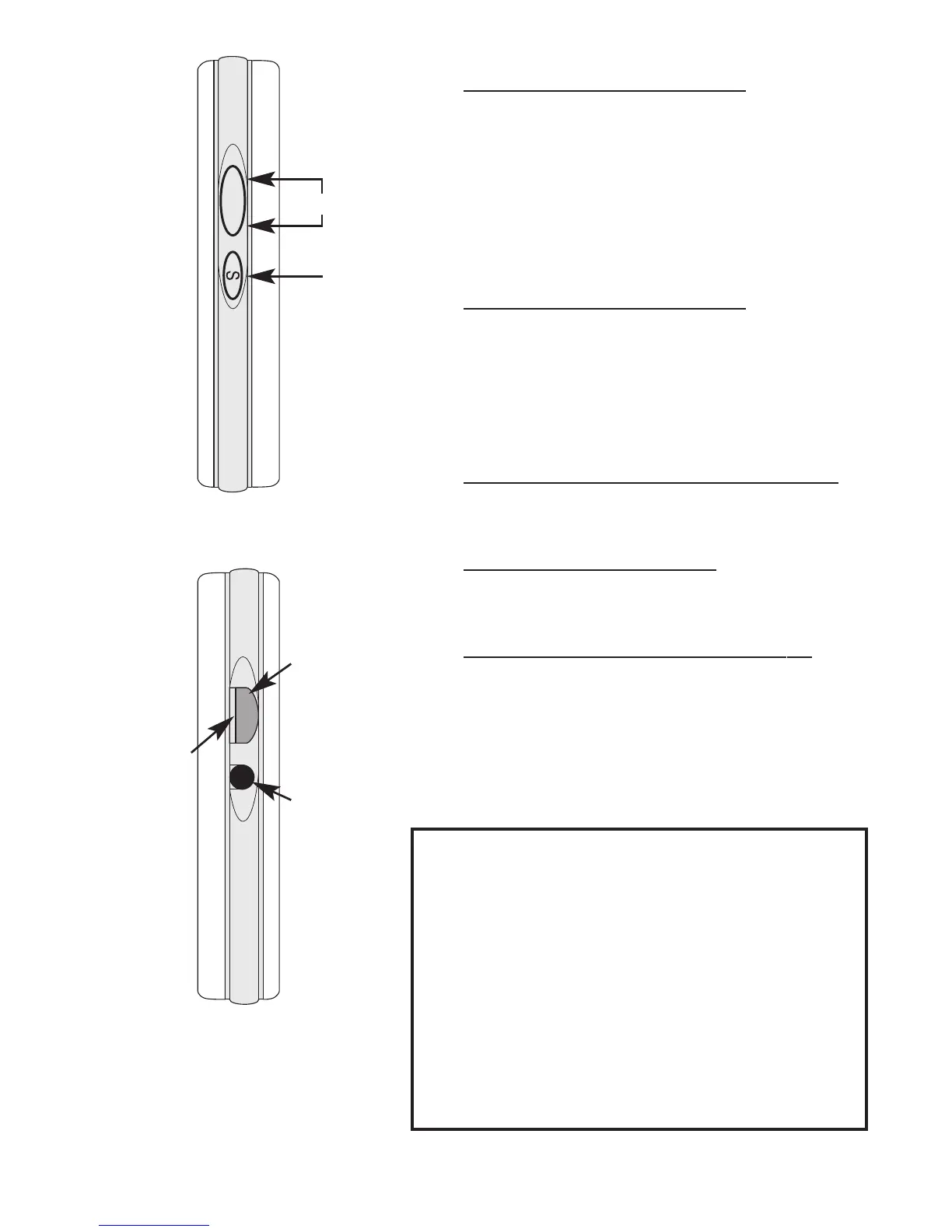
Right Side of Meter
¸
¹
Î
Left Side of Meter
Up
Down
·
Up/Down Button:
Used to view Meter options,
change Code Number, view
stored results or Morning
Average.
·
Select (S) Button:
Use to select options, access
Memory or Morning
Average.
¸
Standard Strip Holder:
Stores Standard Strip.
¹
Standard Strip:
Use for Standard Strip test.
Î
Communication Port:
Use to attach Prestige
Smart System
®
serial cable
to Meter.
WARNING!
U
U
s
s
e
e
o
o
n
n
l
l
y
y
Prestige Smart System
®
s
s
e
e
r
r
i
i
a
a
l
l
c
c
a
a
b
b
l
l
e
e
i
i
n
n
p
p
o
o
r
r
t
t
.
.
P
P
u
u
t
t
t
t
i
i
n
n
g
g
a
a
n
n
y
y
t
t
h
h
i
i
n
n
g
g
e
e
l
l
s
s
e
e
i
i
n
n
t
t
o
o
p
p
o
o
r
r
t
t
m
m
a
a
y
y
d
d
a
a
m
m
a
a
g
g
e
e
M
M
e
e
t
t
e
e
r
r
.
.
P
P
l
l
e
e
a
a
s
s
e
e
c
c
a
a
l
l
l
l
f
f
o
o
r
r
m
m
o
o
r
r
e
e
i
i
n
n
f
f
o
o
r
r
m
m
a
a
t
t
i
i
o
o
n
n
a
a
b
b
o
o
u
u
t
t
u
u
s
s
e
e
o
o
f
f
t
t
h
h
e
e
C
C
o
o
m
m
m
m
u
u
n
n
i
i
c
c
a
a
t
t
i
i
o
o
n
n
P
P
o
o
r
r
t
t
.
.