3. Basics
Finger tips
Only use your fingers to use the touch screen.
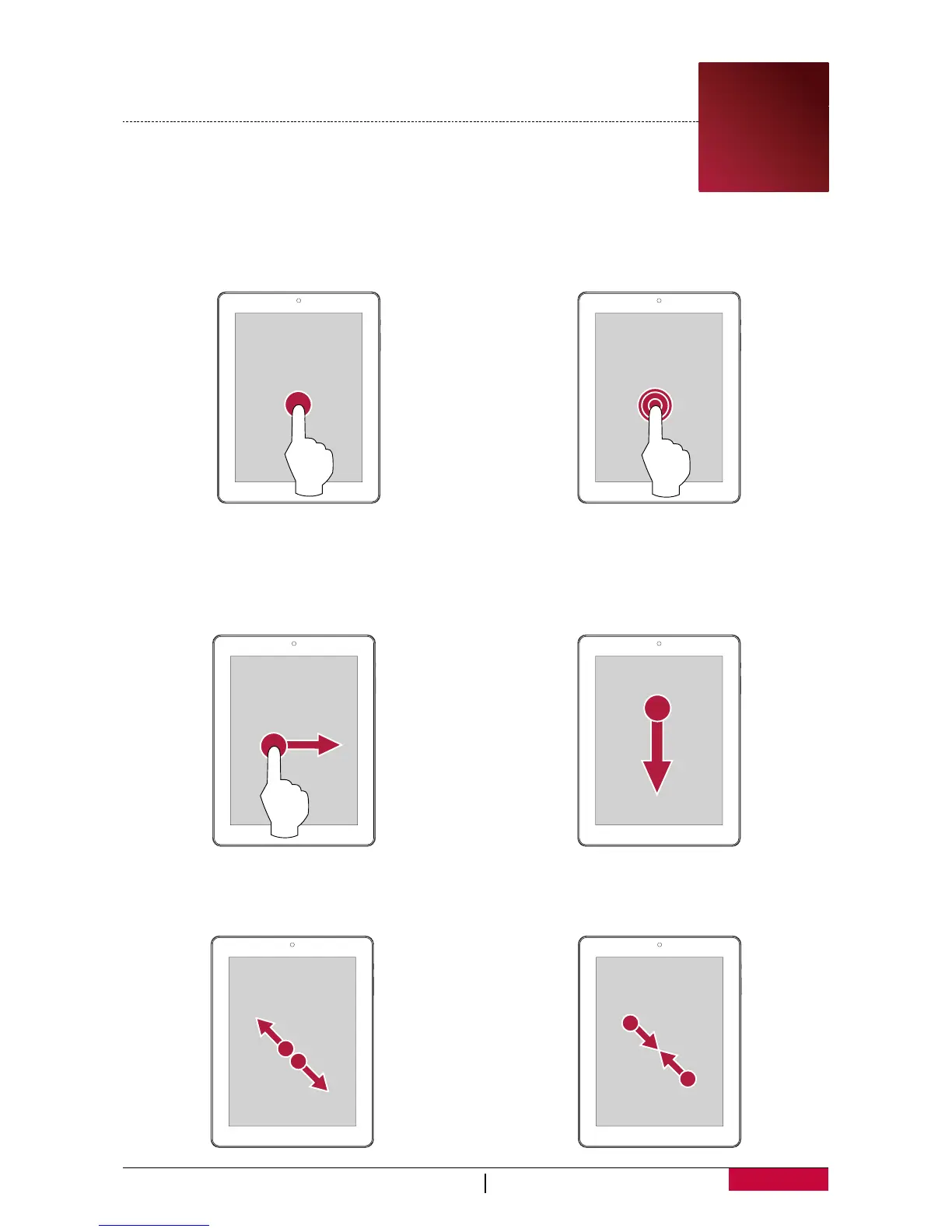
Tap
To open an application, to select a menu item, to
press an on-screen button, or to enter a
character using the on-screen keyboard, tap it
with a finger.
Tap and hold
Tap and hold an item for more than 2 seconds
to access available options.
Swipe
Quickly swipe your finger vertically or
horizontally across the screen to go to other
Home pages, scroll through documents, and
more.
Slide
Slide your finger vertically across the screen to
open drop-down menu.
Zoom in
Spread two fingers apart on a webpage, map,
or image to zoom in a part.
Zoom out
Pinch two fingers together on a webpage,
map, or image to zoom out a part.
3















 To Next Page