Status icons
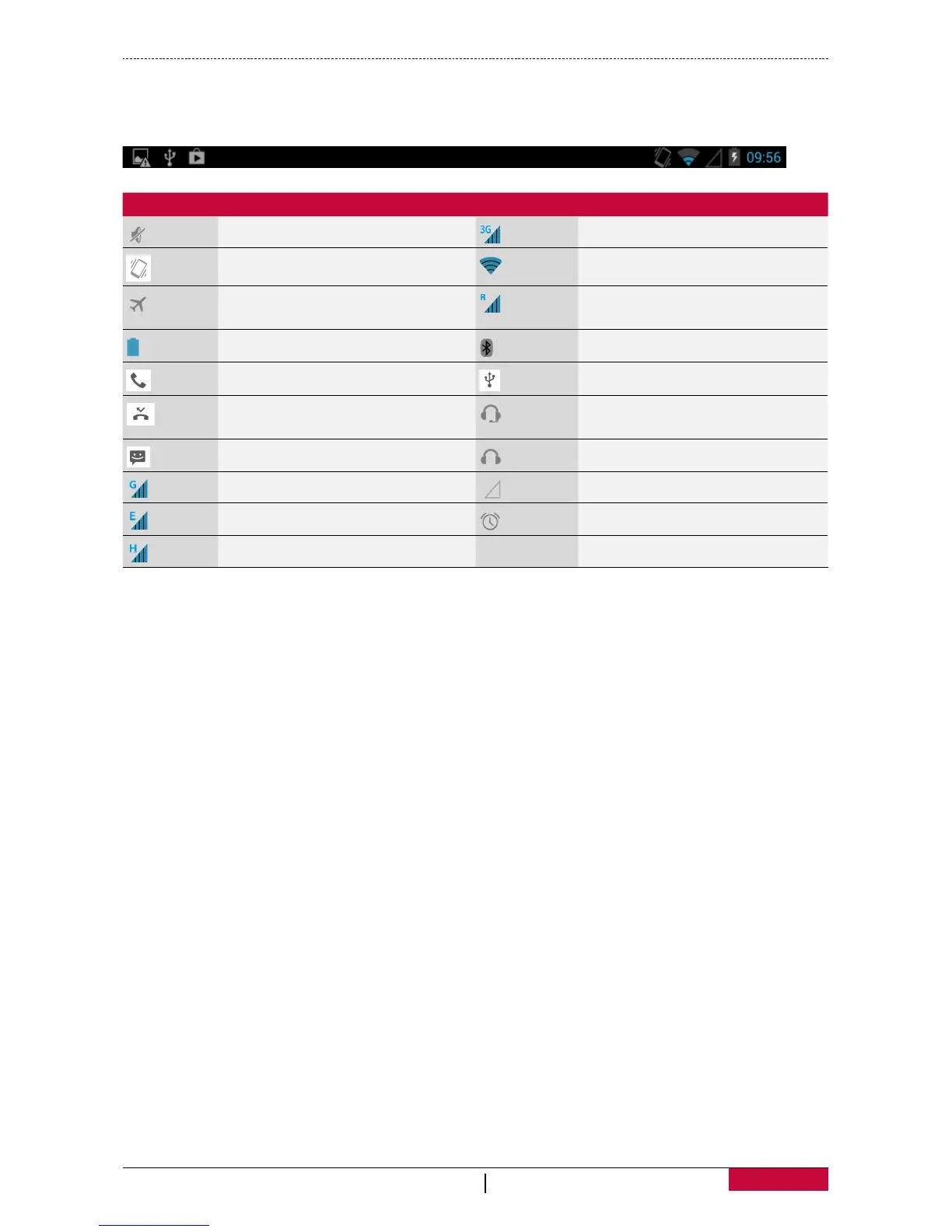
The icons in the status bar at the top of the screen give information about your tablet:
Icons What it means Icons What it means
Silent mode activated. 3G network connected.
Vibration mode activated. Wi-Fi connected.
Flight mode activated.
Roaming (outside of normal
service area).
Battery power level. Bluetooth is activated.
Call in progress. Connected to PC.
Missed call.
Wired microphone headset
connected.
New SMS or MMS. Wired headset connected.
GPRS network connected. No SIM card detected.
EDGE network connected. Alarm is set.
HSPA network connected.















 To Next Page