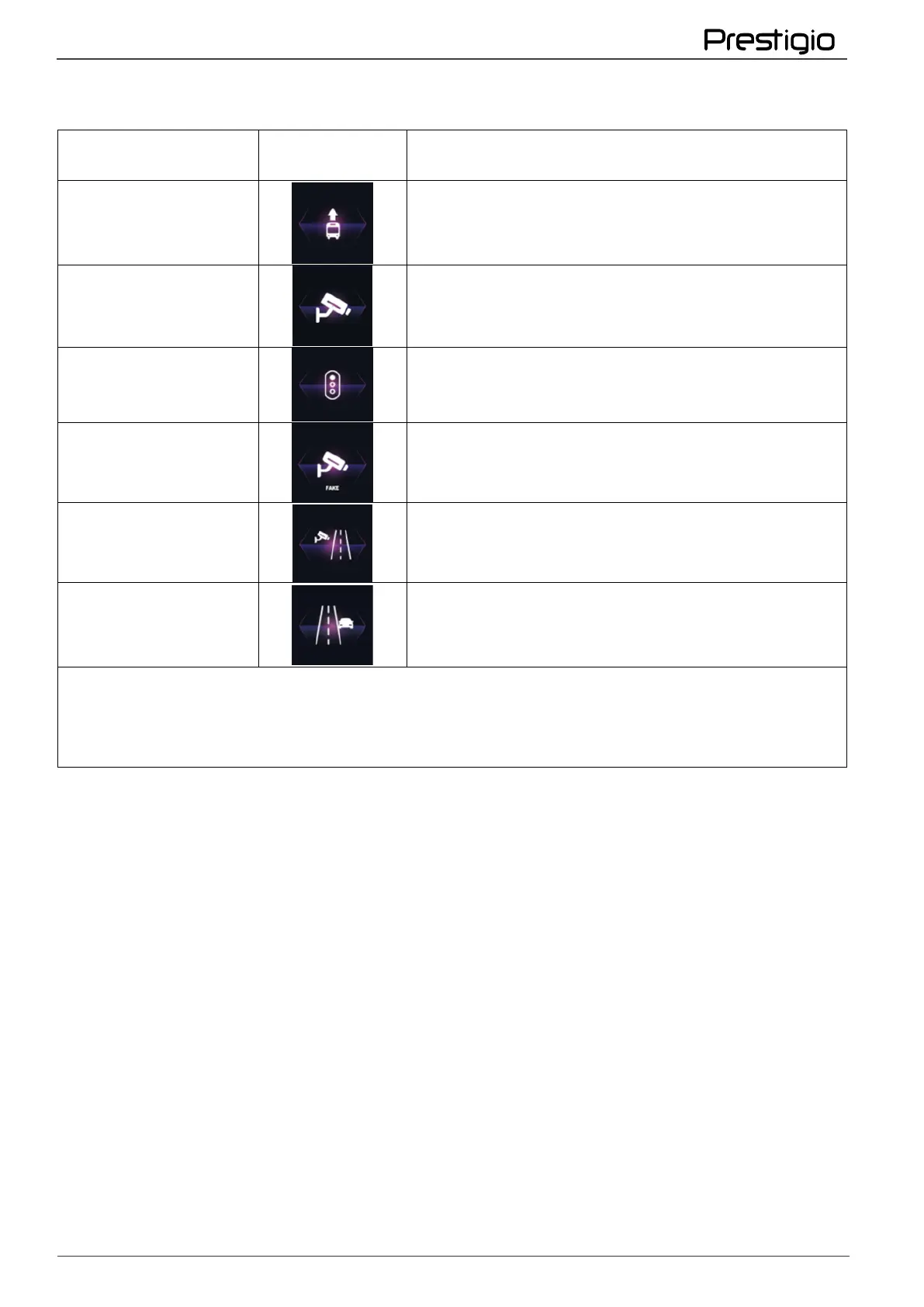
Types of control cameras determined by GPS
Notification text on
the device screen
Control of traffic in the public transport lane
Instantaneous speed control only
Traffic light control camera
Dummy radar complex. Over time, muzzles are
replaced by radars, obey the speed limit!
Control of marking violations
Traffic control by the side of the road
You can enable/disable the type of camera with an audible notification alert, as well as adjust
the alert distance manually. Notification of cameras occurs twice - the first time when the
initial detection (depending on the settings of 400 m, 500 m, 600 m, 700 m), the second time
- 250 m before the camera.
Feature Features:
If the distance between parallel roads is less than 50 m, the device may produce false alarms.
If you are moving in a straight line and the camera is installed on a curve, the device may
produce false alarms.
If the distance to the location of the camera when you change direction is less than 100 m,
there may be no notification.
If the camera is installed near a multi-level junction, the device may produce false alarms.
If the camera is installed at the exit of a long tunnel, there may be no notification due to poor
GPS signal reception.
If the camera equipment has been removed and the database has not been updated, an
erroneous notification will occur.
2.7 Recording video
Automatic video recording
Connect the device to the car charger. When you start the car engine, the device will
automatically turn on and start cyclic video recording.



 To Next Page