31
Ranger www.pridemobility.com
VI. COMFORT ADJUSTMENTS
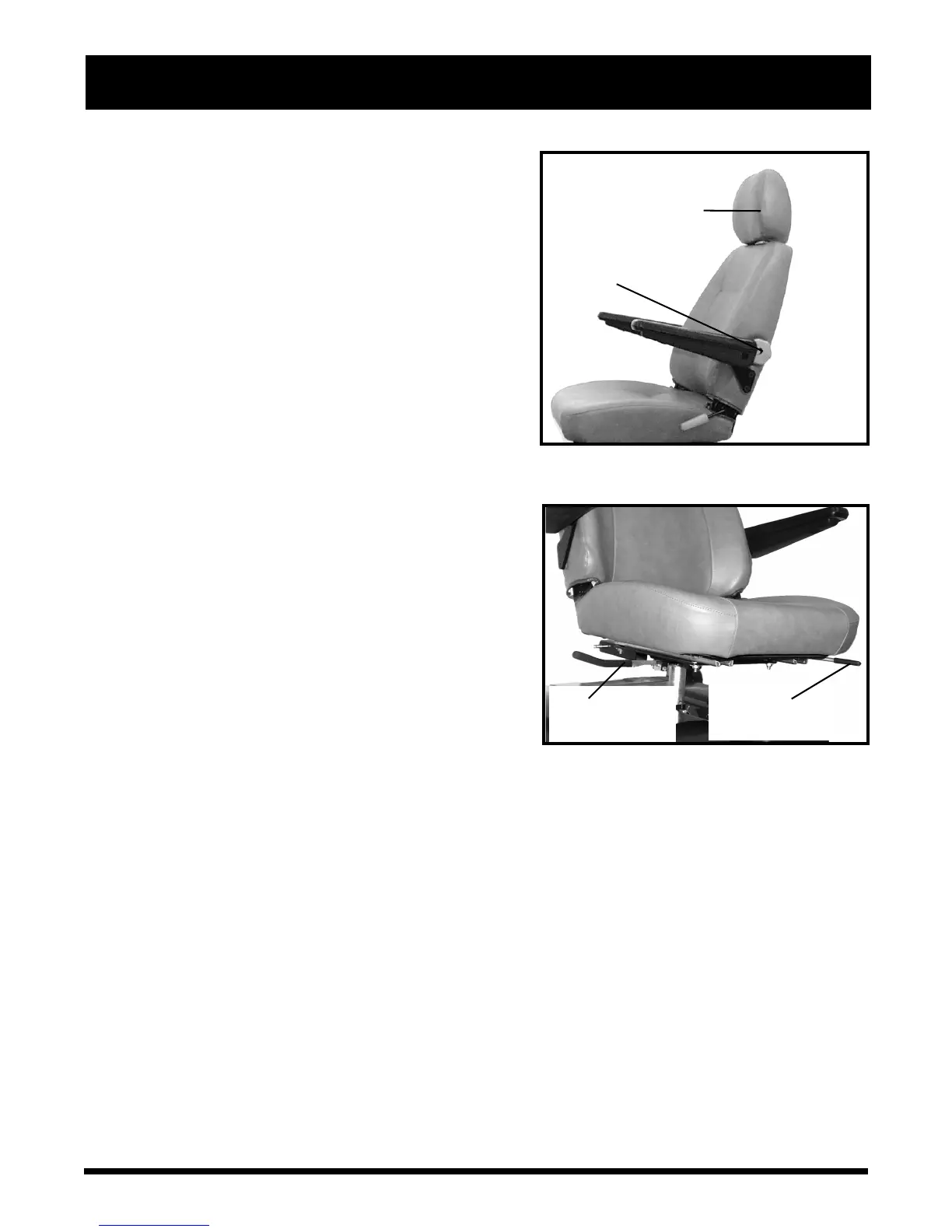
LUMBAR
SUPPORT
ADJUSTMENT
DIAL
HEADREST
Figure 12. Seatback and Headrest Adjust-
ments
HIGH-BACK SEAT HEADREST ADJUSTMENT
If your scooter is equipped with a high-back seat, the head-
rest height can be adjusted to several positions.
1. Pulling up on the headrest will raise its position. See
figure 12.
2. Pushing down on the headrest will lower its position.
3. Pulling the headrest forward or pushing it rearward
will adjust it to several positions.
LUMBAR SUPPORT ADJUSTMENT DIAL
The lumbar support is inside the lower part of the seatback.
Turn the lumbar support adjustment dial anticlockwise to
move the support into a comfortable position.
See figure 12
.
FRONT-TO-BACK SEAT ADJUSTMENT
You can reposition the scooter’s seat forward or rearward
to adjust the distance between the seat and the tiller. See
figure 13.
1. Pull up on the seat sliding lever.
2. While holding the lever up, slide the seat forward or
rearward.
3. Release the seat sliding lever once the seat is in the
desired position.
SEAT ROTATION ADJUSTMENT
The seat rotation lever secures the seat in one of four posi-
tions. See figure 13.
1. Push down on the seat rotation lever to disengage the
seat.
2. Rotate the seat to the desired position.
3. Release the seat rotation lever to secure the seat in
place.
SEAT ROTATION
LEVER
SEAT SLIDING
LEVER
Figure 13. Sliding Seat Adjustment



 To Next Page