30 www.pridemobility.com Victory
WARNING! Lifting weight beyond your
physical capability may result in personal
injury. Ask for assistance when necessary
while disassembling or assembling your
scooter.
The Victory requires no tools for disassembly. Always disassemble or assemble your scooter on a level, dry
surface with sufficient room for you to work and move around your scooter. Keep in mind that the disassembled
sections of the scooter will take up more floor space than the assembled scooter.
IX. DISASSEMBLY AND ASSEMBLY
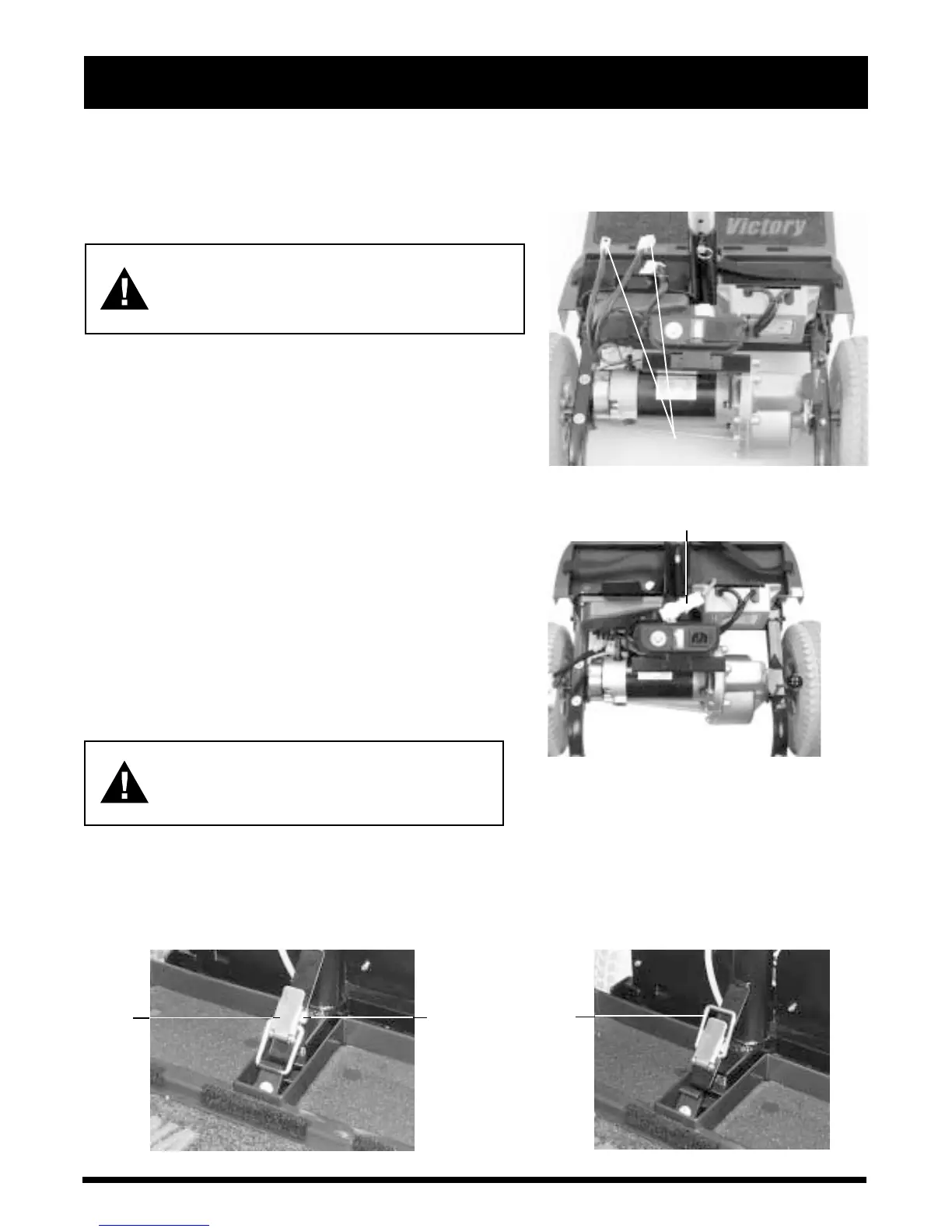
UNPLUG HERE
Figure 16. Battery Harnesses
UNPLUG HERE
Figure 17. Front-To-Rear Connector
DISASSEMBLY
1. Remove the key from the key switch. See V. Your Vic-
tory.
2. Push down on the manual freewheel lever. See V. Your
Victory. Putting your scooter in drive mode may make it
easier for you to maneuver the rear section because the drive
wheels are stabilized.
3. Make certain that the seat is locked into position. See VIII.
Comfort Adjustments. Lift the seat up and off of your
scooter.
4. Gently lift the rear shroud off of your scooter. The rear shroud
is held in place with a reusable fastener.
5. Unplug both battery harnesses. See figure 16.
6. Loosen the battery straps, then lift both batteries from the
battery wells.
7. Unplug the large, white, 9-pin front-to-rear connector that
attaches the front control console assembly harness to the
electronic controller module harness. See figure 17.
WARNING! Failing to unplug both battery
harnesses and the front-to-rear connector
prior to further disassembly could result
in permanent damage to your scooter.
Toggle Latch Release
1. Push in the toggle latch release button while pulling back the toggle latch. See figure 18.
2. Position the toggle latch buckle over the top of the toggle latch. See figure 19.
3. Lower the tiller to the scooter floorboard and fully tighten the tiller adjustment lever.
Figure 19. Toggle Latch (Unlatched)
TOGGLE
LATCH
TOGGLE
LATCH
RELEASE
BUTTON
Figure 18. Toggle Latch (Latched)
TOGGLE
LATCH
BUCKLE





 To Next Page