Pride Scooter Series www.pridemobility.com 19
III. YOUR TRAVEL SCOOTER
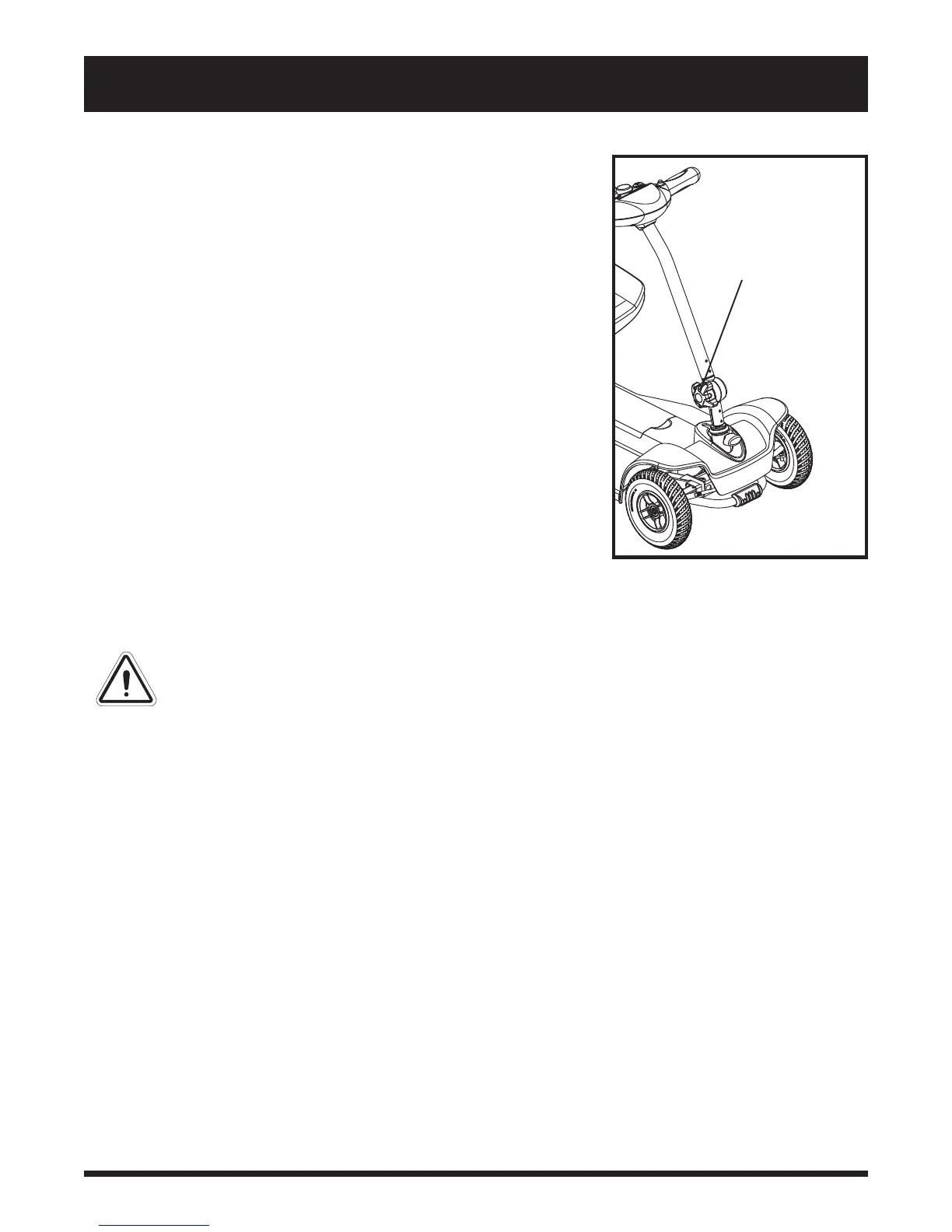
Figure 5. Tiller Adjustment
TILLER ADJUSTMENT
KNOB
Horn Button
This button activates a warning horn. The Travel Scooter must be “on” for
the horn to be operational. Do not hesitate to use the warning horn when
doing so may prevent accident or injury.
Battery Condition Meter
When the key is fully inserted into the key switch, this meter indicates
approximate battery strength. For further information on the battery con-
dition meter, see IV. “Batteries and Charging.”
Speed Adjustment Dial
This dial allows you to preselect and limit your Travel Scooter’s top
speed.
The image of the tortoise represents the slowest speed setting.
The image of the hare represents the fastest speed setting.
LOWER TILLER COMPONENTS
Tiller Adjustment Knob
Your Travel Scooter is equipped with an adjustable pivoting tiller that
you can position to maximise your ergonomic comfort.
WARNING! Remove the key from the key switch
before adjusting the tiller or the seat. Never attempt
to adjust the tiller or the seat while the Travel
Scooter is in motion.
To use the tiller adjustment knob:
1. While supporting the tiller, turn the tiller adjustment knob anticlockwise
to loosen the tiller. See figure 5.
2. Move the tiller to a comfortable position.
3. Turn the tiller adjustment knob clockwise to secure the tiller in posi-
tion.
NOTE: In order to lower the tiller to its lowest point, you must
first remove the seat.


 To Next Page