29Zoom
VII. COMFORT ADJUSTMENTS
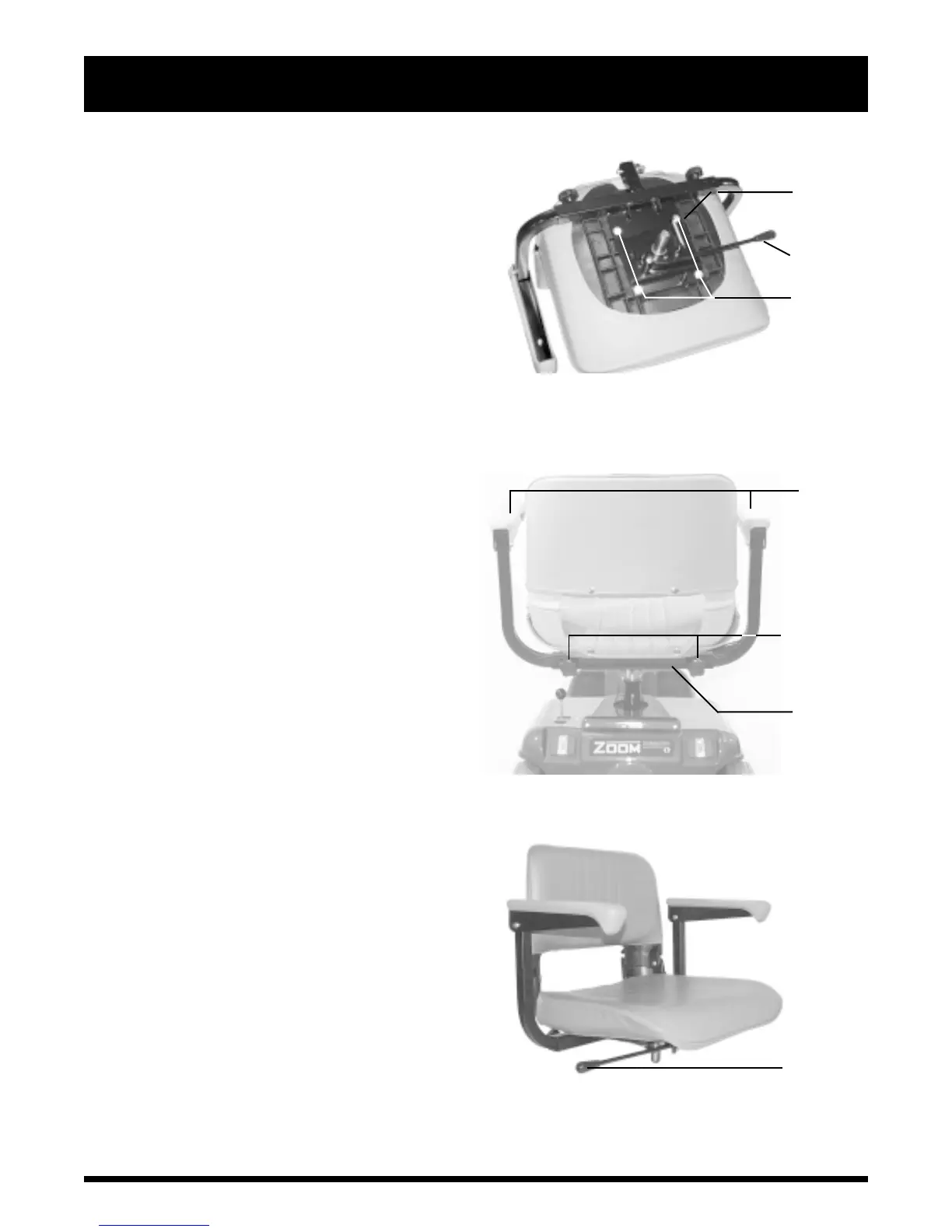
FIGURE 12. FRONT-TO-BACK SEAT ADJUSTMENT
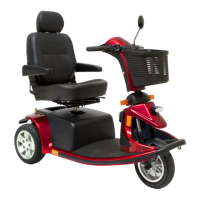
FIGURE 13. ARMREST WIDTH ADJUSTMENT
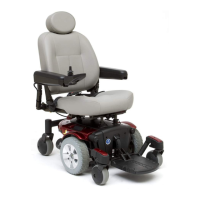
SEAT LOCK
LEVER
SEAT
PLATFORM
SEAT
BOLTS
ADJUSTMENT
KNOBS
ARMRESTS
SEAT
FRAME
FIGURE 14. SEAT LOCK LEVER
PUSH
FORWARD
TO ROTATE
SEAT
FRONT-TO-BACK SEAT ADJUSTMENT
You can reposition the scooters seat forward or
rearward to one of three settings to adjust the
distance between the seat and the tiller. See figure
12.
1. Remove the seat from your scooter.
2. Remove the four bolts that fasten the seat to
the seat platform. See figure 12.
3. Align the seat platform with the desired set of
holes on the seat.
4. Install the four bolts securely.
ARMREST WIDTH ADJUSTMENT
The armrest width of your scooter can be adjusted
inward or outward. See figure 13.
1. Loosen the adjustment knobs at the back of
the seat frame.
2. Slide the armrests in or out to the desired
width.
3. Tighten the adjustment knobs.
NOTE: The armrests also raise up, making getting
onto and off of your scooter easier.
SEAT ROTATION
The seat lock lever locks the seat in one of five
positions. See figure 14.
1. Push forward on the seat lock lever to unlock the
seat.
2. Rotate the seat to the desired position.
3. Release the seat lock lever to lock the seat securely
in place.



 To Next Page