Now you can use and control ESATTO microfocuser by using third party softwares for Windows and that supports
ASCOM platform. In this guide we’ll show two examples with 3 softwares commonly used in astrophotography:
1) Sequence Generator Pro: http://mainsequencesoftware.com
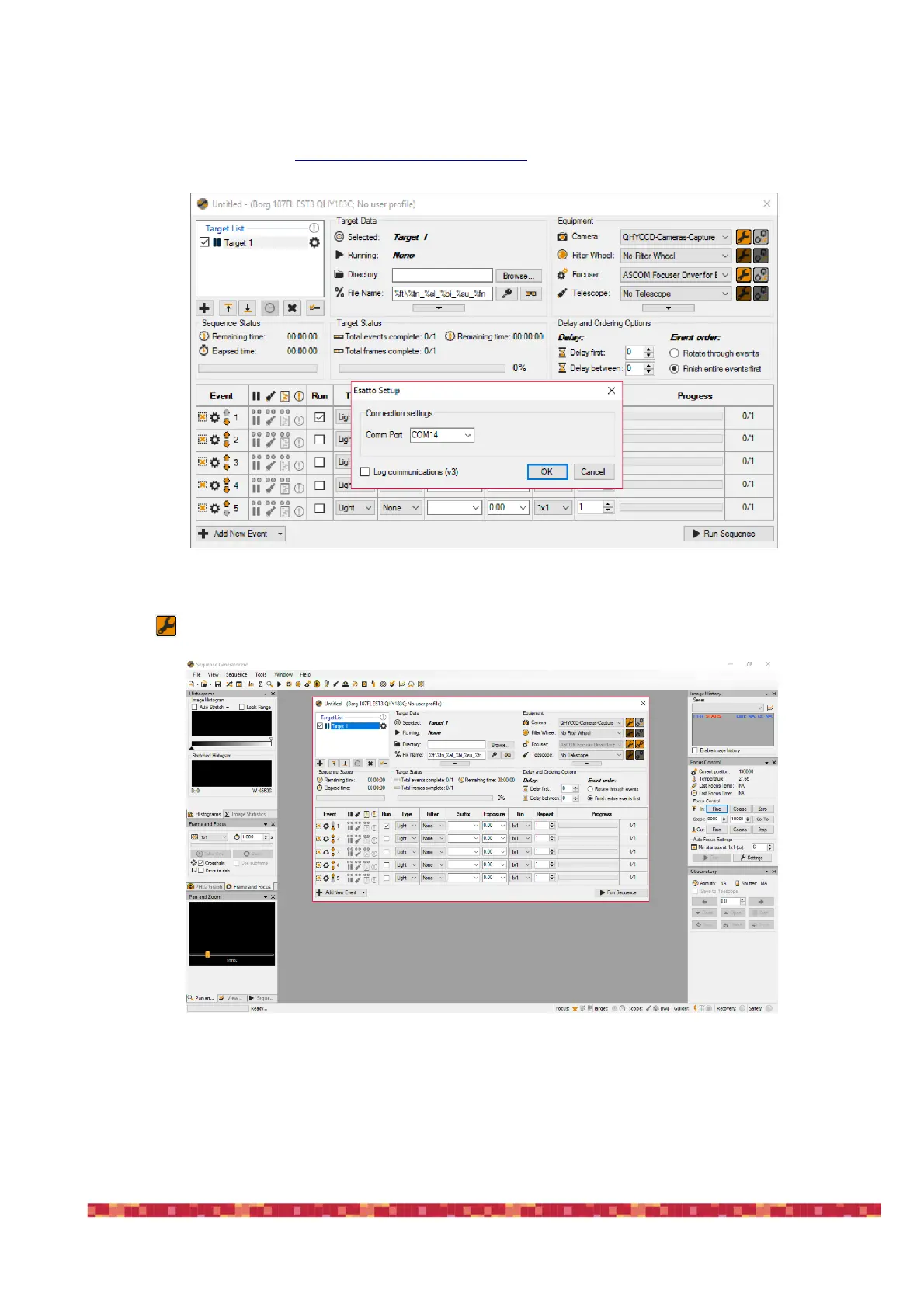
Start Sequence Generator Pro and, in the Equipment profiler, select “ASCOM Focuser Driver for ESATTO” then
click on the first icon to the right. This will open a new window asking for the COM port number. Select the
C O M port related to ESATTO and press the OK button.
This will start the connection to the ESATTO and you will see position, temperature (if you connect the optional
temperature probe) and movement buttons in the “Focus Control” tab (to the right of the above image).


 To Next Page