Updating ESATTO firmware
In order to update the ESATTO firmware, first of
all please update the FOCUSER Manager to the
latest release. First please uninstall the older ver-
sion of the ESATTO Manager or FOCUSER Ma-
nager (based on the version you previously instal-
led), then make double click on the new Focu-
serManager-setup.exe file. When the installation
is completed, please start the FOCUSER Mana-
ger software and connect to the ESATTO. Please
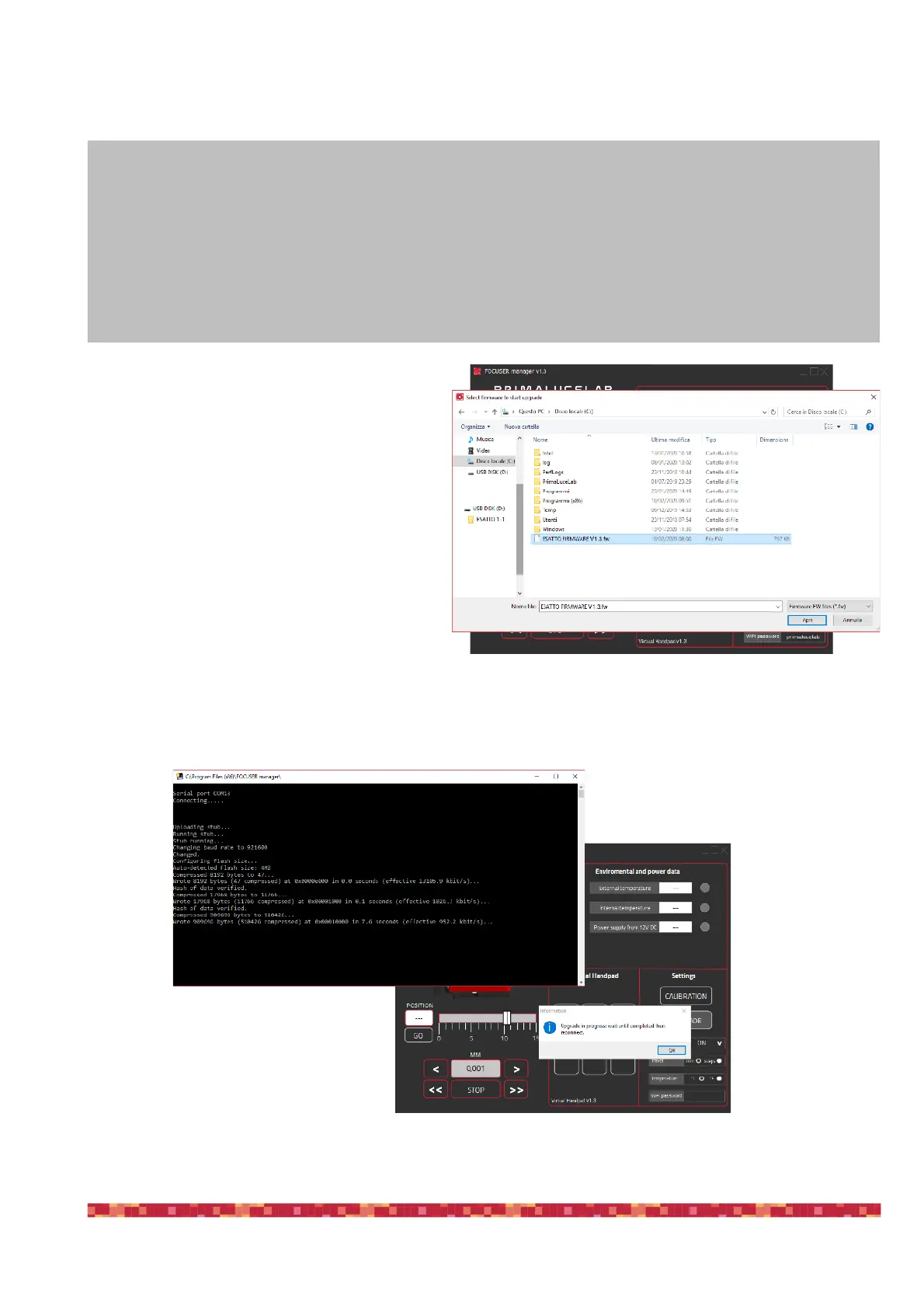
click on the UPDATE button to start the update
procedure.
This will open a new window, please select the
ESATTO firmware file (.fw extension). Then click
on the Open button to start the update procedure.
A new window will appear and the update process will update the ESATTO unit. PLEASE NOTE: do not discon-
nect or remove power during the update process or the ESATTO won’t work anymore and you will have to
send us to repair.
NOTE
ESATTO firmware, software and ASCOM driver are designed to be used all together with the same version. "
In order to properly use ESATTO, please check that you’re using the same version number of:
•
ESATTO firmware
•
FOCUSER Manager
•
ASCOM drivers


 To Next Page