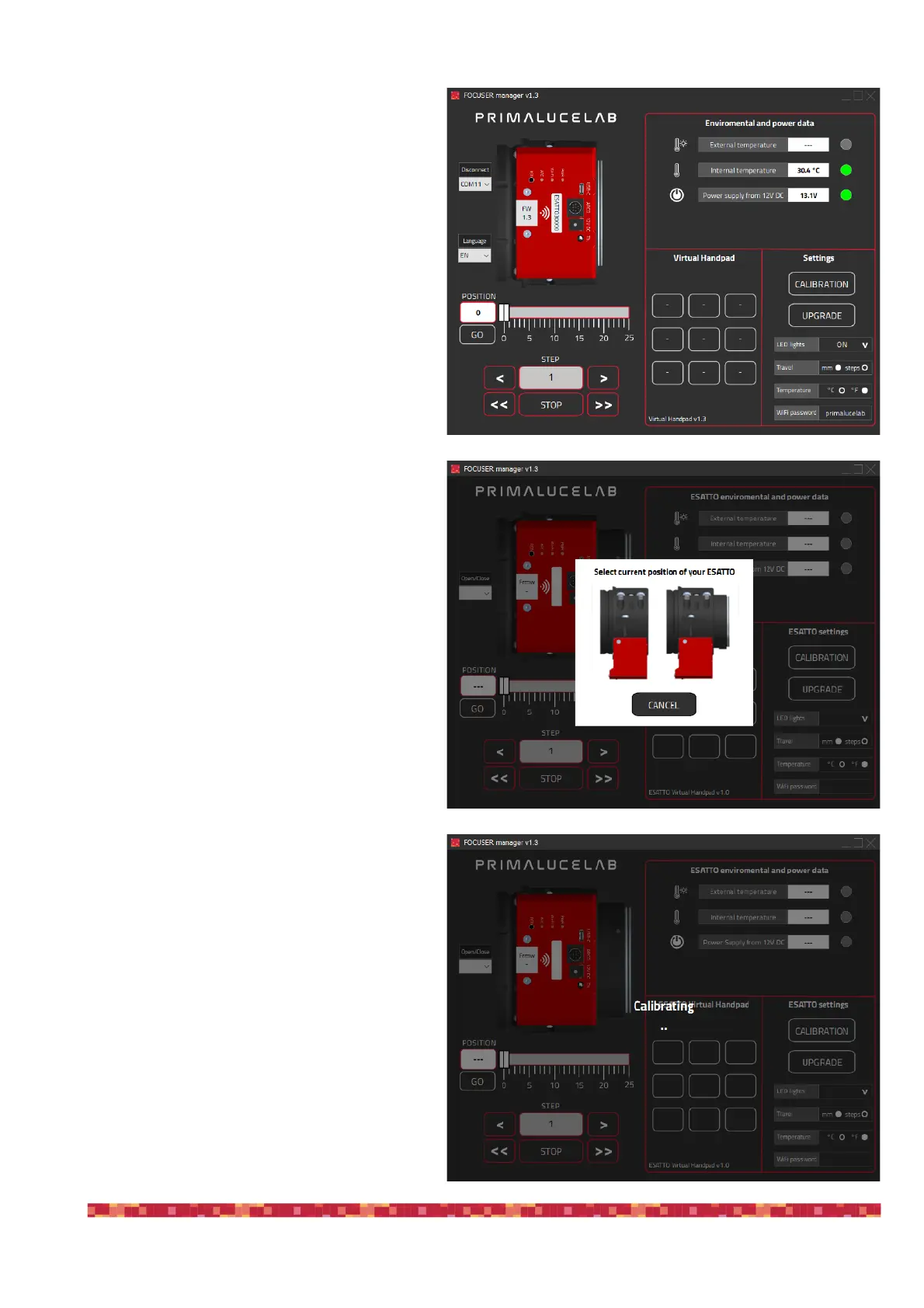
When the update is completed, please press the
OK button. Now remove USB and power cables
from the ESATTO, wait a few seconds and con-
nect USB and power cables again. The unit will
reboot, then launch again the FOCUSER Mana-
ger software, select the COM port associated to
ESATTO and press the “Connect” button. Here
you can check that the Firmware version (FW) is
correctly updated to the latest version.
After the firmware update procedure is comple-
ted, you will have to calibrate the ESATTO unit.
Please press the CALIBRATION button and you
will see a new window. With your mouse, please
click on the ESATTO picture that corresponds to
the position of your ESATTO draw tube.
The calibration procedure will start and you will
see the ESATTO draw tube moving, calculating
the maximum and minimum position thanks to
the integrated sensors. At the end of the calibra-
tion procedure, your ESATTO focuser will be
ready for use.!


 To Next Page