7
EvoLution Series
Remote Control
Attention! Due to increasingly stringent safety
measures, it can happen that the remote control
arrives without batteries installed.
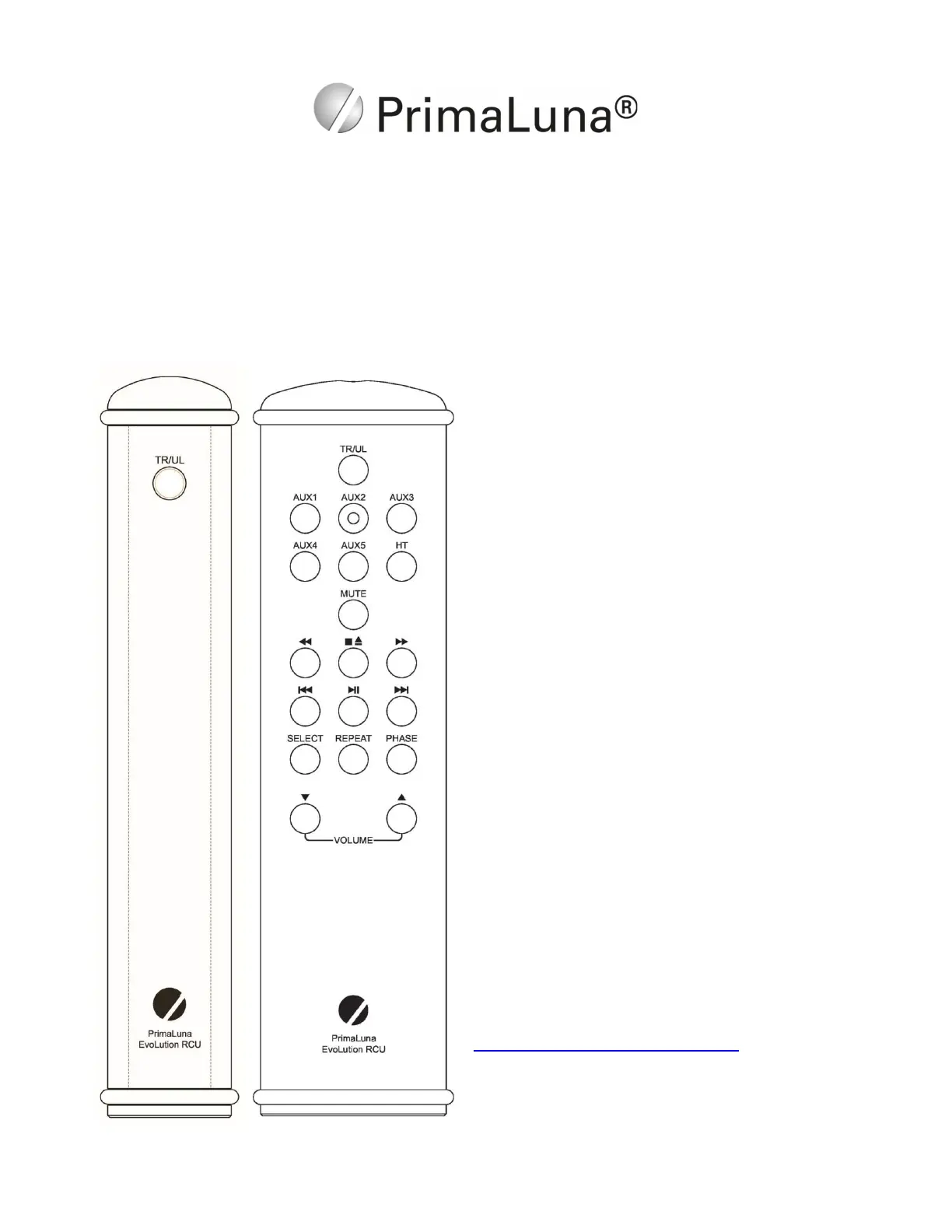
The function of the EVO Tube Poweramplifier
Remote Control is self-explanatory. It controls the
TR/UL selection. This is also possible with the larger
system remote, which also has source selection,
volume & mute functions. The system remote will
also control the basic functions of the PrimaLuna CD
players.
The EVO Remote Controls have two high-quality
rubber rings on each end to protect it from becoming
damaged or damaging your furniture. These rings
can be easily removed in case batteries have to be
replaced.
In the event your remote control does not function,
please first check the battery/batteries. To access
the battery compartment, remove the rubber rings
and unscrew the back plate.
Use 2 x AAA for the BIG remote and 1 x CR2032 for
the small size remotes. Do NOT use rechargeable
batteries!
You can also check your remote here:
https://primalunablog.com/?s=remote
If the remote still does not function, contact your
dealer for further assistance.


 To Next Page