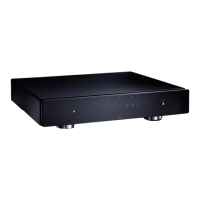
NP5 Prisma Network Player User Guide
7
GETTING STARTED
1 Unpack the NP5 Prisma
Your NP5 Prisma is supplied with:
Chromecast Built-in Quick Start Guide
External power supply
Socket adapters for power supply
RS232 cable
If any of these items are missing please contact your
supplier. We recommend you retain the packaging in
case you need to transport the unit at a later date.
l
l
l
l
2 Connect the outputs
The NP5 Prisma Network Player provides one coax digital
output and one optical digital output for connection to a
digital input.
Connect one of the digital outputs from the NP5 Prisma
to an appropriate digital input.
If you want to control the volume from the NP5 Prisma:
Leave the Output option set to Variable (default).
Alternatively, if you want to use the NP5 Prisma as a
source, and adjust volume in a connected component:
Set the Output option to Fixed.
For more information see Audio settings, page 12.
The NP5 Prisma can also be connected to another Primare
device via RS232 to provide control of basic functions
(standby on/off, mute, volume up/down, and input
selection next/previous) from the Prisma application. For
more information see RS232 Link setup, page 15.
l
l
l
3 Connect power
If you want your NP5 Prisma connected via Ethernet
cable, connect the cable before you connect your
NP5 Prisma to power. For best results we recommend
connecting via cable.
Plug the power supply to DC input on the NP5 Prisma,
and connect it to a wall socket (use the appropriate
socket adapter).
WARNING: Always disconnect the NP5 Prisma
from the mains power before connecting or
disconnecting any cables.
Once connected to power it will directly power on.
l
l


 To Next Page