STEP 1 -
Set the time
• Plug in the timer and let it
charge for 30 minutes.
• Use the up ( ) and
down ( ) arrow to set the
current time.
MODEL #TNIDP12
IN CASE OF POWER FAILURE
Timer will continue to operate on battery backup if the
power goes out; however it will not turn attached devices
on or off. Once power is restored, programming will
resume. If power remains out longer than the battery
backup will operate, re-program the timer as explained in
Steps 1, 2 and 3 of the “Programming Instructions”.
NOTE: Battery is permanently installed and not
replaceable. It automatically recharges when power is
provided to the timer.
STEP 2 -
Pick a preset option
• Press one or more of the
preset options that meet your
needs.
• When the button lights up
the timer is set (timer must
be plugged in for buttons to
illuminate).
• If you would like a custom
on/off time, move to Step 3.
If not, the setup of your new
EZ-SET timer is FINISHED!
STEP 3 -
Set a Custom
On/Off Time
• Hold down “Custom ON”
and press the up ( ) and
down ( ) arrow to set the
ON time.
• Hold down “Custom OFF”
and press the up ( ) and
down ( ) arrow to set the
OFF time.
• Ensure the timer is still
plugged in.
Press, BUT DO NOT HOLD DOWN,
the “Custom On” and “Custom Off” buttons.
Buttons will turn blue when the program
is activated.
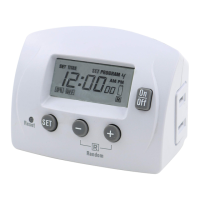
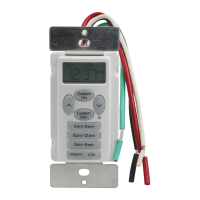
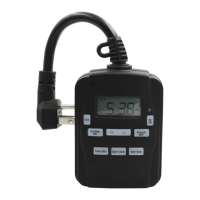
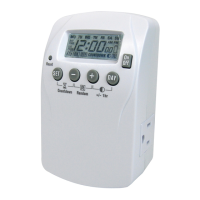
EZ-SET INDOOR
DIGITAL TIMER
PROGRAMMING INSTRUCTIONS
Congratulations! You have purchased the easiest to
use timer on the market today. In three steps or less,
your timer will be ready to use.
1. Set the time.
2. Choose a preset option.
3. Set a custom on/off time.
CUSTOM COUNTDOWN:
• Press “CTD”.
• Press up ( ) and down ( ) arrow to set the
countdown from 1 minute to 24 hours.
(Note: “CTD” will flash on LCD to indicate the
countdown feature is active)
MANUAL ON/OFF OVERRIDE:
• Press “On/Off” to bypass the current setting and turn
your device On or Off.
(Note: Timer settings will resume based on the next
programmed cycle)
ADDITIONAL FEATURES
On to step 3
5am-8am
5pm-12am
5pm-8am
CTD
On
Off
Custom
ON
Custom
OFF
5am-8am
5pm-12am
5pm-8am
CTD
On
Off
5pm-12am
5pm-8am
CTD
On
Off
Custom
ON
Custom
OFF
5am-8am
5pm-12am
5pm-8am
CTD
Custom
ON
Custom
OFF
5am-8am
5pm-12am
5pm-8am
CTD
On
Off
02-11272017
STOP
PLUG IN THE TIMER AND MOVE TO STEP 2

 Need help?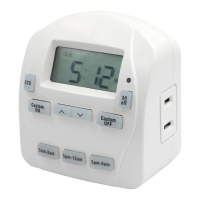

 To Next Page
 General