STEP 1 -
Set the time
• Use the up ( ) and
down ( ) arrow to set the
current time.
MODEL #TNIWP
STEP 2 -
Pick a preset option
• Press one or more of the
preset options that meet your
needs.
• When the button lights up
the timer is set (timer must
be hardwired into an
electrical wall box for buttons
to illuminate).
• If you would like a custom
on/off time, move to Step 3.
If not, the setup of your new
EZ-SET timer is FINISHED!
STEP 3 -
Set a Custom
On/Off Time
• Hold down “Custom ON”
and press the up ( ) and
down ( ) arrow to set the
ON time.
• Hold down “Custom OFF”
and press the up ( ) and
down ( ) arrow to set the
OFF time.
• Press, BUT DO NOT
HOLD DOWN, the “Custom On” and “Custom Off”
buttons. Buttons will turn blue when the program
is activated.
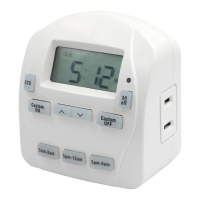
EZ-SET DIGITAL
IN-WALL TIMER
IMPORTANT PRODUCT INFORMATION
INSTALLATION INSTRUCTIONS
PROGRAMMING INSTRUCTIONS
Single Pole: Timer will control devices from one location.
Do not use in a 3-Way application where multiple switches
control the same device.
Neutral Wire: Must be available as part of the wiring of
the building. Timer will not function properly if a neutral
wire is not available.
Direct Wire: This timer is only intended to be permanently
installed into an electrical wall box.
Tool Required: One (1) standard flathead screwdriver.
(not included)
1. Turn off power at circuit breaker or fuse box before
uninstalling existing device or installing new timer.
2. Remove existing wall plate and switch from wall box.
3. Make sure the following 3 wires are present in the wall
box. (see Diagram A)
i. 1 Hot Wire from circuit breaker box
ii. 1 Load Wire to the device to be powered
iii. 1 Neutral Wire
If one or more of these are not present, this timer will
not function properly. Additional wiring to the wall box
will be required before installation of this timer can be
completed.
4. Strip wires 1/2 inch long. (see Diagram A)
5. Use the included wire nuts and securely twist together
to attach the timer wires to the building wires. (see
Diagram A)
6. Insert timer into wall box (2-1/2 inch) being careful not to
pinch any wires. Be sure timer is upright with LCD
screen located at the top of the timer. (see Diagram B)
7. Fasten timer to the wall box using screws provided.
(see Diagram B)
8. Place rocker/decorator wall plate around the timer face.
(see Diagram B)
9. Restore power at circuit breaker or fuse box.
CUSTOM COUNTDOWN:
• Press “CTD”.
• Press up ( ) and down ( ) arrow to set the
countdown from 1 minute to 24 hours.
(Note: “CTD” will flash on LCD to indicate the
countdown feature is active)
MANUAL ON/OFF OVERRIDE:
• Press “On/Off” to bypass the current setting and turn
your device On or Off.
(Note: Timer settings will resume based on the next
programmed cycle)
ADDITIONAL FEATURES
On to step 3On to step 2
Diagram A
Diagram B
Hot Wire
Black Wire
White Wire
Load Wire
Neutral Wire
Ground Wire
Red Wire
Green Wire
From Timer In Wall Box
Black Wire Hot Wire
Red Wire Load Wire
White Wire Neutral Wire
Green Wire Ground Wire
*
*
or to ground post or screw terminal
Custom
ON
Custom
OFF
5am-8am
Custom
OFF
5am-8am
5pm-8am
ON/OFF
CTD
5pm-12am
Custom
ON
Custom
OFF
5am-8am
5pm-8am
ON/OFF
CTD
5pm-12am
ON
Custom
OFF
5am-8am
03-08292018
Call customer service at 1-888-445-9955,
8 a.m. - 5 p.m., PST, Monday - Friday.

 Need help?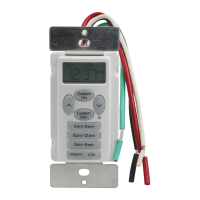

 To Next Page
 General