Instruction manual
7
• Putthepower cable intothe socket.(Note: Make surethe
voltagewhich is indicated on the devicematchesthe
localvoltage beforeconnecting the device.Voltage220V-240V
50Hz).
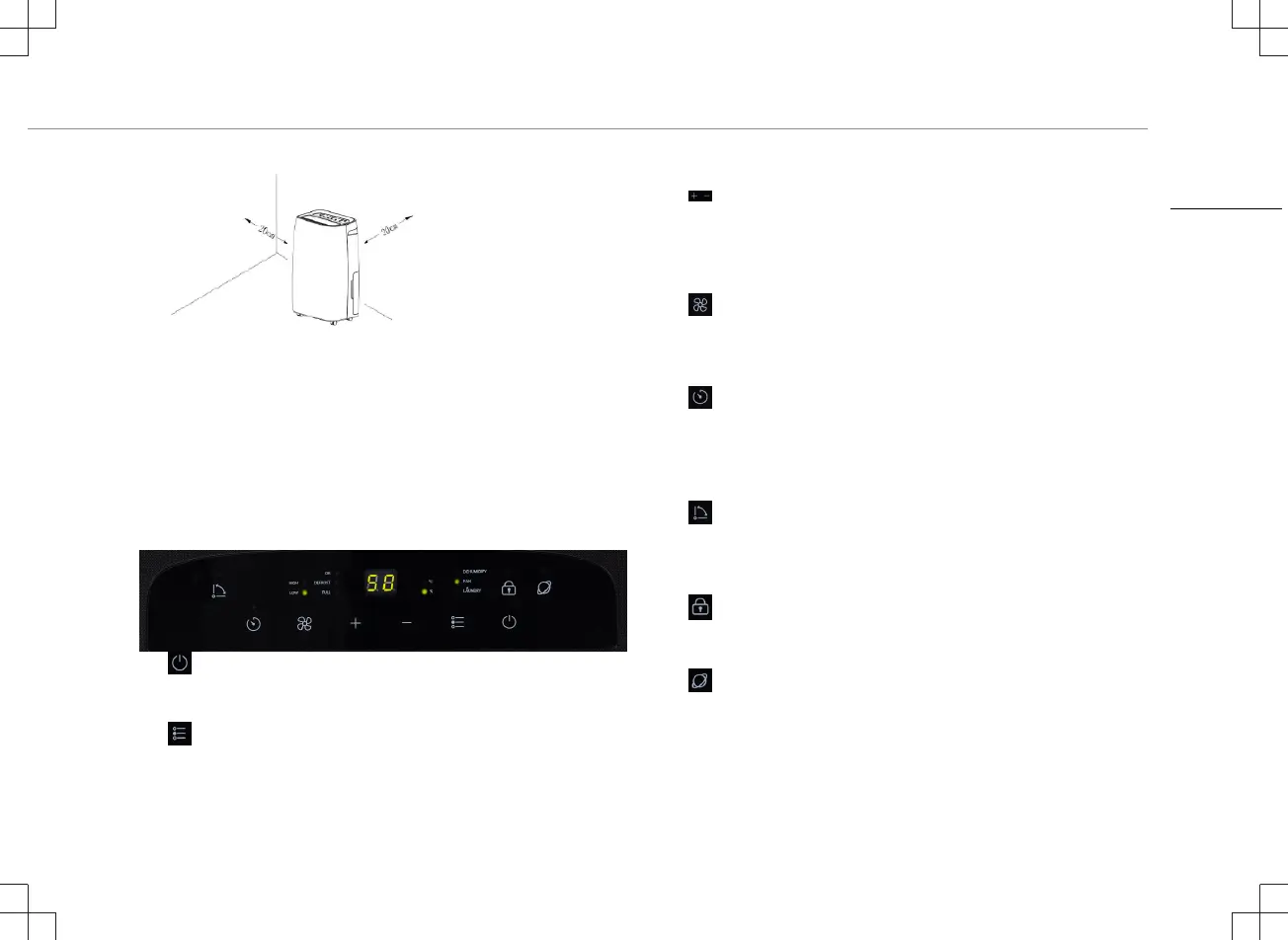
FUNCTIONS OF CONTROL PANEL
• Power button: Press to turn ON/OFF the unit. When powered
on the current humidity level will be shown. The unit will begin in
"CO" (Continuous) mode as default.
• Mode: use to switch between the different modes.
– Dehumidify (Auto or Manual operation)
– Fan (Fan mode only)
– Laundry (Full power mode)
• Up-Down: Set the required humidity: "CO" (continuous), 30 to
90% and “AU” (Automatic). The default mode is “CO”. Note:
Press up and down at the same time to convert the display from
Humidity to Temperature. The display will go back to Humidity
after 5 seconds.
• Speed: Fan speed can be switched between high or low.
Note: In comfortable mode ("AU") with a room temperature above
27 degree and in Laundry mode the fan speed is fixed and
cannot be adjusted.
• Timer (Regular time range 01-24 hours):
– In the power on state press timer to set the timer for
scheduled shutdown.
– In the off state press timer to set the timer for scheduled
start of the dehumidifier.
• Swing: Swing function on/off, pressing the button when the
dehumidifier is on will let the louver swing continuously, press the
button again to let the louver stop moving. When stopped the
Louver will be fully open to maximise airflow.
• Child lock: Hold for 5 seconds to activate the child lock
function, all other functions will not work when activated, to
disable the child lock hold the same button again for 5 seconds.
• WiFi: To set the dehumidifier in pair mode, press and hold the
Wi-Fi button until you hear 3 beeps, it could take about 6
seconds, then follow the steps in the HomeWizard Climate app.
EN


 To Next Page