
 Need help?
Do you have a question about the Pringo P231 and is the answer not in the manual?
General safety instructions for operating the P231 User's Manual and product.
Strong recommendation to use only HiTi manufactured consumables for safety and warranty.
Details age restrictions for product use and supervision requirements for adolescents.
User's responsibility for following instructions and HiTi's disclaimer for misuse.
Declaration of compliance with essential requirements of Directive 1999/5/EC.
Information regarding FCC rules, device testing, and measures to correct interference.
Statement on compliance with FCC/IC radiation exposure limits and guidelines.
Warning to use only supplied battery pack and charger to avoid overheating or explosion.
Precautions for battery temperature, handling, storage, and minor supervision.
Instructions for handling damaged batteries and immediate first aid for leaks.
Warnings about fire hazards with leaking batteries and proper disposal methods.
Guidelines for safe charger usage, including environment, water avoidance, and maintenance.
Statement disclaiming implied warranties and limiting liability for damages.
Terms regarding the use of manual content and acceptance of future modifications.
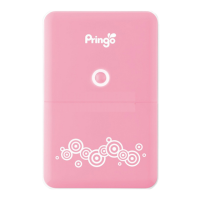
Identification of key external parts of the Pringo P231 printer.
Explanation of different LED light patterns and their meanings for printer status.
Step-by-step instructions for correctly installing the battery pack into the printer.
Steps to charge the battery and interpret the charging indicator lights.
Important notes regarding initial charging, time, and unplugging the charger.
Detailed steps for loading the printer ribbon correctly.
Crucial safety warning about the hot printing head during and after use.
Step-by-step instructions for inserting paper into the printer tray.
Notes on paper type, handling margins, and avoiding reuse of paper.
How to turn the printer on and off using the power button.
Instructions for finding and installing the Pringo app on iOS and Android devices.
Steps to establish a WiFi connection between your mobile device and the printer.
Guide to printing photos, including quality notes, handling, and safety warnings.
Information on checking the firmware version and performing updates.
How to configure or disable the automatic power off feature for the printer.
Steps to change the printer's WiFi network name (SSID) and set a password.
Guide to resolving common issues like paper jams, missing ribbon, and connectivity problems.
Detailed technical data including resolution, print size, power, and dimensions.
 Printing Specifications
| printing resolution | 290 x 290 dpi |
|---|---|
| gradation | 256 Gradations |
| printing time | About 60 secs |
 Power
Power| power source | DC 7.4V |
|---|---|
| voltage | 7.4V |
| battery pack capacity | 550 mAh |
Operating Environment| operation temperature | 15℃ - 32 ℃ |
|---|---|
| operation humidity | 20% RH - 90% RH |
Battery Charger| input voltage | 100-240V 50/60Hz |
|---|---|
| input current | Max 0.2A |
| output voltage | 5V 1A |
 Weight and Dimensions
| dimension | 94x145.8x25.1mm |
|---|---|
| weight | About 394g |
| print size | 2" x 3.4" (54x86mm) |

 To Next Page