Paper
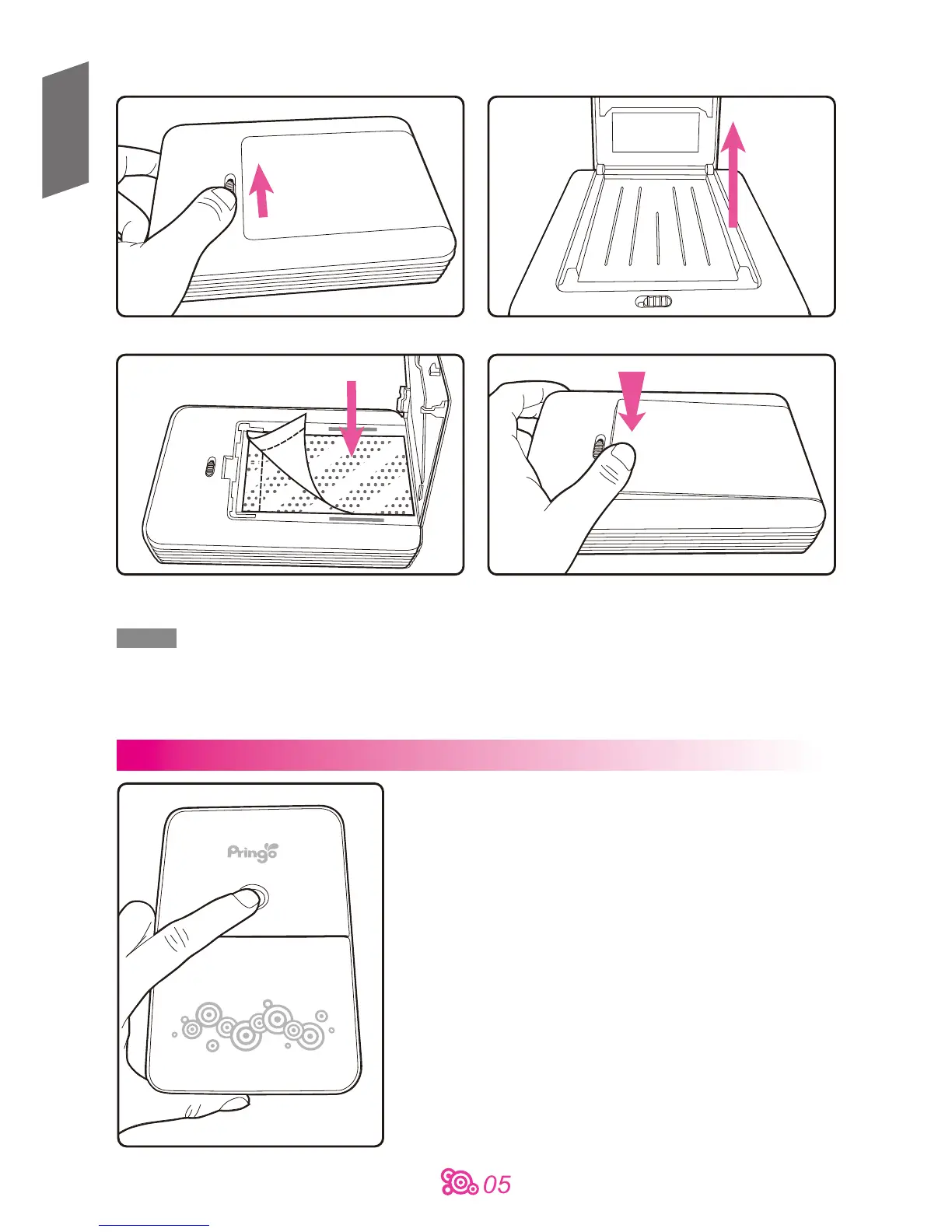
1. Push the paper door latch 2. Lift the paper door
3. Load paper with glossy side facing down,
detachable border toward the paper door latch
4. Close the paper door
Note
Works only with HiTi consumables.
Please always load 10 photo papers when paper tray is empty.
Only hold the paper by its margins; avoid touching the printer surface with your fingers.
Do not reuse paper for printing on the blank part
Turning on & off the printer
Power on
press 1 second
Power off
press 3 seconds
English


 To Next Page