WINDOWS 7/8 instruction guide for your Printrbot printer and computer software
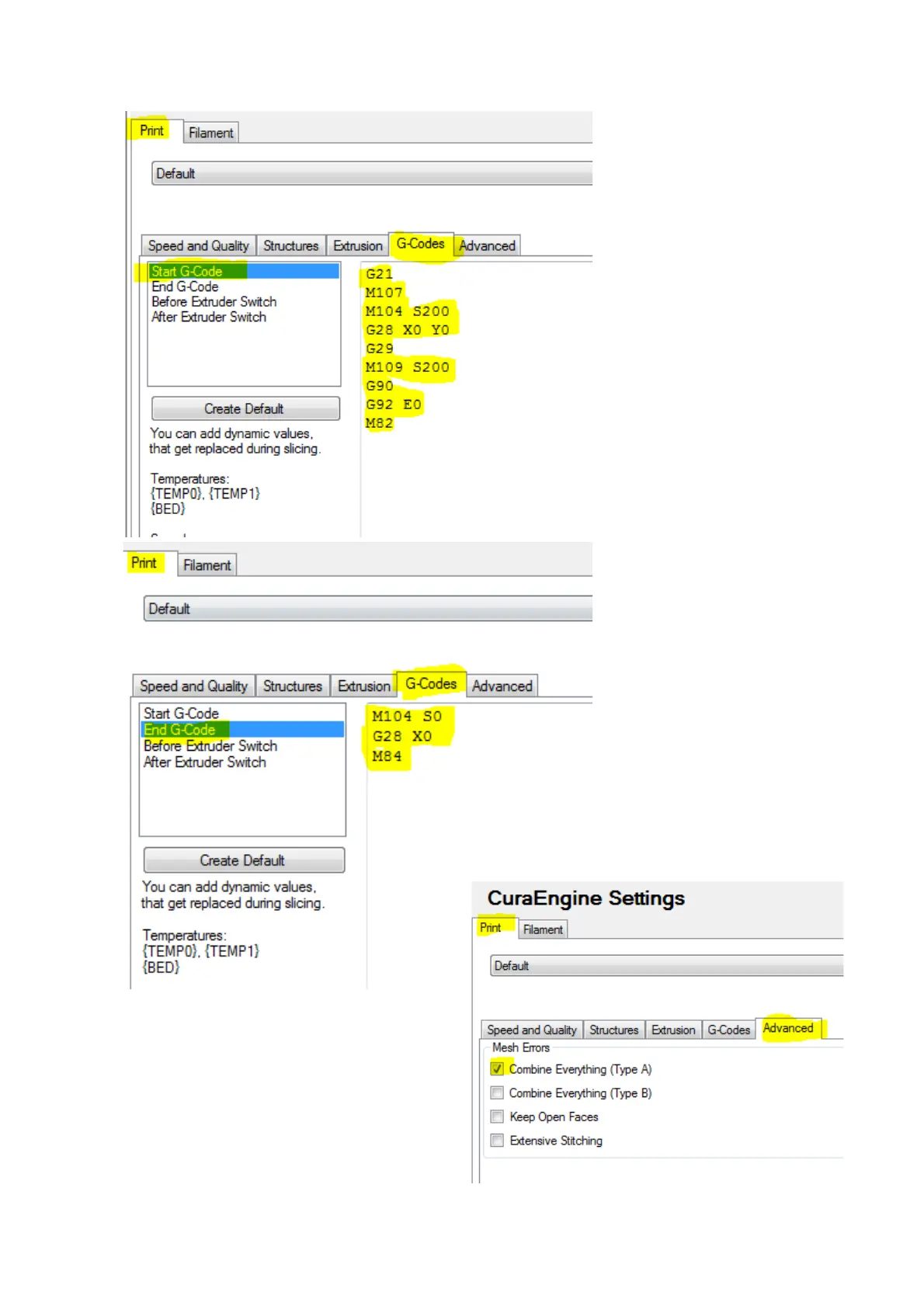
The G code settings are very
important as the Printrbot
ships with an Auto Levelling
feature and we need to
enable this in our G Code
tab.
Select the G Code tab and
then Start G Code
Delete the current code and
replace it with the
highlighted text shown here
Select the End G code option
and similarly replace the text
with the highlighted text
here.
The Advanced tab settings are as shown
PLEASE CLICK ON SAVE
Page 15 of 23



 To Next Page