WINDOWS 7/8 instruction guide for your Printrbot printer and computer software
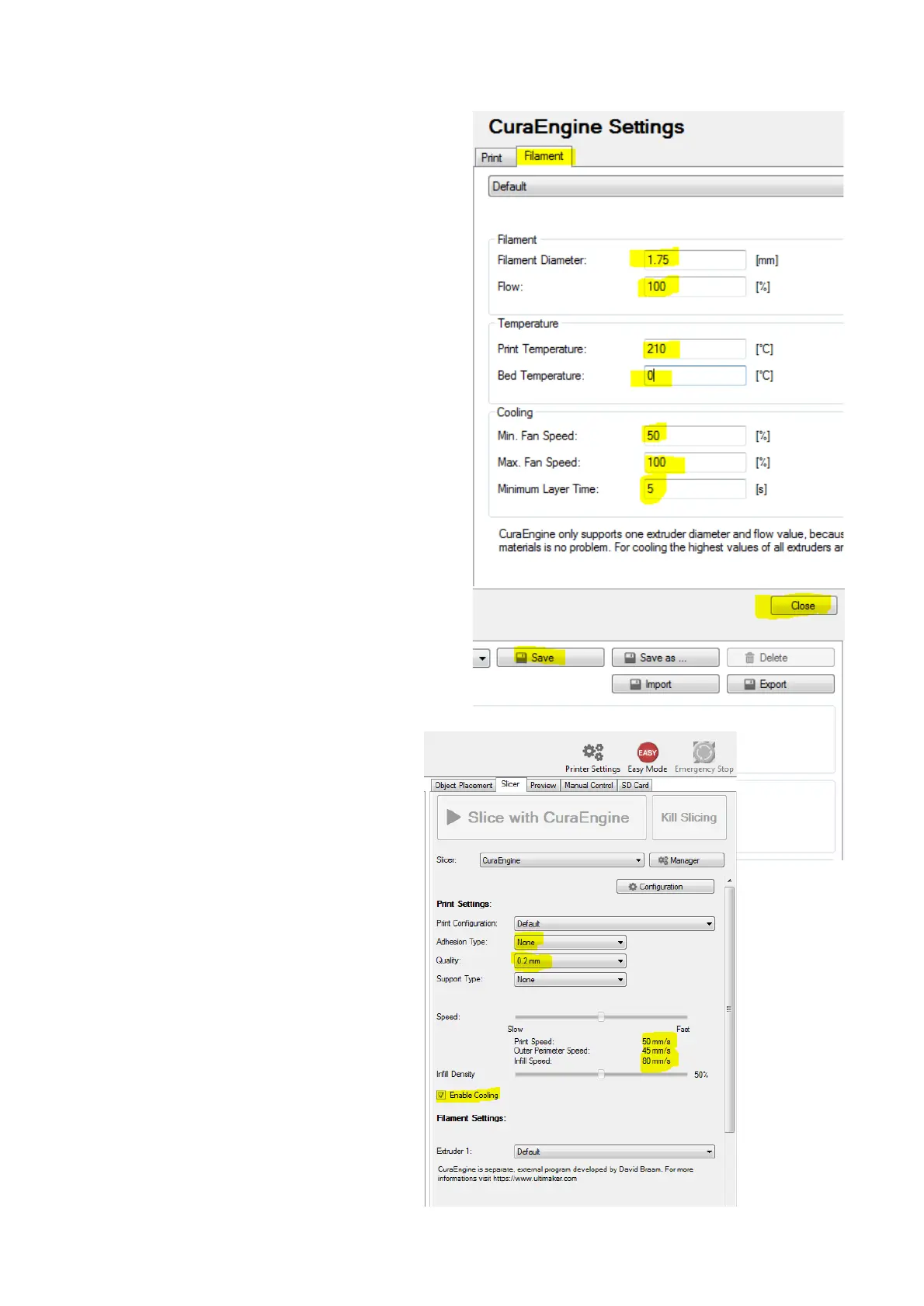
Select the Filament tab …
It is important that the extruder knows the
diameter of the filament being used to
calculate the amount passed through the
nozzle. The nominal value of your filament
is 1.75 mm but it is subject to tolerances.
It is a good idea if you can check the
diameter of your filament when you start
with a new batch and measure it over a
few points along a length. Calculate the
average of these measurements and enter
it in the Filament Diameter setting.
If you are not able to measure the
diameter accurately then set it to 1.75.
The Slicer is now set up so select Save and
then Close to return to the main screen
On the right side side of the screen you
should see something like this …
You are now ready to print …..
Page 16 of 23



 To Next Page