WINDOWS 7/8 instruction guide for your Printrbot printer and computer software
Your first print
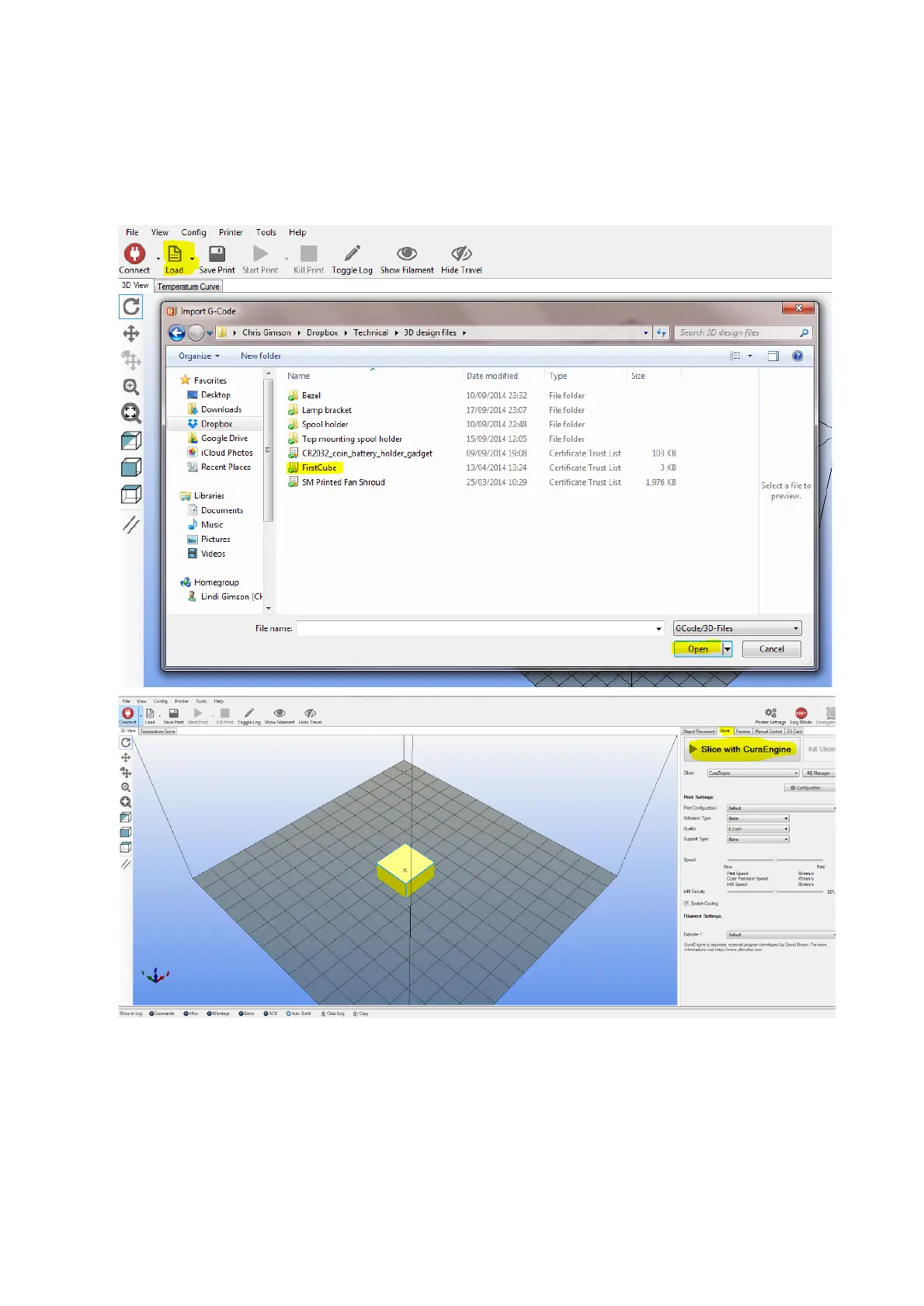
Lets print the firstcube.stl. If you have not already done so, download the firstcube model file from
the printrbot website and unzip the file to a location on your computer. Load the file into Repetier
You can use your mouse to rotate and zoom the viewer.
Select the Slicer tab and click on the button Slice with CuraEngine.
To change the amount of fill, you can use the slider options on the right hand side of the screen
but for now don’t adjust the feed rate.
Page 17 of 23



 To Next Page