WINDOWS 7/8 instruction guide for your Printrbot printer and computer software
Appendix A – Troubleshooting check if the teensy serial driver does not
install correctly.
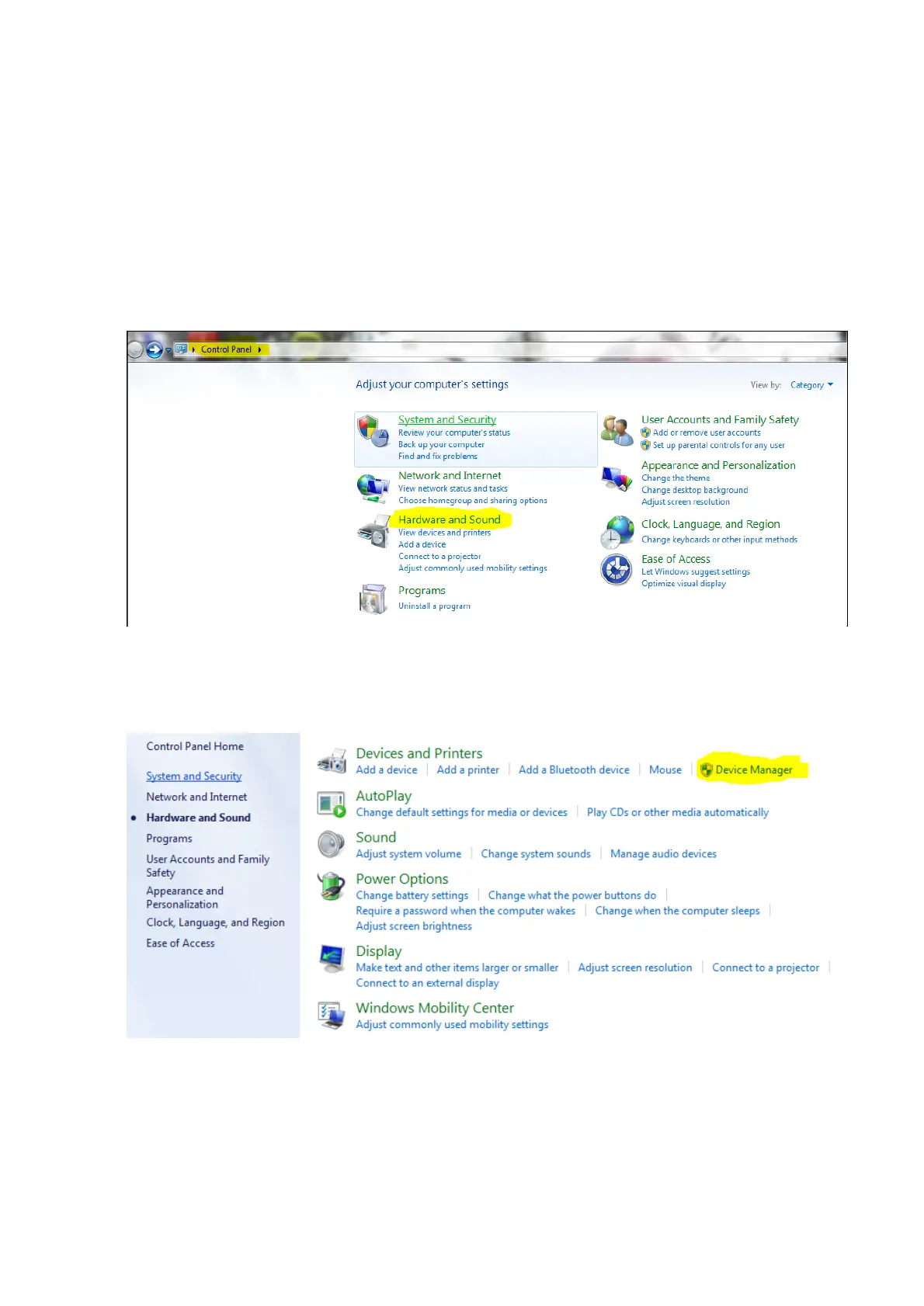
If the serial driver does not install correctly then the first check to do is to
look at the device manager settings to check the driver settings.
Select the Control Panel from the computer start menu after pressing the
Start button
Select the Hardware and Sound icon
Select the Device Manager button
Page 20 of 23



 To Next Page