WINDOWS 7/8 instruction guide for your Printrbot printer and computer software
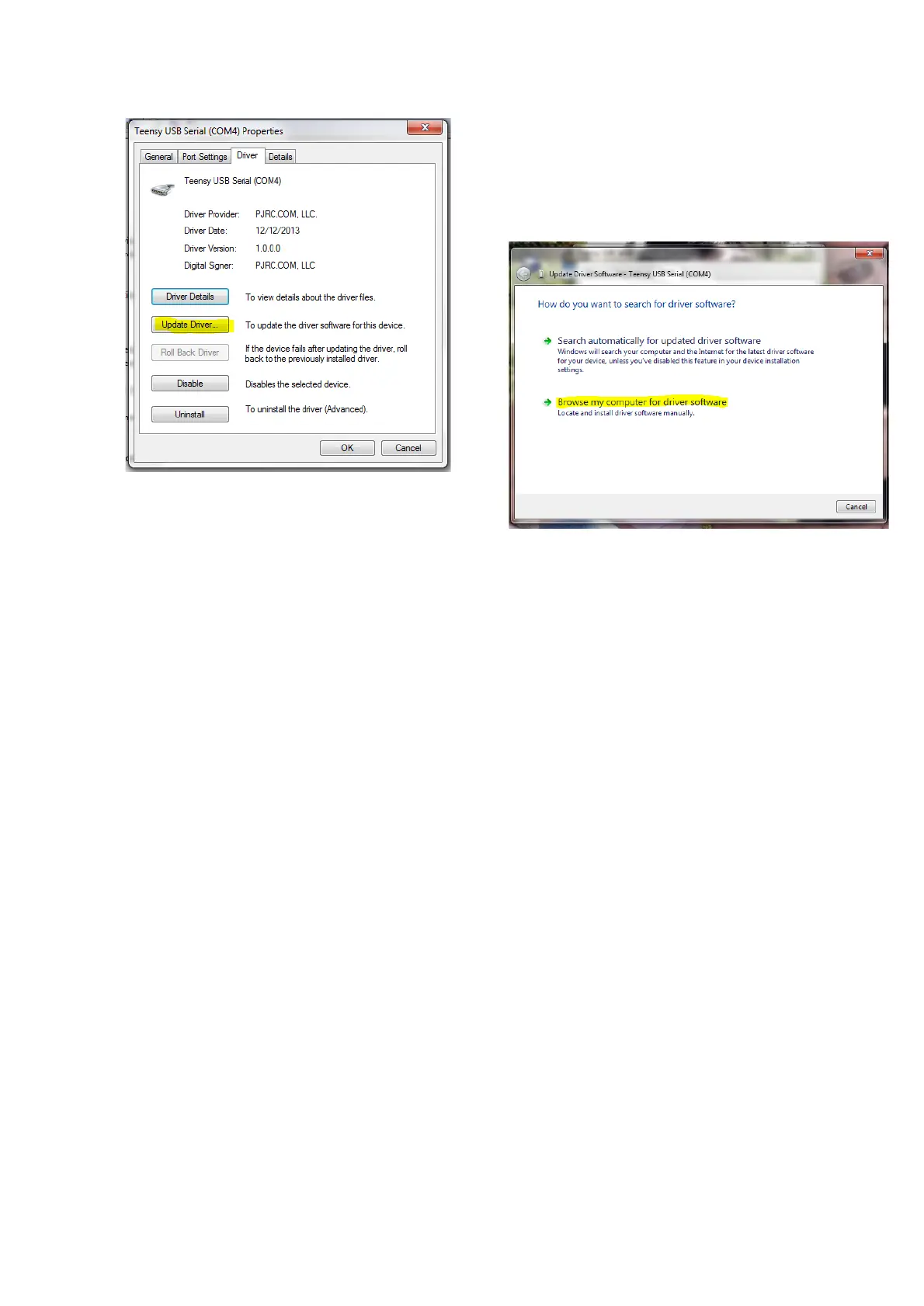
If you need to update or re-install
the driver click on the Driver tab
and the Update Driver (You may
decide to Uninstal the driver)
Select the Browse option to search
the computer for the driver in the
directory
The correct installed directory location for the driver is
C:\windows\system32\drivers however it can be in any location on the
computer so long as the program is set up to look in the correct directory.
Page 22 of 23



 To Next Page