EasyManua.ls Logo

Prisma NP5 MK2 - Thank You and User Guide; User Guide Access; Initial Installation Placement

Prisma NP5 MK2
29 pages
Print Icon
To Next Page IconTo Next Page
To Previous Page IconTo Previous Page
Loading...
p
R I
M
A R E
THE
S
OU
ND
AND
VISION
OF
SCANDINAVIA
Thank you for purchasing this NP 5
Pris
ma
MK2
User Guide
To
achieve
the
best
performance
and
ease
of
use in
your
system,
please
follow
the
connection
and
setup instructions in
the
user
guide.
You can
find
your
user
guide
by
:
Using
the
QR
code
found
on
the
outside
of
the
box.
Going
to
our
website
at
www.primare.net.
Once
on
the
site,
go
to
the
NP5
Prisma
MK2
product
page
where
you
will
see a
Support
tab
under
which can
be
found
user
guides
and
other
useful
information.
For
any
additional
support
and
assistance
not
covered
by
the
user
guide,
please
contact
your
authorized
Primare
dealer,
distributor,
or
visit
our
website.
Initial Installation
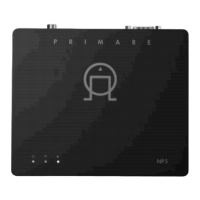
Place
the
component
on a
stable,
level
shelf,
with
a minimum
of
one
inch
or
three
centimetres
of
open
space
surrounding
the
case on
all
sides.