EasyManua.ls Logo

Prisma NP5 MK2 - Connection and Setup Notes; Enjoy Your Primare

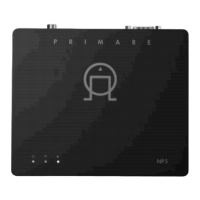
Prisma NP5 MK2
29 pages
Print Icon
To Previous Page IconTo Previous Page
Loading...
Connect
the
power
supply
and
digital
output.
Note:
if
using
the
NP5
Prisma
MK2
with
another
Primare
product
that
has
an
RS232
input, connect
the
units using
the
enclosed RS232
cable.
Download
the
Prisma
opp
from
the
App
Store
or
Google
Play
and
follow
the
Chromecast
Quick
Start
Guide
for
easy
instructions
for
connecting
to
your
network
using
the
Google
Home
application.
Note: connection to
your
network
using
Google
Home
is required to
be
able
to
use the Chromecast casting features
and
functionality.
To see
the
other
available
options
for
connecting
the
NP5
Prisma
MK2
to
your
network,
go
to
the
Getting
Started
section
of
the
user
guide
to
see
the
available
options
for
connecting
to
your
network.
The menu system in
the
Prisma
application
allows
you
to
individually
customize
the
setup
to
suit
your
system needs, as
well
as
overall
system
control
parameters.
As
with
any
high-quality
audio
component,
your
Primare
will
sound best
after
an
initial
burn-in
period
of
48
hours
of
use,
while
further
smaller
improvements
in
sound
quality
with
may
be
heard
with
additional
playing
time.
From
all
of
us
here in
Sweden,
we
hope
you
enjoy
your
Primare!
Limstensgatan 71 SE-21616 Limhamn I Sweden I +46 40 654 88 00 I primare.net