11
5.1– CONTROL PANEL
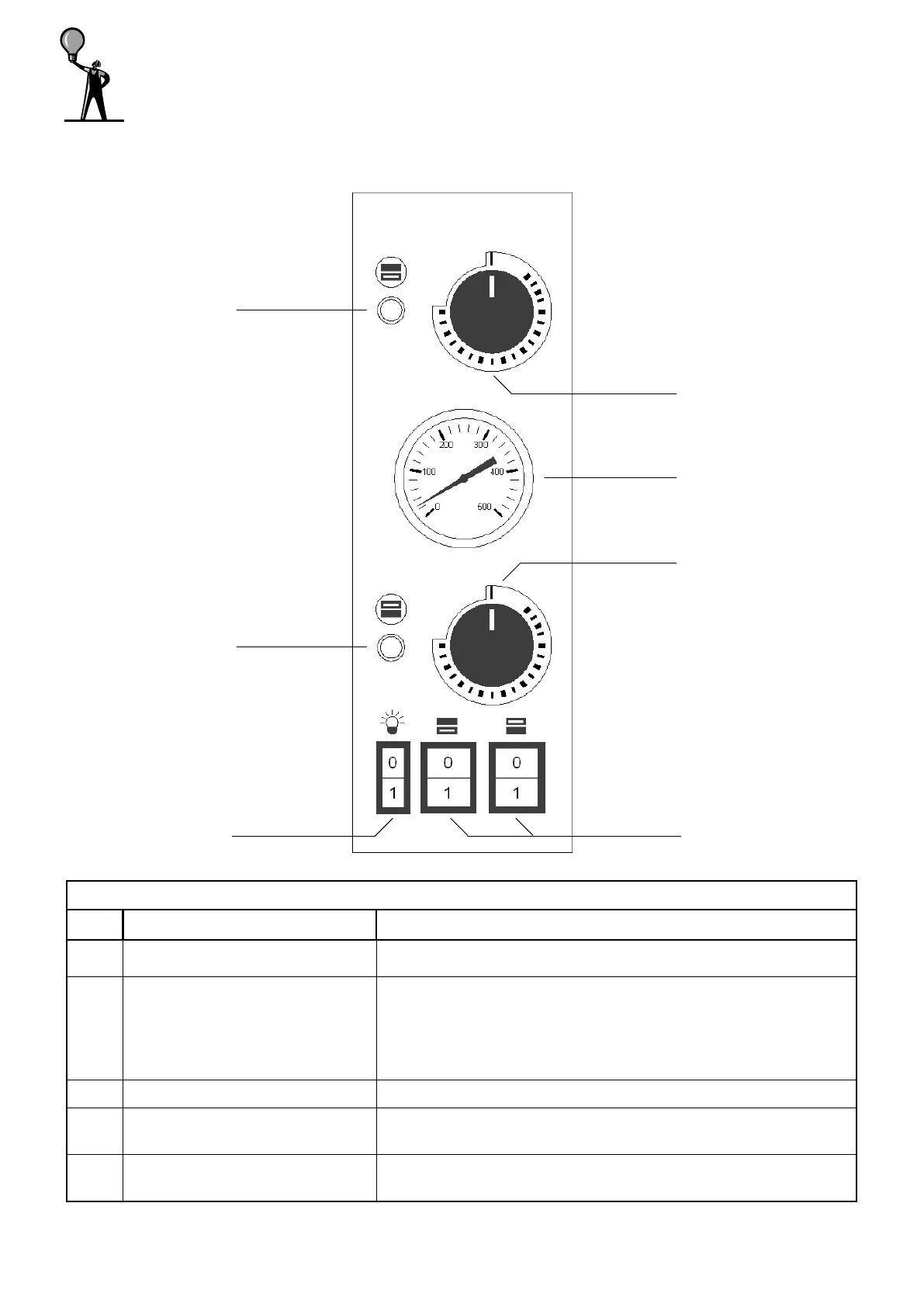
The control panel is installed on the front side of the oven as shown below:
LEGEND PIC.1
REF. DENOMINATION FUNCTION
1 Warning light If lighted, it signals the operation of the resistor in use.
2 Thermostat
• Pos.0:it disables the operation of the resistor;
• Pos. 0-500°C :it enables the operation of the resistor
and sets the wished temperature.
3 Thermometer Indicates the temperature in the baking chamber.
4 Switch heating element
• Pos. I: It enables the operation of the resistor;
• Pos. 0: It disables the operation of the resistor.
5 Chamber lamp switch
• Pos. I: It switches on the light in the oven chamber;
• Pos. 0: It switches off the light in the oven chamber.
5– USE AND FUNCTIONING
PIC.1 Control panel BASIC ovens
1
1
2
2
3
4 5



 To Next Page