16
Section 3 - ADVANCED TECHNIQUES
3.1 Moving from Basic Menu to Advanced Menu
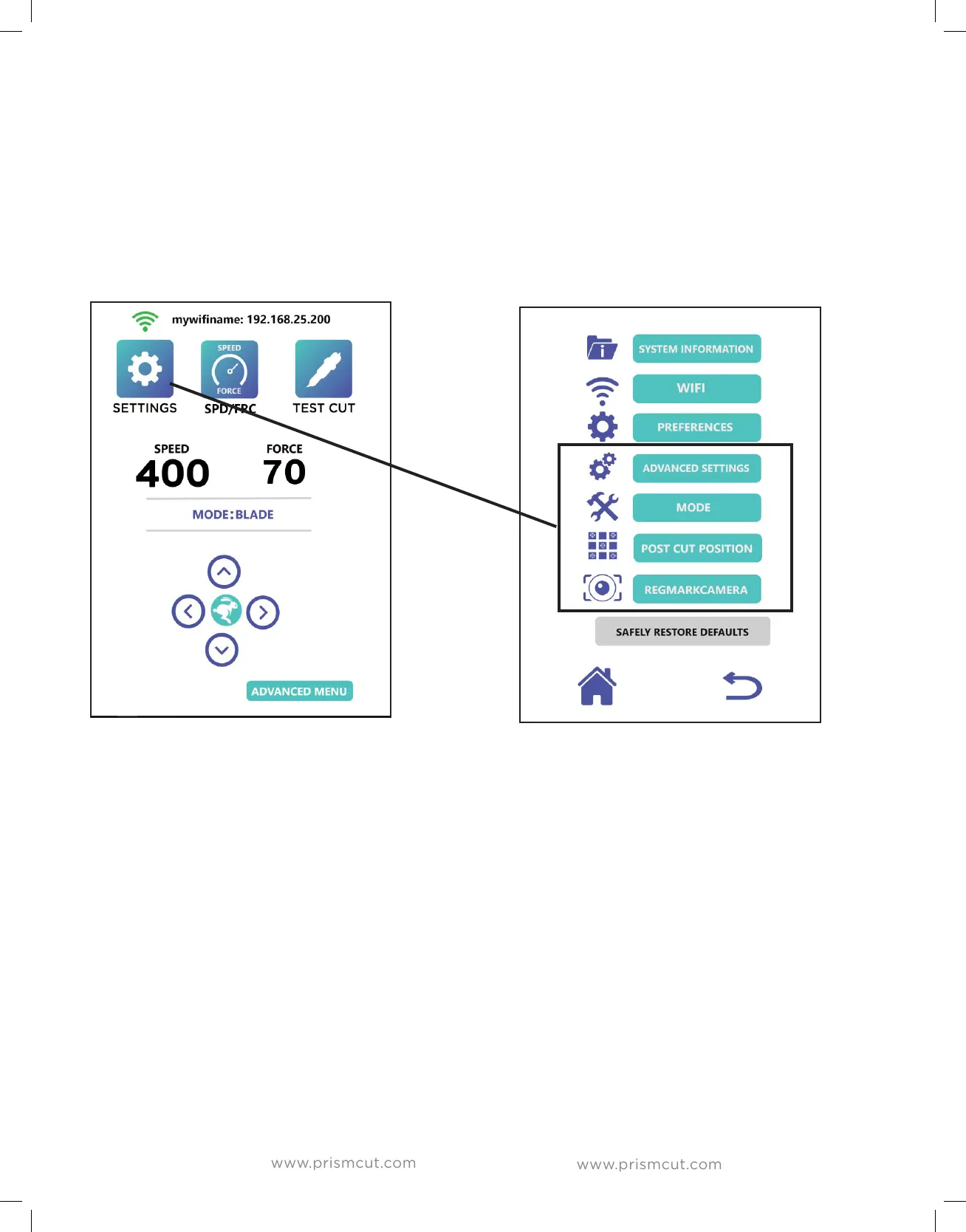
This is as simple as pressing the Advanced Menu button at the bottom right of
the PrismCut home screen. Perhaps more important, is knowing that you can
always get back to the Basic Menu if you prefer a more minimalist approach to
cutting. You will see that icons that appear in both menu modes (eg. Settings)
may now contain more options in the Advanced Menu mode.
3.2 Advanced settings options
Under the settings icon, you will now see an option for Advanced Settings.
- Move right on power will cause the carriage to go home when powered on.
- Inverted Y axis swaps the media feed direction of the up/down arrows
- RegMarkTracking is used when contour cutting (see Sections 3.4 and 3.5)
- Calibration is used when servicing the cutter. (see Section 4.2)


 To Next Page