17
3.3 Configuring Presets
Presets are stored speed/force settings that you can rename with the product
names or job names you use most often. The PrismCut will display the name of
the preset it is using so you know that the settings are exactly as you wanted
them. The Presets icon appears on the Advanced Menu Home Screen.
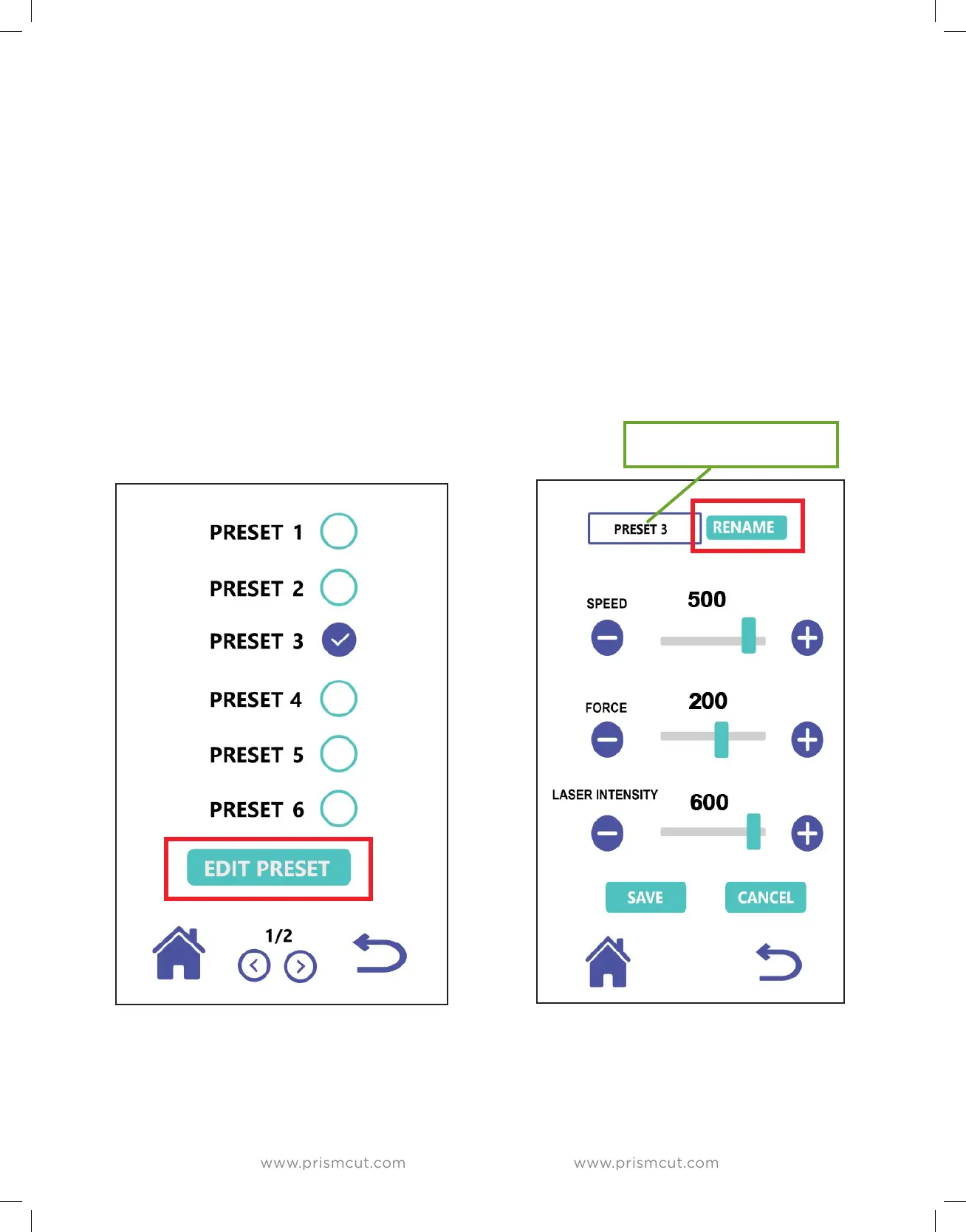
Press the Presets icon to see a list of presets and highlight the circle beside the
preset you want to work with. To edit preset values or to edit the name of the
preset, just press the EDIT PRESET button, make your changes and press SAVE.
To give your preset a custom name, press the RENAME key which will bring up a
keypad. Press a key multiple times quickly to cycle to other letters if the keypad
displays more than one letter.
RENAME PRESETS TO
ANY NAME YOU WANT


 To Next Page