9
Section 5: Mount Installation
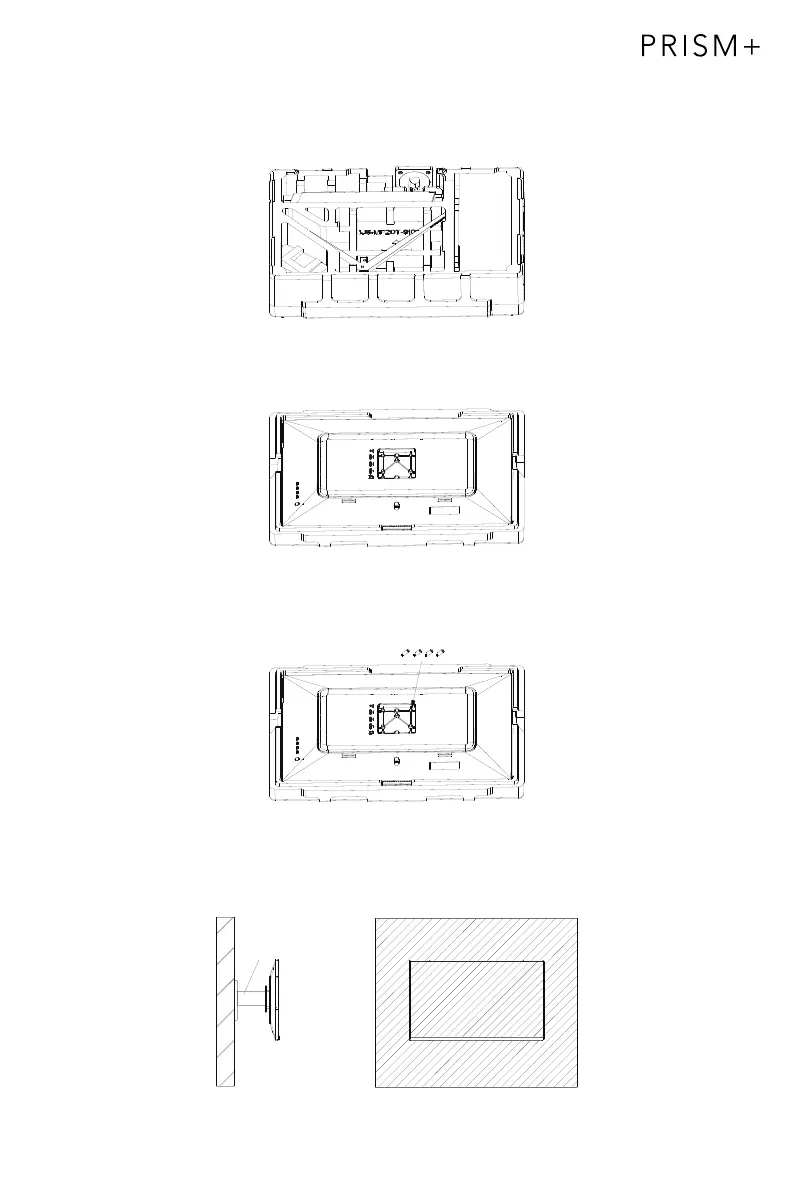
1. Open the packaging, gently take out the foam and monitor.
2. Remove the upper foam, keep the monitor laying on nether foam.
3. Take out 4pcs of Spacer Screw*25mm (VESA Connector); in the accessory bag and
lock them in back cover with a straight screwdriver.
4. Follow the directions with your mount, and install the monitor on the wall
or bracket as you like.
Mount
(Not included)


 To Next Page