7
Section 4: Stand Installation
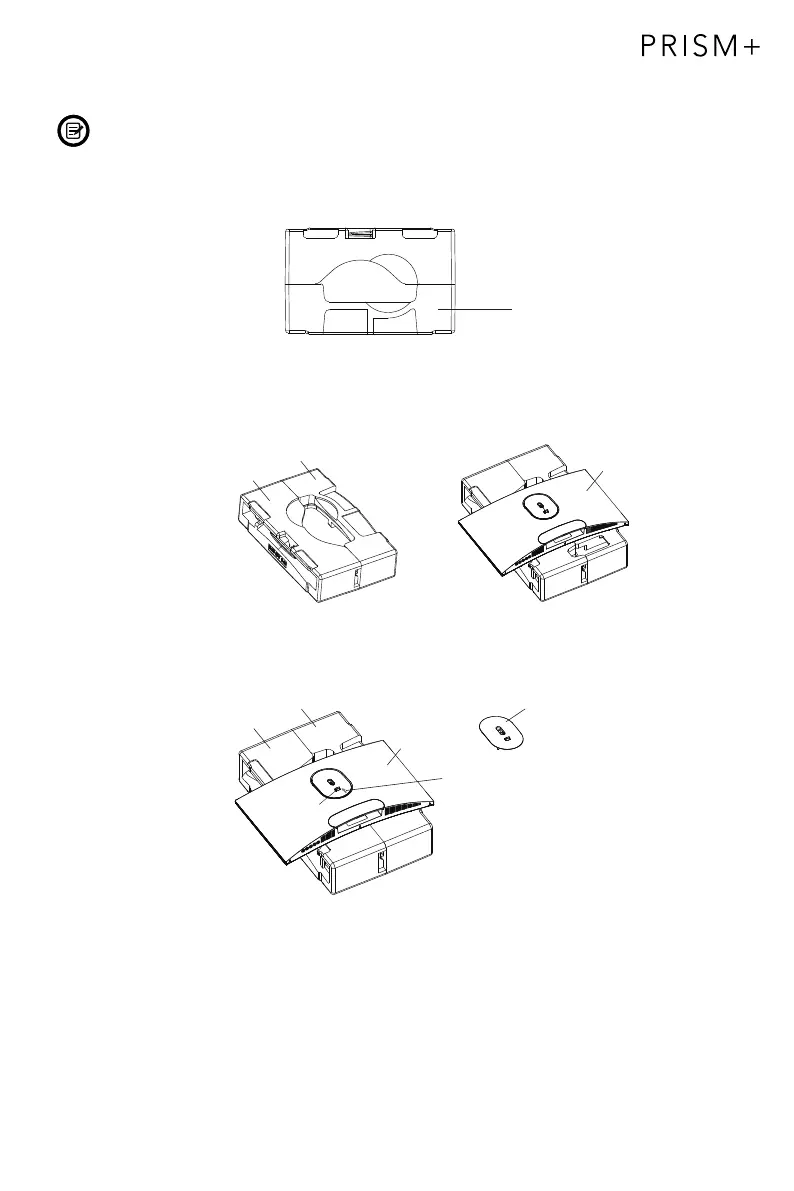
Keep the foam underneath the monitor before attaching the stand.
1. Open the package, take out the product with foam still attached, and gently place
it on a desktop or table.
Foam
2. Place the upper and lower foam on the table and place the monitor on top of the foam.
3.
Push the lock button and remove the shaft assembly as shown below..
Upper foam
Lower foam
Upper foam
Lower foam
monitor
monitor
Shaft assembly
Push up to unlock
Lock


 To Next Page