9
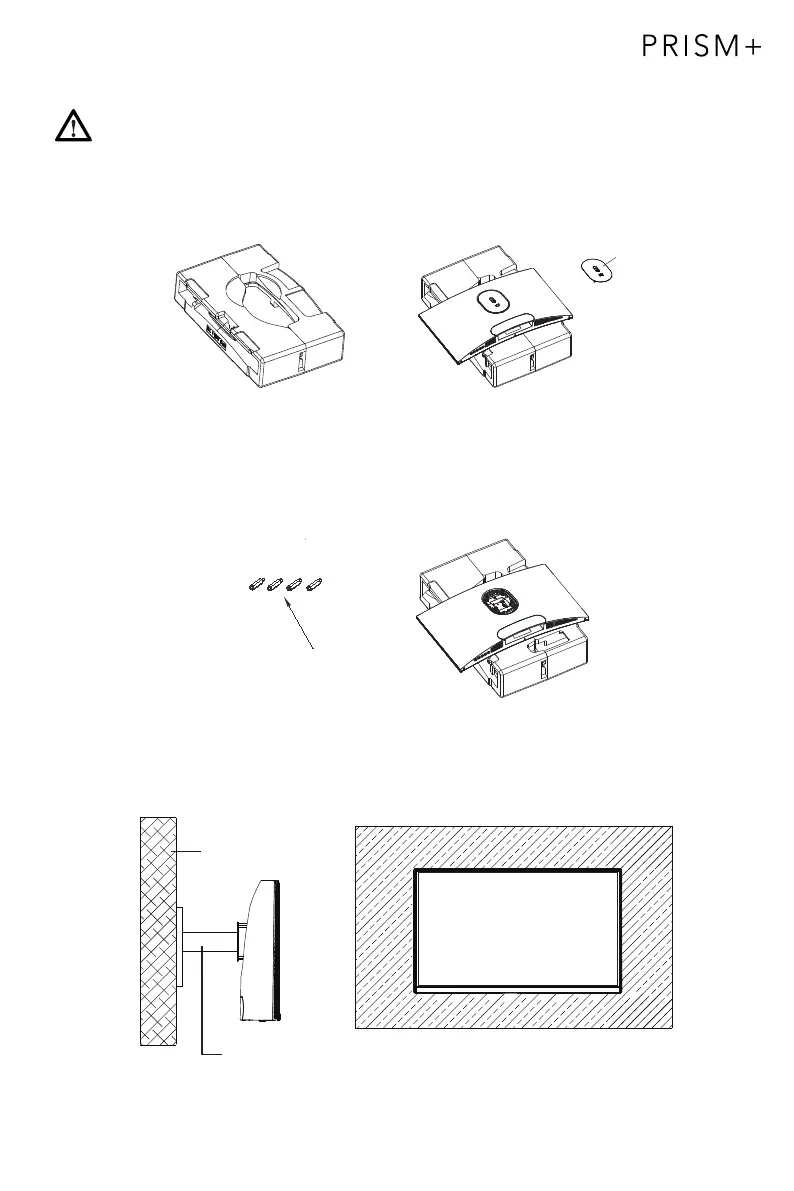
Section 5: Mount Installation
3.
Wall
Mounting Base
(Not included)
Shaft assembly
2.
1.
Open the package, remove the foam from the monitor, and placed it on the foam
on a stable, flat table. Removed the quick-release shaft assembly.
Install the monitor on the wall mount or bracket as desired.
VESA and mounting accessories are not included.
Take out the four hexagonal spacer screws with a height of 35mm from the
accessory bag, and fasten them into the M4 threaded hole of the rear tank sinking
slot with a screwdriver (not included). It is advised to place the monitor on top of the
foam to prevent breaking the screen.
spacer screws x 4


 To Next Page