6
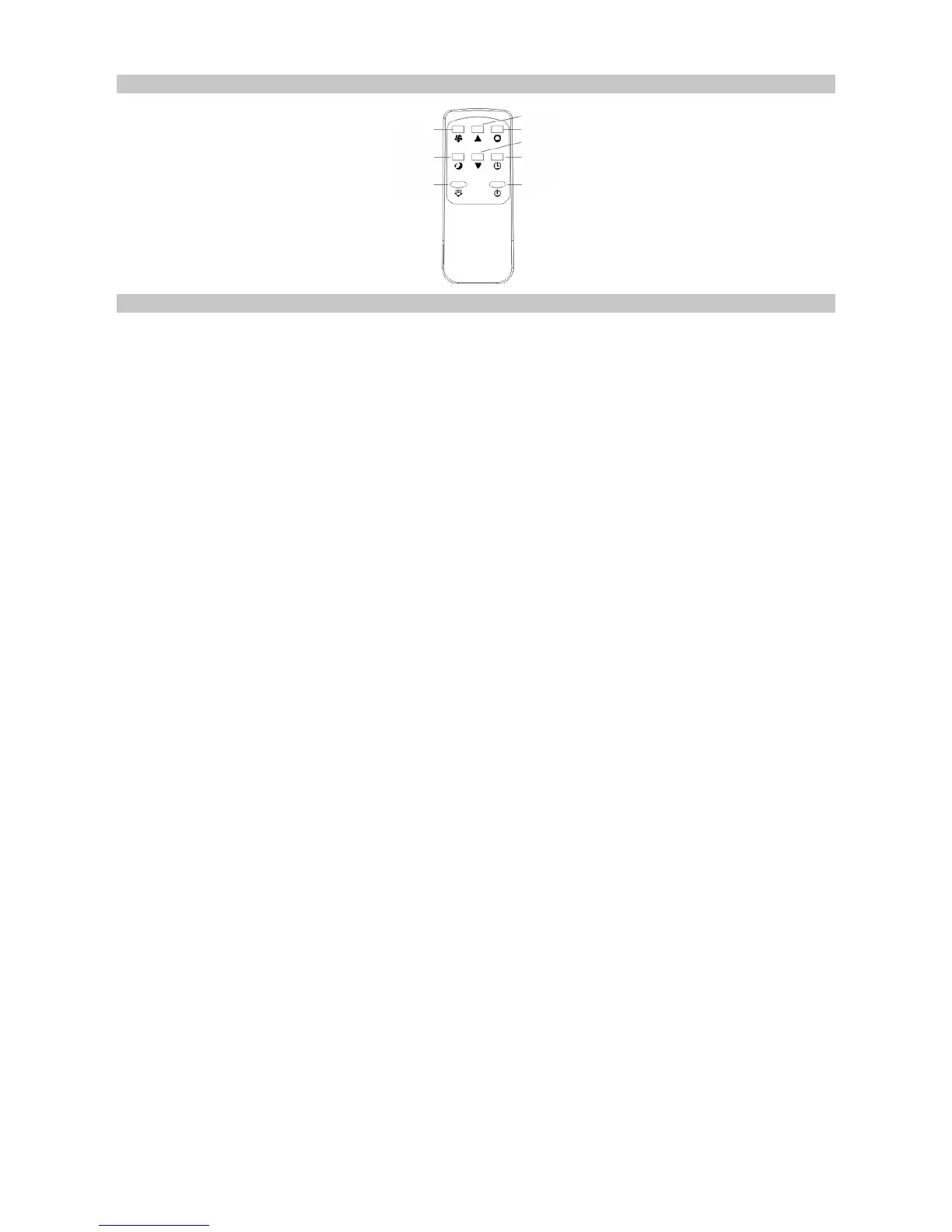
REMOTE CONTROL
OPERATION MODES
Cooling Mode
• After the air conditioner turns on, the default setting is cooling mode with a
temperature of 22°C and low fan speed.
• Press MODE to select cooling mode and the cooling mode indicator turns on.
• Press UP or DOWN to adjust temperature from 16°C to 31°C.
• Press FAN to select high or low fan speed.
Fan Mode
• Press MODE to select fan mode and the fan mode indicator turns on.
• Press FAN to select high speed or low speed.
Note: When in fan mode, the temperature and sleep function cannot be set.
Timer Mode
• In standby mode, press TIMER to set the number of hours to when the unit turns
on. The timer mode indicator turns on. The length of time is adjustable from 1 to 24
hours.
• In power-on mode, press TIMER to set the number of hours to when the unit
goes into standby mode. The timer mode indicator turns on. The length of time is
adjustable from 1 to 24 hours.
Dehumidifying Mode
• Press MODE to select dehumidifying mode and the dehumidifying indicator turns
on.
Note: In dehumidifying mode, the sleep function cannot be set up and the fan
speed is low.
Sleep Mode
• Press SLEEP to enter into sleep mode; the default value of the fan speed is low.
• When sleep mode turns on, in cooling mode, after the first hour the temperature
setting will increase by 1°C. After the second hour, the temperature will go up a
further 1°C and then remain the same.
Note: Sleep mode is not available in dehumidifying and fan mode.
Compressor Protection
After powering on, or a restart, there is a three minute delay before the compressor
starts to operate. This helps to prolong the life of the compressor.
Power
Timer
Down
Mode
Up
Fan
Sleep
Swing


 To Next Page