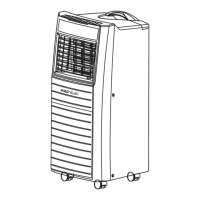
6
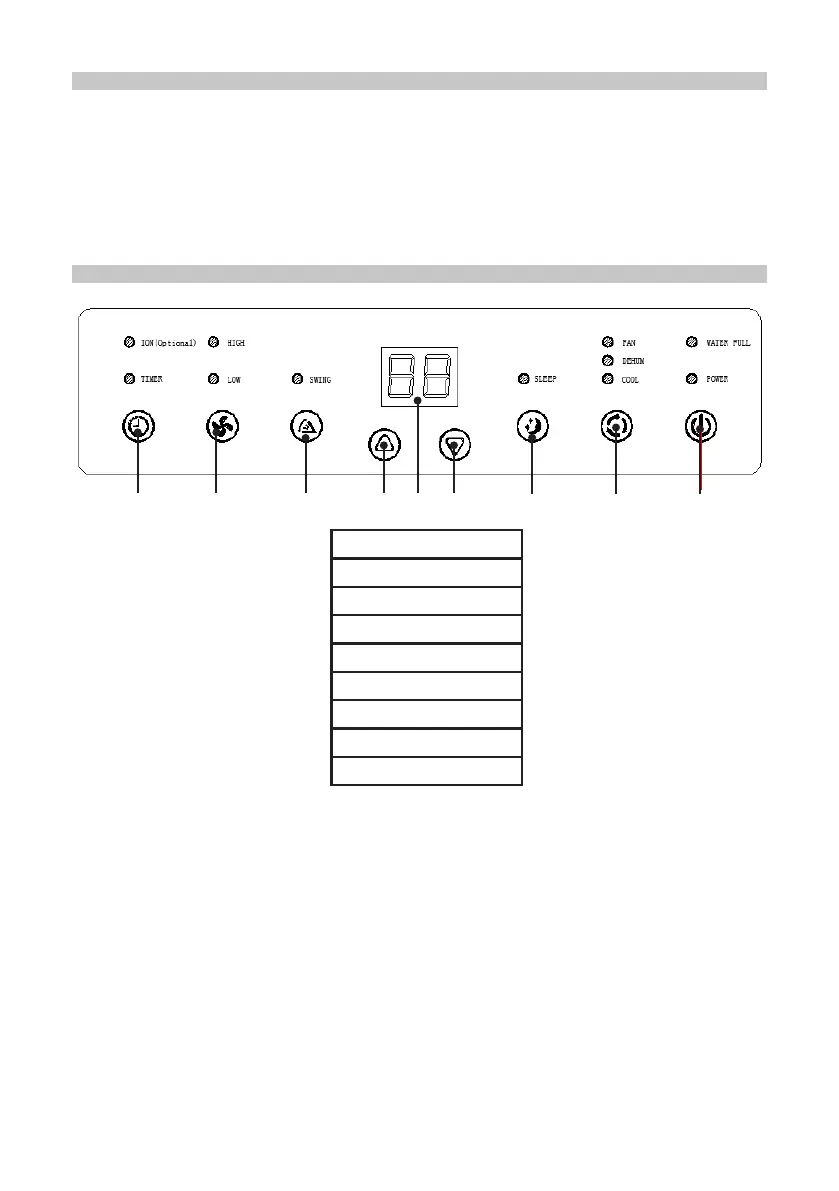
1. Timer
2. Fan Speed
3. Swing
4. Up
5. LED Display
6. Down
7. Sleep
8. Mode
9. Power
1 2 3 4 5 6 7 8 9
INSTALLATION ERRORS
To operate eciently the air must be able to ow freely into the exhaust hose. To assist
this:
• Avoid any sharp bends or kinks in the exhaust hose.
• Keep it as level as possible.
• Keep its length as short as possible. The maximum extension length of the
exhaust pipe is 1.5m. Do not try to lengthen it.
CONTROL PANEL
• POWER: Press to turn the air conditioner on or o. When it turns on, it will do so in
standby status.
• FAN SPEED: press this key to select the fan speed (high, middle or low). Not
available in sleep or dehumidifying modes.
• SWING: Starts the air ow oscillation mode (Optional).
• UP: in timer mode this increases the time setting. In cooling mode, press this key
to increase the temperature. LED display indicates the setting.
• DOWN: in timer mode this reduces the time setting. In cooling mode, press this
key to reduce the temperature. LED display indicates the setting.
• SLEEP: in the cooling mode, press this key to setup SLEEP delay timer from 1 to
24 hours using the UP or DOWN buttons. LED display indicates the setting.
• MODE: press this key to select cooling, dehumidifying and fan mode.
All functions can also be accessed using the remote control.


 To Next Page