28/44
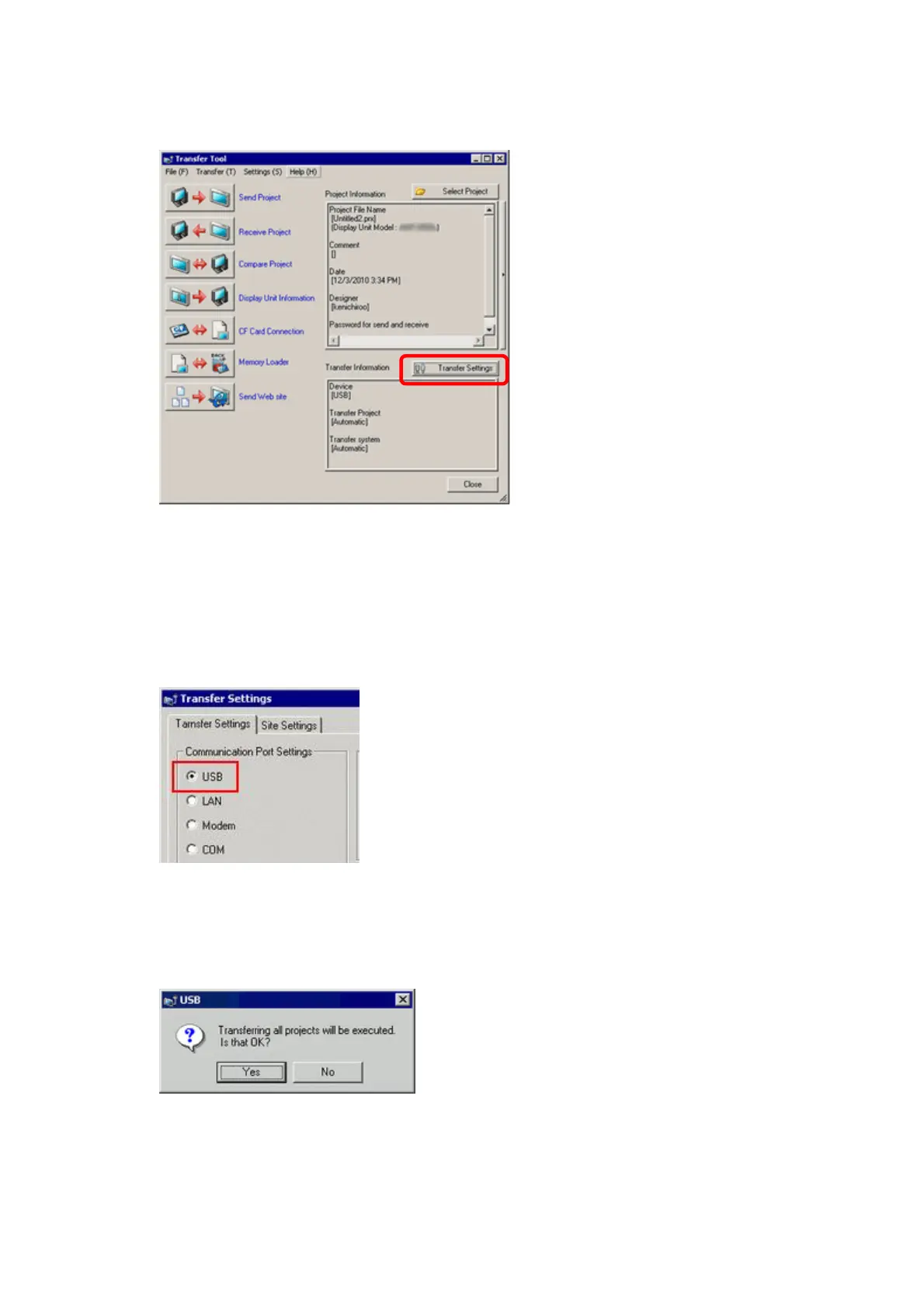
(3) On the GP-Pro EX’s State Toolbar, click the [Transfer Project] icon to open the
Transfer Tool.
To transfer a different project file, click the [Select Project] button and select a
project file.
(4) Make sure that the [Device] in the “Transfer Settings Information” is set to [USB].
If not, click the [Transfer Setting] button to open the “Transfer Setting” dialog box.
Select [USB] in the Communication Port Settings field and click [OK].
(5) Click [Send Project] to start transfer.
When the following dialog box appears, click [Yes]. This dialog box doesn’t appear
when the same project file is sent again.




 To Next Page