EasyManua.ls Logo

Pro-Form ZT3 - User Manual

Pro-Form ZT3
28 pages
Print Icon
To Next Page IconTo Next Page
Loading...
Model No. PFTL39110.1
Serial No.
Write the serial number in the
space above for reference.
USER'S MANUAL
CAUTION
Read all precautions and instruc-
tions in this manual before using
this equipment. Keep this manual
for future reference.
www.proform.com
QUESTIONS?
If you have questions, or if parts are
damaged or missing, DO NOT CON-
TACT THE STORE; please contact
Customer Care.
IMPORTANT: Please register this
product (see the limited warranty
on the back cover of this manual)
before contacting Customer Care.
CALL TOLL-FREE:
1-888-533-1333
Mon.–Fri. 6 a.m.–6 p.m. MT
Sat. 8 a.m.–4 p.m. MT
ON THE WEB:
www.proformservice.com
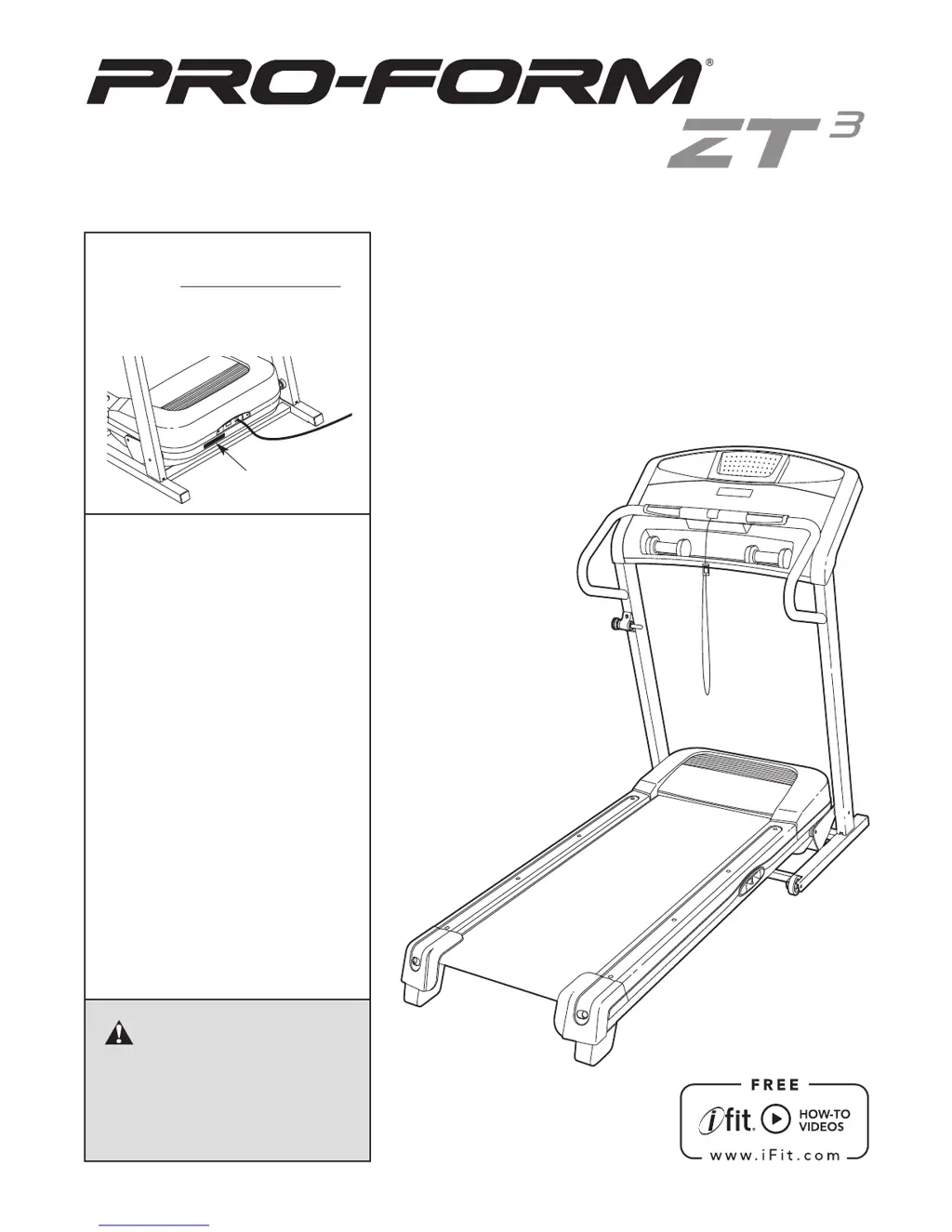
Serial Number
Decal

Questions and Answers

  • J
    John CurtisJul 31, 2025
    What to do if Pro-Form Treadmill power turns off during use?
    • A
      Andrea HernandezJul 31, 2025
      If your Pro-Form Treadmill's power turns off during use, check the power switch. If it has tripped, wait five minutes, then press it back in. Also, ensure the power cord is plugged in. If it is, unplug it, wait five minutes, and plug it back in.
  • P
    pmendozaAug 6, 2025
    Why Pro-Form ZT3 power does not turn on?
    • J
      Jeffery WuAug 6, 2025
      If the power on your Pro-Form Treadmill does not turn on, make sure the power cord is plugged into a surge suppressor and that the surge suppressor is plugged into a properly grounded outlet. Also, check the power switch on the treadmill frame. If it protrudes, wait five minutes, then press it back in to reset it.
  • E
    Elizabeth McintyreAug 11, 2025
    How to fix Pro-Form ZT3 Treadmill walking belt that is off-center?
    • J
      Joseph LopezAug 11, 2025
      If the walking belt on your Pro-Form Treadmill is off-center or slips, first remove the key and unplug the power cord. If the belt has shifted left, use the hex key to turn the left idler roller screw clockwise 1/2 turn. If it has shifted right, turn the left idler roller screw counterclockwise 1/2 turn.
  • J
    Joshua MorrisAug 18, 2025
    What to do if the incline of my Pro-Form ZT3 does not change correctly?
    • I
      isullivanAug 18, 2025
      If the incline of your Pro-Form Treadmill does not change correctly, hold down the Stop button and the Speed increase button, insert the key into the console, and then release both buttons. Next, press the Stop button, and then press the Incline increase or decrease button. If the incline system does not begin calibrating, press the Stop button, and then press the Incline increase or decrease button again.
  • J
    Jill HuffAug 25, 2025
    How to fix overtightened walking belt on Pro-Form ZT3?
    • N
      Natalie FuentesAug 25, 2025
      If the walking belt on your Pro-Form Treadmill is overtightened, remove the key and unplug the power cord. Then, using the hex key, turn both idler roller screws counterclockwise 1/4 of a turn.

Summary

WARNING DECAL PLACEMENT

IMPORTANT PRECAUTIONS

BEFORE YOU BEGIN

ASSEMBLY GUIDE

OPERATION AND ADJUSTMENT

HOW TO CONNECT THE POWER CORD

Connect the treadmill power cord safely and correctly to a surge suppressor and outlet.

HOW TO TURN ON THE POWER

Steps to safely turn on the treadmill using the key and power switch.

HOW TO USE THE MANUAL MODE

Instructions for operating the treadmill in manual mode, controlling speed and incline.

HOW TO USE A PRESET WORKOUT

Guide to selecting and performing pre-programmed workouts on the treadmill.

CONSOLE INFORMATION AND DEMO MODES

Accessing and using the console's information and demo modes.

FOLDING AND MOVING THE TREADMILL

TROUBLESHOOTING

POWER AND CONSOLE ISSUES

Addresses power, console displays, and incline system malfunctions.

WALKING BELT PROBLEMS

Solutions for walking belt being off-center, slipping, or slowing down.

EXERCISE GUIDELINES

EXERCISE INTENSITY AND TYPES

Information on heart rate zones for fat burning and aerobic exercise.

WORKOUT AND FREQUENCY GUIDANCE

Advice on warming up, cooling down, training duration, and exercise frequency.

PART LIST

EXPLODED DRAWINGS

ORDERING REPLACEMENT PARTS

LIMITED WARRANTY INFORMATION

Pro-Form ZT3 Specifications

General IconGeneral
BrandPro-Form
ModelZT3
CategoryTreadmill
LanguageEnglish

Related product manuals