EasyManua.ls Logo

Pro-Form 780 ZLT - User Manual

Pro-Form 780 ZLT
32 pages
Print Icon
To Next Page IconTo Next Page
Loading...
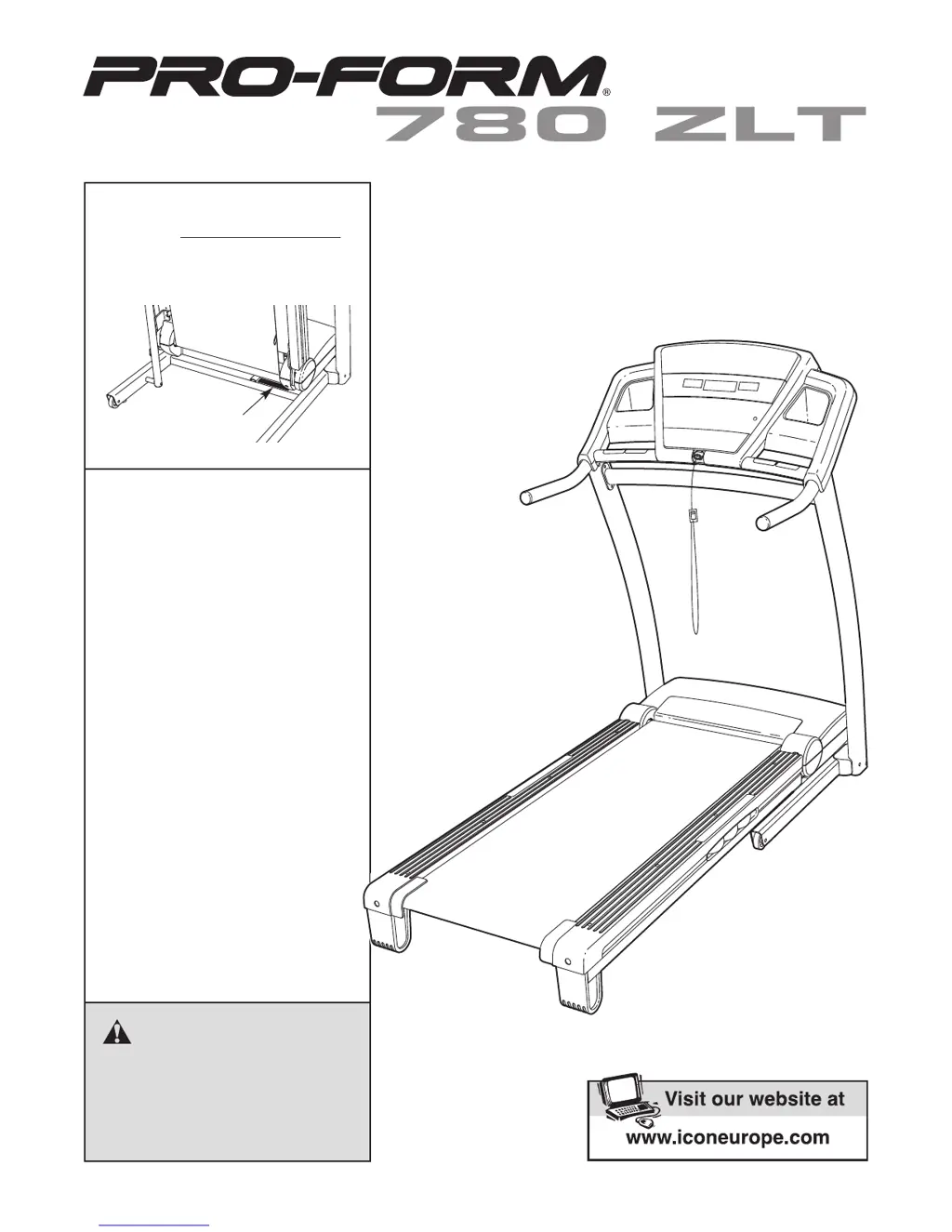
Serial Number
Decal
Model No. PETL81708.0
Serial No.
CAUTION
Read all precautions and instruc-
tions in this manual before using
this equipment. Save this manual
for future reference.
QUESTIONS?
As a manufacturer, we are commit-
ted to providing complete customer
satisfaction. If you have questions,
or if there are missing parts,
please contact us at the numbers
or addresses listed below:
Call: 08457 089 009
Outside UK: 0 (44) 113 3877133
Fax: 0 (44) 113 3877125
E-mail: csuk@iconeurope.com
Write:
ICON Health & Fitness, Ltd.
Unit 4
Revie Road Industrial Estate
Revie Road, Beeston
Leeds, LS11 8JG
UK
Write the serial number in the space
above for reference.
USER'S MANUAL

Questions and Answers

  • V
    vedwardsJul 31, 2025
    How to turn on Pro-Form Treadmill?
    • C
      Carolyn HardyJul 31, 2025
      First, ensure the power cord is plugged into a properly earthed outlet. If an extension cord is needed, use a 3-conductor, 1 mm[2] (14-gauge) cord no longer than 1.5 m (5 ft.). Note that the treadmill isn't compatible with RCD-equipped outlets. After plugging in, check that the key is inserted into the console. Finally, check the reset/off circuit breaker near the power cord. If the switch protrudes, the breaker has tripped; wait five minutes, then press the switch back in.
  • R
    rochajanetAug 4, 2025
    What to do if Pro-Form 780 ZLT Treadmill walking belt is off-center or slips?
    • R
      Robert LuceroAug 4, 2025
      If the walking belt is off-center, first remove the key and unplug the power cord. If the belt has shifted left, turn the left idler roller bolt clockwise 1/2 turn with the hex key. If it shifted right, turn the bolt counterclockwise 1/2 turn. Avoid overtightening. Then, plug in the power cord, insert the key, and run the treadmill briefly. Repeat until centered. If the belt slips, remove the key and unplug the power cord. Turn both idler roller bolts clockwise 1/4 turn using the hex key. When correctly tightened, you should be able to lift each edge of the belt 2 to 3 inches off the platform. Keep the belt centered. Then, plug in the power cord, insert the key, and carefully walk on the treadmill for a few minutes. Repeat until the belt is properly tightened.
  • A
    April JonesAug 10, 2025
    Why does my Pro-Form Treadmill power turn off during use?
    • S
      shannon15Aug 10, 2025
      If your Pro-Form Treadmill turns off during use, check the reset/off circuit breaker. If tripped, wait five minutes, then press the switch back in. Also, ensure the power cord is securely plugged in; if it is, unplug it, wait five minutes, and plug it back in. Another potential fix is to remove and reinsert the key from the console. If the treadmill still won't run, no answer.
  • B
    Brittany MorrisonAug 15, 2025
    How to recalibrate incline on Pro-Form 780 ZLT?
    • T
      thernandezAug 15, 2025
      To recalibrate the incline on your Pro-Form Treadmill, insert the key into the console, then press one of the Incline buttons. While the incline is changing, remove the key. After a few seconds, re-insert the key. The treadmill will automatically rise to the maximum incline level and then return to the minimum level. This process recalibrates the incline system.
  • G
    gordonanthonyAug 20, 2025
    Why does the Pro-Form Treadmill walking belt slow down when I walk on it?
    • S
      stevenhunterAug 20, 2025
      If the walking belt slows down when walked on, ensure that if you're using an extension cord, it's a 3-conductor, 14-gauge (1 mm[2]) cord no longer than 5 ft. (1.5 m). Also, check if the walking belt is overtightened. If it is, remove the key and unplug the power cord. Turn both idler roller bolts counterclockwise 1/4 of a turn using the hex key. The belt should be tight enough that you can lift each edge 2 to 3 inches off the platform. Keep the belt centered. Then, plug in the power cord, insert the key, and run the treadmill for a few minutes. Repeat until properly tightened. If the walking belt still slows when walked on, no answer.
  • R
    Rachel DouglasAug 25, 2025
    How do I turn off demo mode on my Pro-Form 780 ZLT Treadmill?
    • J
      John HerreraAug 26, 2025
      If the console displays on your Pro-Form Treadmill remain lit after removing the key, the display demo mode is likely activated. To deactivate it, press and hold the Stop button for a few seconds. If the displays are still lit, no answer.

Summary

Warning Decal Placement

Important Precautions

Before You Begin

Assembly

Operation and Adjustment

Console Diagram

How to Turn on the Power

How to Use the Manual Mode

Guide to operating the treadmill in manual mode.

How to Use a Preset Workout

How to Fold and Move the Treadmill

How to Lower the Treadmill for Use

Troubleshooting

Power Not Turning On

Solutions for when the treadmill fails to power up.

Power Turns Off During Use

Troubleshooting steps for unexpected power loss during operation.

Walking Belt Slows Under Load

Solutions for a walking belt that loses speed under load.

Walking Belt Off-Center or Slipping

Correcting walking belt alignment and slippage issues.

Exercise Guidelines

Ordering Replacement Parts

Pro-Form 780 ZLT Specifications

General IconGeneral
BrandPro-Form
Model780 ZLT
CategoryTreadmill
LanguageEnglish

Related product manuals