EasyManua.ls Logo

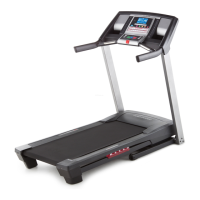
Pro-Form 515 Zlt Treadmill - User Manual

Pro-Form 515 Zlt Treadmill
28 pages
Print Icon
To Next Page IconTo Next Page
Loading...
CAUTION
Read all precautions and instruc-
tions in this manual before using
this equipment. Keep this manual
for future reference.
Model No. PETL59713.0
Serial No.
Write the serial number in the space
above for reference.
www.iconeurope.com
CUSTOMER SERVICE
UNITED KINGDOM
Call: 08457 089 009
From Ireland: 053 92 36102
Website: www.iconsupport.eu
E-mail: csuk@iconeurope.com
Write:
ICON Health & Fitness, Ltd.
c/o HI Group PLC
Express Way
CASTLEFORD
WF10 5QJ
UNITED KINGDOM
AUSTRALIA
Call: 1800 993 770
E-mail: australiacc@iconfitness.com
Write:
ICON Health & Fitness
PO Box 635
WINSTON HILLS NSW 2153
AUSTRALIA
USER’S MANUAL
Serial Number
Decal

Other manuals for Pro-Form 515 Zlt Treadmill

Questions and Answers

  • T
    theresashepherdJul 29, 2025
    What to do if Pro-Form Treadmill power turns off during use?
    • M
      Michelle Ramirez PhDJul 29, 2025
      If your Pro-Form Treadmill's power turns off during use, check the power switch. If the switch has tripped, wait five minutes, and then press it back in. Also, ensure the power cord is properly plugged in; if it is, unplug it, wait five minutes, and plug it back in. Finally, try removing and reinserting the key from the console.
  • A
    allenedwardAug 2, 2025
    How to fix Pro-Form Treadmill that does not turn on?
    • V
      Vincent LopezAug 3, 2025
      If your Pro-Form Treadmill doesn't turn on, ensure the power cord is plugged into a properly earthed outlet and that the key is inserted into the console. If the power switch protrudes, it may have tripped. To reset it, wait five minutes, then press the switch back in.
  • L
    Laurie WaltersAug 6, 2025
    How to center the walking belt on a Pro-Form Treadmill?
    • M
      Michael PattersonAug 7, 2025
      If the walking belt on your Pro-Form Treadmill is not centered between the foot rails, first remove the key and unplug the power cord. If the belt has shifted to the left, use the hex key to turn the left idler roller screw clockwise 1/2 of a turn; if it has shifted to the right, turn the left idler roller screw counterclockwise 1/2 of a turn.
  • N
    Nathaniel JordanAug 11, 2025
    Why is the walking belt slipping on my Pro-Form Treadmill?
    • C
      crystal15Aug 11, 2025
      If the walking belt on your Pro-Form Treadmill slips when walked on, first remove the key and unplug the power cord. Then, using the hex key, turn both idler roller screws clockwise, 1/4 of a turn.
  • A
    Andrew RamirezAug 15, 2025
    What to do if Pro-Form Treadmill walking belt slows when walked on?
    • E
      elliottthomasAug 15, 2025
      If the walking belt slows down when you walk on your Pro-Form Treadmill: * Ensure that if an extension cord is needed, it is a 3-conductor, 14-gauge (1 mm[2]) cord no longer than 5 ft. (1.5 m). * If the walking belt is overtightened, remove the key and unplug the power cord. Using the hex key, turn both idler roller screws counterclockwise, 1/4 of a turn.
  • M
    Michelle LewisAug 19, 2025
    How to recalibrate incline on Pro-Form Treadmill?
    • C
      Cindy GreerAug 20, 2025
      If the incline of your Pro-Form Treadmill does not change correctly, hold down the Stop button and the Speed increase button, insert the key into the console, and then release the Stop button and the Speed increase button. Next, press the Stop button, and then press the Incline increase or decrease button. The treadmill will automatically rise to the maximum incline level and then return to the minimum level to recalibrate the incline system.
  • M
    Mark SnowAug 25, 2025
    How to turn off demo mode on Pro-Form Treadmill?
    • K
      Kelsey TateAug 25, 2025
      To turn off the demo mode on your Pro-Form Treadmill, hold down the Stop button for a few seconds. If the displays are still lit, see THE INFORMATION MODE on page 19 to turn off the demo mode.

Summary

Customer Service

United Kingdom Customer Support

Contact details and address for customer service in the UK.

Australia Customer Support

Contact details and address for customer service in Australia.

Warning Decal Placement

Important Safety Precautions

Before You Begin

Part Identification Chart

Assembly Instructions

Operation and Adjustment

How to Plug in the Power Cord

Instructions for correctly connecting the treadmill to a power source.

Console Diagram and Features

Overview of the treadmill console's diagram, features, and display capabilities.

How to Turn On the Power

Steps to safely power on the treadmill and insert the safety key.

How to Use the Manual Mode

Guide to operating the treadmill using manual speed and incline controls.

How to Use a Preset Workout

Instructions for selecting and using pre-programmed exercise routines.

The Information Mode

How to access and use the console's information and measurement tracking features.

How to Use the Sound System

Guide for connecting and using the console's audio playback capabilities.

Folding and Moving the Treadmill

How to Fold the Treadmill

Step-by-step instructions for folding the treadmill for storage.

How to Move the Treadmill

Guidance on safely moving the folded treadmill using its wheels.

How to Lower the Treadmill for Use

Instructions for unfolding the treadmill from storage to its operational position.

Troubleshooting Common Issues

Power Not Turning On

Solutions for when the treadmill fails to power up.

Power Turns Off During Use

Troubleshooting steps if the treadmill unexpectedly shuts off.

Console Displays Remain Lit

Resolving issues where console displays stay on after key removal.

Incline Not Changing Correctly

Steps to recalibrate the treadmill's incline system.

Walking Belt Slows Down

Diagnosing and fixing issues with the walking belt losing speed.

Walking Belt Not Centered

Instructions for realigning the walking belt between the foot rails.

Walking Belt Slips

Steps to tighten the walking belt to prevent slippage during use.

Exercise Guidelines and Intensity

Exercise Intensity Levels

Guidance on determining proper exercise intensity using heart rate zones.

Workout Guidelines

Recommendations for warming up, training, and cooling down during workouts.

Exercise Frequency

Advice on how often to exercise for optimal fitness maintenance and improvement.

Part List

Exploded Drawing A: Main Frame Components

Exploded Drawing B: Console and Motor Assembly

Exploded Drawing C: Support and Adjustment Components

Ordering Replacement Parts

Recycling Information

Pro-Form 515 Zlt Treadmill Specifications

General IconGeneral
BrandPro-Form
Model515 Zlt Treadmill
CategoryTreadmill
LanguageEnglish

Related product manuals