EasyManua.ls Logo

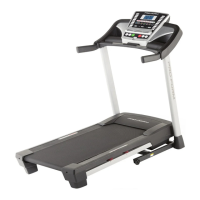
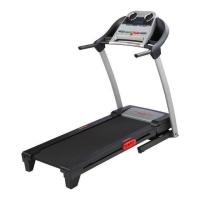
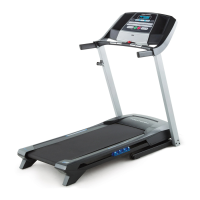
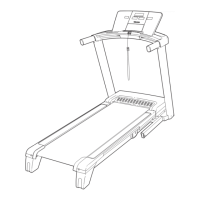
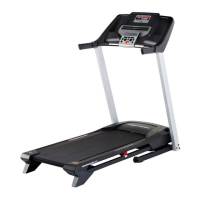
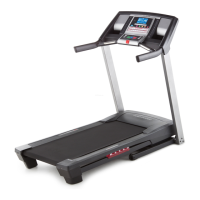
Pro-Form 720 Zlt Treadmill - User Manual

Pro-Form 720 Zlt Treadmill
32 pages
Print Icon
To Next Page IconTo Next Page
Loading...
USER’S MANUAL
www.iconeurope.com
CAUTION
Read all precautions and instruc-
tions in this manual before using
this equipment. Save this manual
for future reference.
QUESTIONS?
If you have questions, or if there are
missing parts, please contact us:
UNITED KINGDOM
Call: 08457 089 009
From Ireland: 053 92 36102
Website: www.iconsupport.eu
E-mail: csuk@iconeurope.com
Write:
ICON Health & Fitness, Ltd.
c/o HI Group PLC
Express Way
CASTLEFORD
WF10 5QJ
UNITED KINGDOM
AUSTRALIA
Call: 1800 993 770
E-mail: australiacc@iconfitness.com
Write:
ICON Health & Fitness
PO Box 635
WINSTON HILLS NSW 2153
AUSTRALIA
Model No. PETL80711.0
Serial No.
Write the serial number in the space
above for reference.
Serial Number
Decal

Other manuals for Pro-Form 720 Zlt Treadmill

Questions and Answers

  • R
    Rachel BlanchardJul 29, 2025
    How to turn on Pro-Form Treadmill?
    • L
      Lindsey RodriguezJul 29, 2025
      First, ensure the power cord is correctly plugged into a grounded outlet. If you need an extension cord, make sure it's a 3-conductor, 14-gauge cord no longer than 5 ft. After plugging in, check that the key is fully inserted into the console. If it still doesn't power on, unplug the cord, wait five minutes, plug it back in, and try reinserting the key. If problems persist, please see the front cover of this manual.
  • M
    Megan JohnsonAug 3, 2025
    What to do if Pro-Form Treadmill walking belt slips?
    • A
      Angela MeltonAug 3, 2025
      If the walking belt slips when walked on, first remove the key and unplug the power cord. Then, using the hex key, turn both idler roller screws clockwise, 1/4 of a turn. When the walking belt is correctly tightened, you should be able to lift each edge of the walking belt 2 to 3 inches off the walking platform. Be careful to keep the walking belt centered. Then, plug in the power cord, insert the key, and carefully walk on the treadmill for a few minutes. Repeat until the walking belt is properly tightened.
  • R
    Robert RodriguezAug 7, 2025
    What to do if Pro-Form Treadmill console display doesn't work?
    • J
      Jennifer FlemingAug 7, 2025
      If the console displays are not functioning correctly, remove the key and unplug the power cord. Then, place the treadmill in the storage position. Also, check the power switch located on the treadmill frame near the power cord. If the switch protrudes, it has tripped. To reset it, wait five minutes, then press the switch back in.
  • C
    castroelizabethAug 11, 2025
    How to center the walking belt on a Pro-Form Treadmill?
    • A
      Ashley DayAug 12, 2025
      To center the walking belt, first remove the key and unplug the power cord. If the belt has shifted to the left, use the hex key to turn the left idler roller screw clockwise 1/2 of a turn; if it has shifted to the right, turn the left idler roller screw counterclockwise 1/2 of a turn. Be careful not to overtighten the walking belt. Then, plug in the power cord, insert the key, and run the treadmill for a few minutes. Repeat until the walking belt is centered.
  • E
    Eric RomeroAug 15, 2025
    How to fix incline on Pro-Form Treadmill?
    • S
      Susan JohnsonAug 15, 2025
      If the incline of your treadmill isn't changing correctly, hold down the Stop button and the Speed increase button, insert the key into the console, and then release both buttons. Press the Stop button, and then press the Incline increase or decrease button. The incline trainer will automatically rise to the maximum incline level and then return to the minimum level. If the incline does not begin calibrating, press the Stop button again, and then press the Incline increase or decrease button again. When the incline is calibrated, remove the key from the console.
  • C
    crystal51Aug 20, 2025
    Why does my Pro-Form Treadmill turn off during use?
    • M
      Matthew WilliamsAug 20, 2025
      If the power turns off during use, check the power switch. If the switch has tripped, wait for five minutes and then press the switch back in.
  • N
    Nicholas NunezNov 23, 2025
    Why does my Pro-Form Treadmill walking belt slow down when I walk on it?
    • J
      Jeffrey OchoaNov 23, 2025
      If the walking belt slows down when walked on, make sure you are using a suitable extension cord, if needed—specifically, a 3-conductor, 14-gauge cord no longer than 5 ft. Also, check if the walking belt is overtightened. If so, remove the key and unplug the power cord, then use the hex key to turn both idler roller screws counterclockwise 1/4 of a turn. When properly tightened, you should be able to lift each edge of the belt 2 to 3 inches off the platform. Keep the belt centered. Plug the cord back in, insert the key, and run the treadmill for a few minutes. Repeat until properly tightened. Never apply silicone spray or other substances to the walking belt or the walking platform unless instructed to do so by an authorized service representative, as this may deteriorate the walking belt ...

Summary

Warning Decal Placement

Warning Decal Locations

Shows locations of warning decals and how to request replacements if missing or illegible.

Important Precautions

General Safety Guidelines

Crucial safety advice for users, covering health, environment, and proper treadmill usage.

Before You Begin

Treadmill Component Identification

Identifies key physical components of the treadmill, including console, handrails, and walking belt.

Part Identification Chart

Hardware and Parts List

Details hardware and parts used in assembly with key numbers and quantities.

Assembly

Initial Upright and Base Assembly

Guides initial assembly including wire routing, base caps, and attaching upright supports.

Attaching Left and Right Uprights

Details connecting the upright supports to the treadmill base using screws and washers.

Handrail and Tube Installation

Covers the attachment of handrails and handrail tubes to the uprights.

Console Wiring and Attachment

Explains how to connect the console wiring and attach the console to the handrails.

Securing Console and Trays

Describes attaching the console assembly to handrail tubes and securing the trays.

Frame Tightening and Storage Latch

Focuses on final frame tightening and installing the storage latch mechanism.

Operation and Adjustment

Power Cord Connection

Instructions for safely connecting the treadmill to a power source, including earthing requirements.

Console Diagram

Console Features Overview

Overview of treadmill console features, including manual, weight-loss, and iFit Live modes.

How to Turn On the Power

Using the Manual Mode

Guides on powering on, starting the belt, and basic manual mode operation.

Adjusting Incline and Tracking Progress

Details how to adjust incline settings and track workout progress via display metrics.

Heart Rate Monitoring and Workout Completion

Instructions for using the heart rate monitor and safely stopping and storing the treadmill.

Weight-Loss Workouts

Setting Workout Goals

Guides users on setting workout duration, calorie goals, and personal weight for custom workouts.

Starting and Managing Workouts

Instructions for starting a weight-loss workout and tracking progress through segments.

iFit Live Workouts

iFit Live Setup and Workout Selection

Covers iFit Live module insertion, user selection, and choosing workouts from various categories.

Starting and Monitoring iFit Live Workouts

Explains how to start iFit Live workouts, including personal trainer guidance and manual overrides.

Stereo Sound System

Audio Features and Heart Rate Monitor

Details using the audio jack, controlling volume, and the optional chest heart rate monitor.

The Information Mode

Accessing Console Settings

Guide to accessing and customizing console settings like units, contrast, and trainer voice.

Folding and Moving the Treadmill

Folding Procedure

Step-by-step instructions on how to safely fold the treadmill for storage.

Moving and Lowering Procedures

Guidance on safely moving the folded treadmill and unfolding it for use.

Troubleshooting

Power and Console Display Issues

Addresses problems like the treadmill not turning on or console displays not functioning.

Incline Calibration and Belt Slowing

Instructions for recalibrating the incline system and troubleshooting a walking belt that slows under load.

Belt Centering and Slipping

Guidance on adjusting the walking belt to keep it centered and addressing belt slippage issues.

Exercise Guidelines

Understanding Exercise Intensity

Explains how to use heart rate to determine proper exercise intensity for fat burning and aerobic fitness.

Workout Structure and Frequency

Provides guidelines for warming up, training sessions, cooling down, and recommended exercise frequency.

Part List

Exploded Drawing A

Exploded Drawing B

Exploded Drawing C

Exploded Drawing D

Ordering Replacement Parts

Recycling Information

Pro-Form 720 Zlt Treadmill Specifications

General IconGeneral
BrandPro-Form
Model720 Zlt Treadmill
CategoryTreadmill
LanguageEnglish

Related product manuals