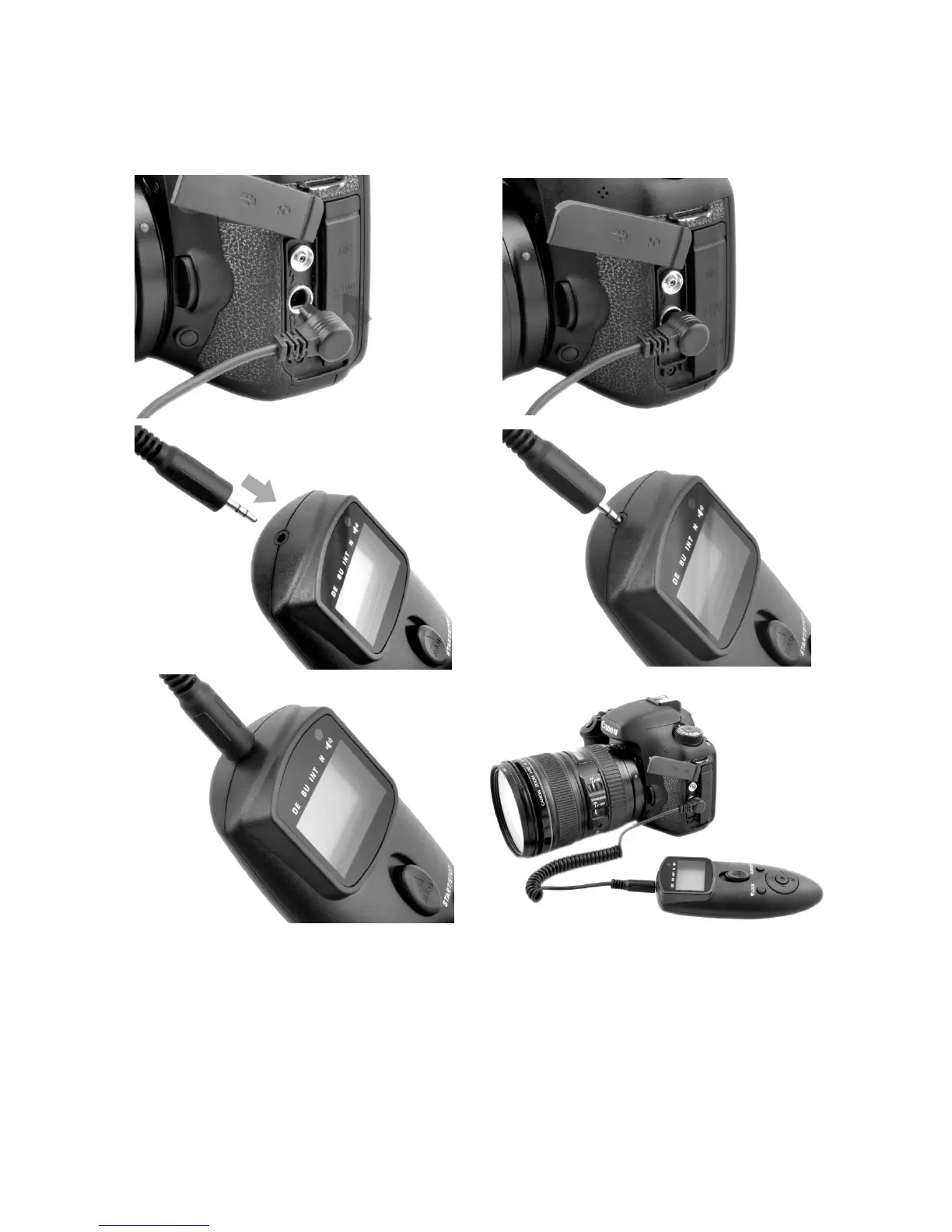
Turn the camera and remote off.
Remove the remote socket cover from the camera.
Insert the shutter release plug into the remote socket of camera.
Insert the input plug into the wired remote cord socket (9) on the remote.
Turn the camera and remote on.
NOTE: Always be sure the power on the remote and the power on your camera are switched OFF
before connecting or disconnecting the remote.


 To Next Page