more difficult to be identified. Narrowing the length from 30 to 10
centimeters will help to more accurately identify the wire pairs.
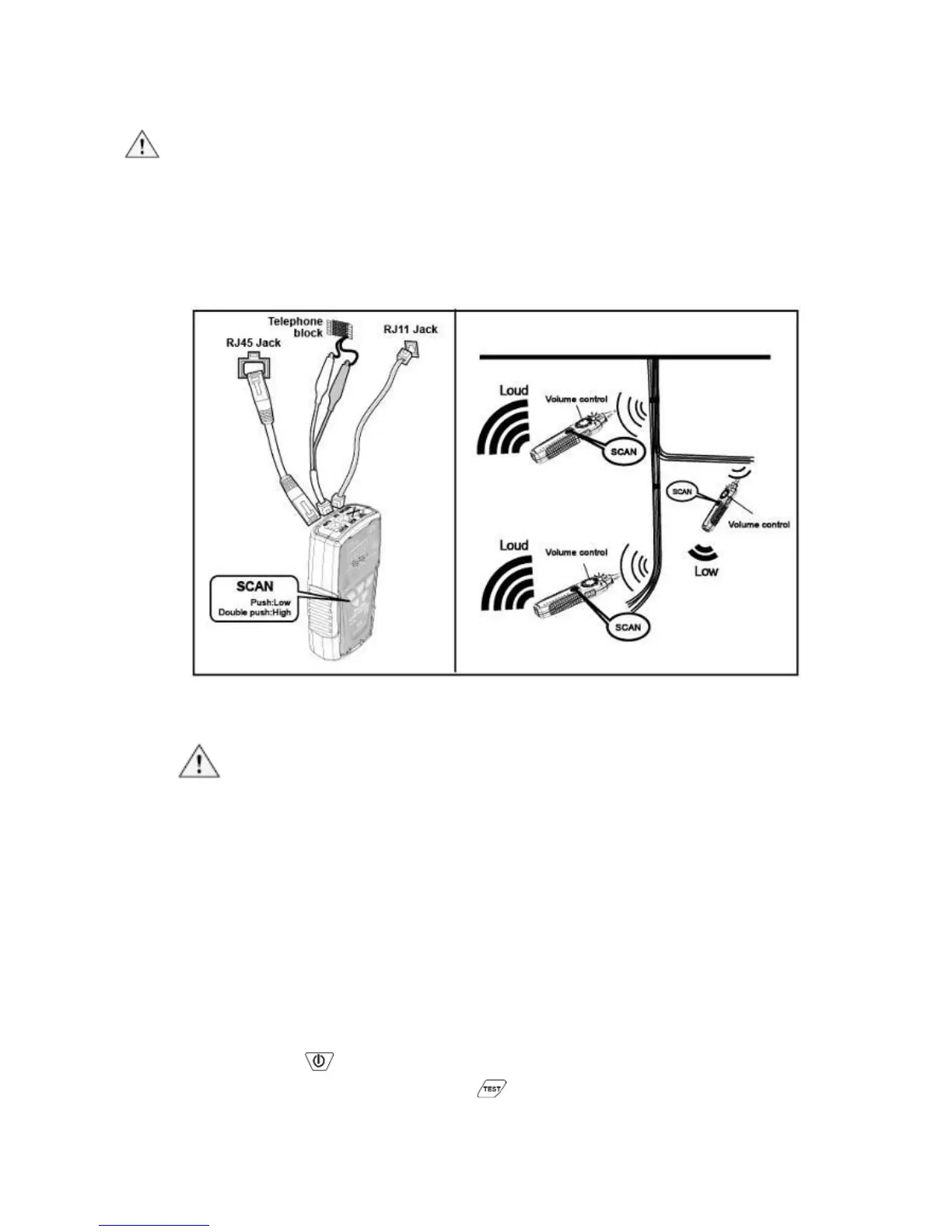
3) Repeat the steps of 6 and 7 to isolate the bundled cables.
Caution
• If you cannot locate the MT-7028 signal on 2-conductor cables,
the cable may be shorted or opened. Use the Continuity Test
(Fig. 2) to check for shorts or opens on coax and non-terminated
cables.
Figure 2 Isolating Cable
4. Cable Map Testing:
Caution
• When use the product for RJ45 or RJ11 cable mapping, please
only plug in the cable to the RJ45/RJ11 “TEST socket” on the
transmitter. Do not use RJ45 SCAN or RJ11 SCAN socket.
• You can use the MT-7028 Transmitter or Receiver to validate
the cable map on RJ45/RJ11 by RJ45/RJ11compatible
connector on transmitter. The cable map function finds the most
common wiring faults on twisted pair cabling: shorts, opens, and
crossed pairs.
1) Connect the MT-7028 Transmitter or Receiver to RJ45/ RJ11
jacks.
2) Push “ ”, the indicator of “POWER/ BAT LOW” will light up and
turn on the power. Push “ ” on MT-7028 transmitter for cable
mapping and shielded function indication. When the green LED
indicator flickers slowly, the slow speed scan is working. Push



 To Next Page