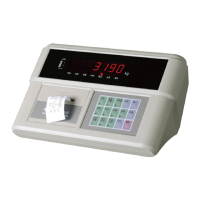
X K 3 1 9 0 - A 9+
30
shows negative number [tare]
VII. Printing weighing bill (one time stored type)
step Condition operation display Note
1 Loaded truck is
on platform
(wait for
stable light
is on)
press [print] [o *****] Original truck No.
2 Input new truck
No.
E.g. [00123] [o 00123] If original truck No. is
needed, press [input],no
need of input new truck
No.
3 press [input] [hn ***] Original cargo No.
4 Input new cargo
No.
如[ 11 ]
[hn 011] If original cargo No. is
needed, press [input],no
need of input new cargo
No.
5 press [input] [ Prnt ] Printing weighing bill
VIII. Daily repot printing (triplicate)
step operation display Note
1 Press [printing [ P 00] printing selection
2 Press [1] [ P 01]
3 press [input] [ Prnt ] Print out 3 copies of daily report
Note 6:the date of printed daily report is current date of indicator.
(press [date] to check and modify)
IX. General report printing
step operation display Note
1 Press [print set] [ P 00] Printing selection
2 Press [2] [ P 02]
02 print general report 1;
03 print general report 2;
04 print general report 3;
05 print general report 4。
3 press [input] [ Prnt ] Print out general report


 To Previous Page