English - 74 -
• The picture quality may degrade when two devices
are connected to the TV at the same time. In such
a case, disconnect one of the devices.
No picture
• This means your TV is not receiving any transmission.
Make sure the correct source has been selected.
• Is the antenna connected properly?
• Is the antenna cable damaged?
• Are suitable plugs used to connect the antenna?
• If you are in doubt, consult your dealer.
No sound
• Check if the TV is muted. Press the Mute button or
increase the volume to check.
• Sound may be coming from only one speaker. Check
the balance settings from Sound menu.
Remote control - no operation
• The batteries may be exhausted. Replace the
batteries.
Input sources - can not be selected
• If you cannot select an input source, it is possible
that no device is connected. If not;
• Check the AV cables and connections if you have
tried to connect a device.
• Check the AV cables and connections if you are
trying to switch to the input source dedicated to the
connected device.
Recording unavailable
To record a programme, you should rst connect a
USB disk to your TV while the TV is switched off.
You should then switch on the TV to enable recording
feature. If you cannot record, try switching off the TV
and then re-inserting the USB device.
USB is too slow
If a “USB disk writing speed too slow to record”
message is displayed on the screen while starting a
recording, try restarting the recording. If you still get
the same error, it is possible that your USB disk does
not meet the speed requirements. Try connecting
another USB disk.
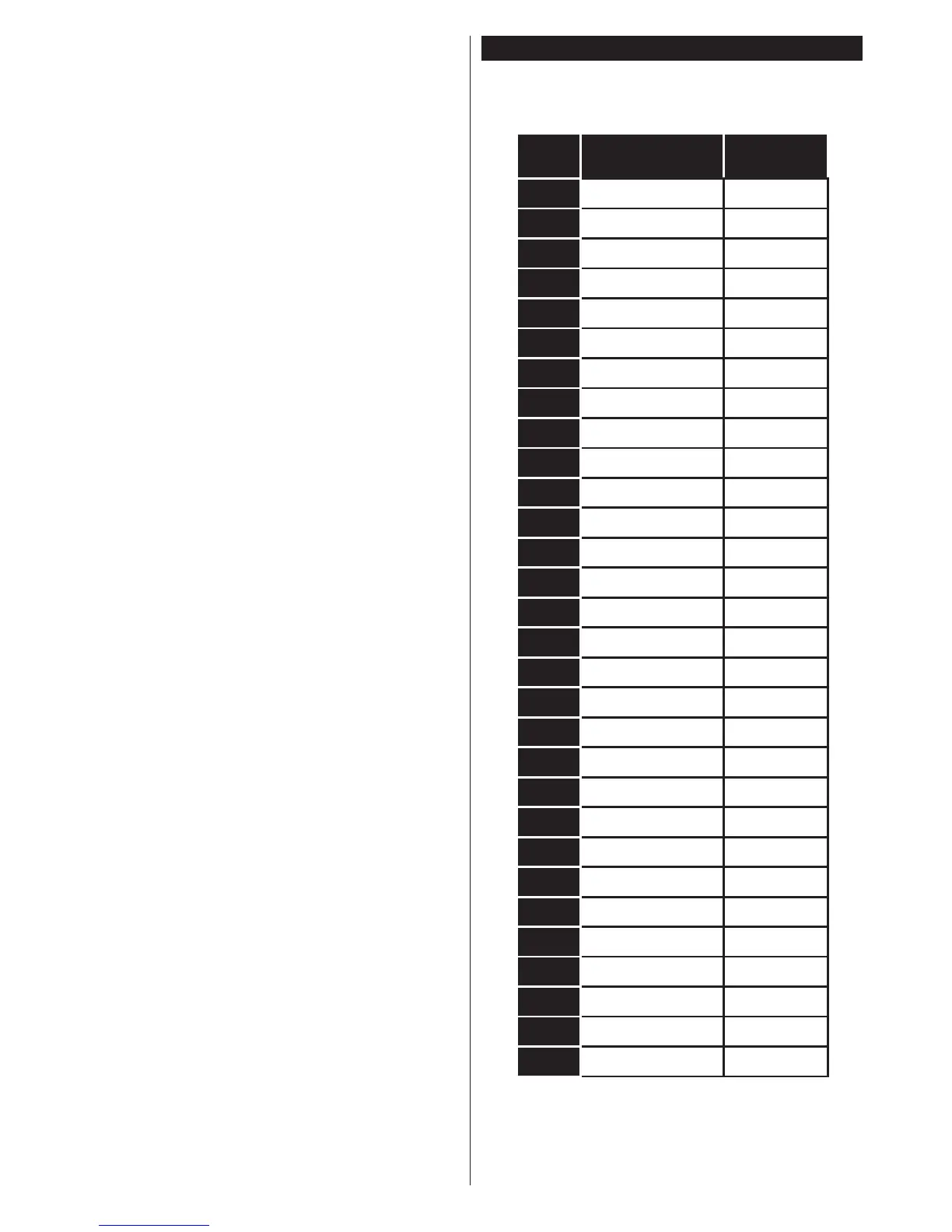
PC Input Typical Display Modes
The following table is an illustration of some of the
typical video display modes. Your TV may not support
all resolutions.
Index Resolution Frequency
1 640x350 85Hz
2 640x480 60Hz
3 640x480 72Hz
4 640x480 75Hz
5 800x600 56Hz
6 800x600 60Hz
7 800x600 72Hz
8 800x600 75Hz
9 1024x768 60Hz
10 1024x768 70Hz
11 1024x768 75Hz
12 1024x768 85Hz
13 1152x864 75Hz
14 1280x768 60Hz
15 1280x768 75Hz
16 1280x960 60Hz
17 1280x960 75Hz
18 1280x1024 60Hz
19 1280x1024 75Hz
20 1360x768 60Hz
21 1366x768 60Hz
22 1400x1050 59Hz
23 1400x1050 60Hz
24 1400x1050 75Hz
25 1440x900 60Hz
26 1440x900 75Hz
27 1600x1200 60Hz
28 1680x1050 59Hz
29 1680x1050 60Hz
30 1920x1080 60Hz









 To Next Page