English - 16 -
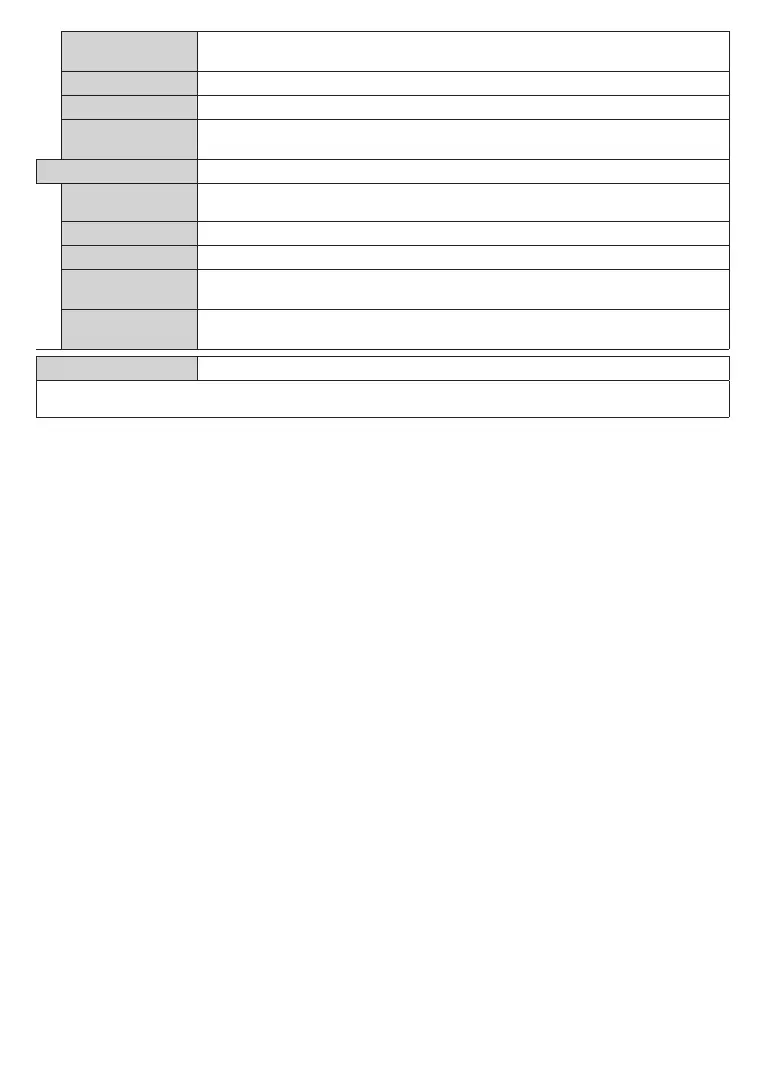
Film Mode
Films are recorded at a different number of frames per second to normal television programmes.
Turn this feature on when you are watching films to see the fast motion scenes clearly.
Skin tone can be changed between -5 and 5.
Adjust the desired colour tone.
HDMI Full Range
While watching from a HDMI source, this feature will be visible. You can use this feature
to enhance blackness in the picture.
Appears only when the input source is set to VGA/PC.
Autoposition
If the image is not centered in VGA mode use this option to automatically adjust the position
of the image. Press OK to start the auto adjustment.
This item shifts the image horizontally to the right hand side or left hand side of the screen.
This item shifts the image vertically towards the top or bottom of the screen.
Dot Clock
Dot Clock adjustments correct the interference that appear as vertical banding in dot
intensive presentations like spreadsheets or paragraphs or text in smaller fonts.
Phase
Depending on the input source(computer etc.) you may see a hazy or noisy picture on
the screen. You can use phase to get a clearer picture by trial and error.
Reset
Resets the picture settings to factory default settings (except Game mode).
While in VGA (PC) mode, some items in Picture menu will be unavailable. Instead, VGA mode settings will be added to the Picture menu
while in PC mode.










 To Next Page