EasyManua.ls Logo

PROCASTER LE-24F435WH - Network Connectivity Setup; Wireless Network Connection Guide; Connecting Mobile Devices via WLAN

PROCASTER LE-24F435WH
Print Icon
To Next Page IconTo Next Page
To Previous Page IconTo Previous Page
Loading...
English - 26 -
Connectivity
Wireless Connectivity
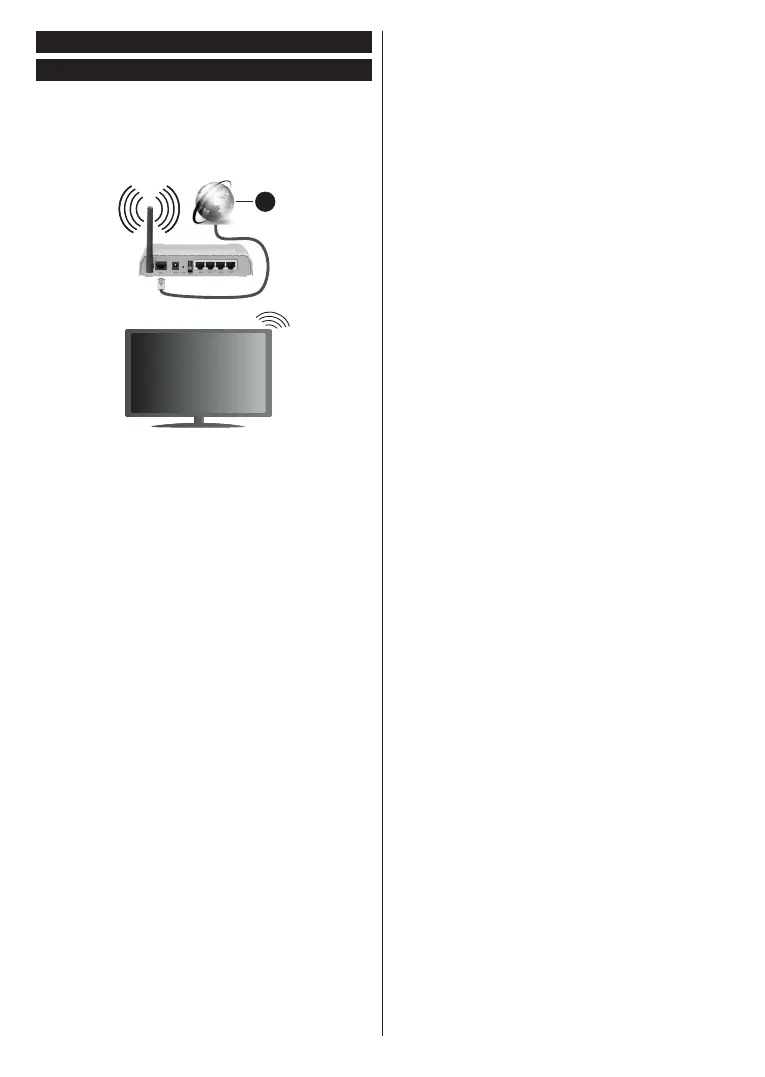
To Connect to a Wireless Network
The TV cannot connect to the networks with a hidden
SSID. To make your modem’s SSID visible, you should
change your SSID settings via the modem’s software.
1
1. Broadband ISP connection
A Wireless-N router (IEEE 802.11a/b/g/n) with
simultaneous 2.4 and 5 GHz bands is designed to
increase bandwidth. These are optimized for smoother
and faster HD video streaming, file transfers and
wireless gaming.
   
the area.
    
 
   








 

 
    
  
    

 You must change your modem’s SSID when there


Configuring Wireless Device Settings
Open the Network menu and select Network Type as


OK

OK to connect.
Note: If the modem supports N mode, you should set N
mode settings.



OK button on the remote control.


  
Network Type 
as .
If your router has WPS, you can directly connect to the
modem/router without entering a password or adding
the network first. Highlight Press WPS on your wifi
router option and press OK. Go to your modem/router
device and press the WPS button on it to make the
connection. You will see a connection confirmation on
your TV once the devices have paired. Select OK to
proceed. No further configuration is required.
Internet Speed Test and press the OK button
  
Advanced  and press the OK button to

Save and press the
OK

    
Connected or Not Connected and the current IP


 

    






your TV.
    

 
feature of your TV.
AVSSources menu and
press OK  

and press the OK 

Table of Contents