17
DA-2800 Operating Instructions V0.4
7. Procella Loudspeaker Programming (DA-2800 DSP Only)
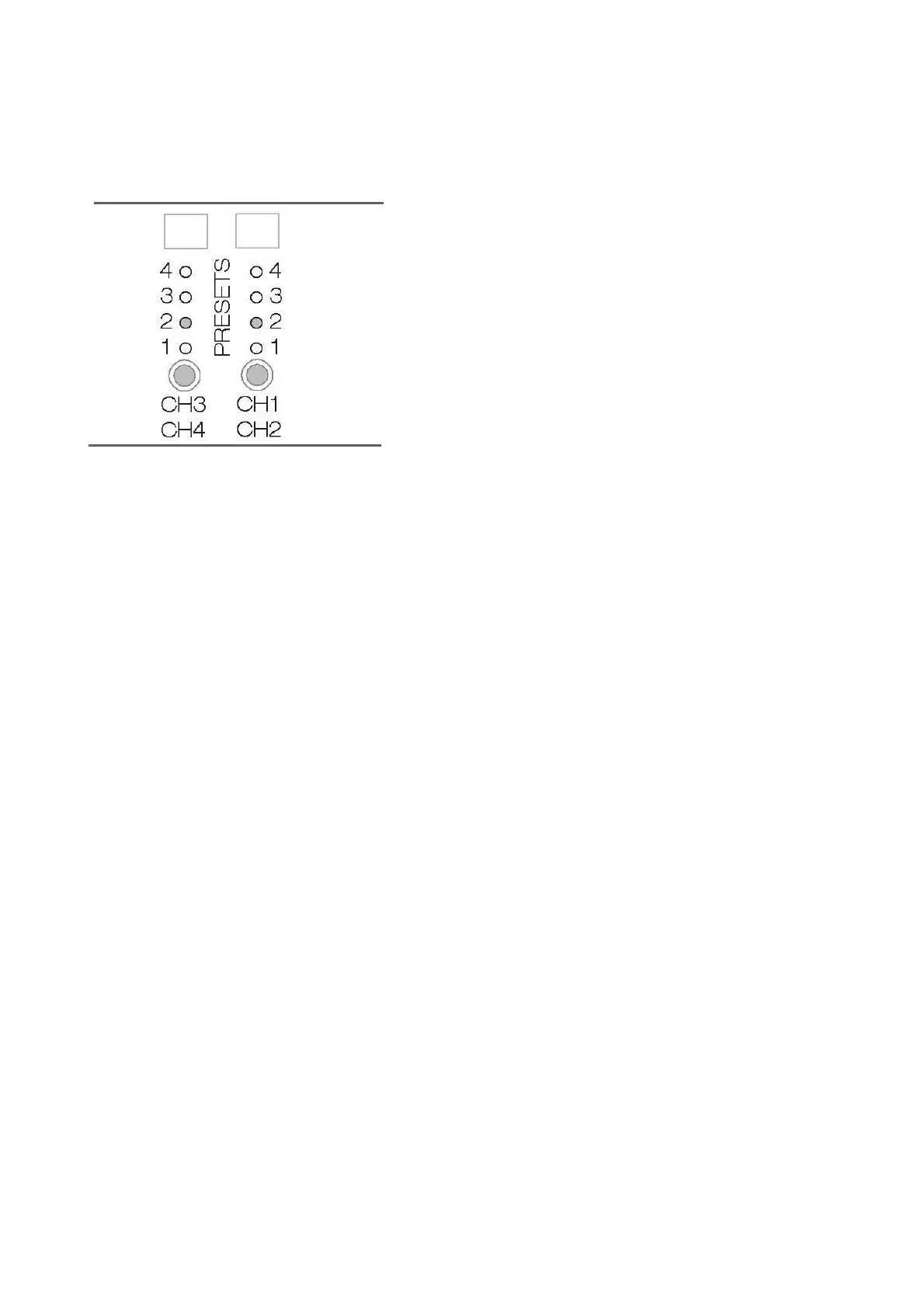
Located on the back panel of the DA-2800 are two buttons
labeled PRESET, each with four adjacent LED indicators. The
layout is shown at left.
Each time a button is pressed, it advances the DSP setting to
the next preset. The active preset is indicated by the
illuminated LED. The right Preset button (Preset 1) controls
Channels 1 and 2, and the left Preset (Preset 2) button controls
Channels 3 and 4.
Each of these presets is pre-programmed with DSP settings
customized for Procella loudspeakers. The standard DA-2800
has presets to cover the majority of applications necessary for
Procella loudspeakers.
The P860 requires a custom configuration of the DA-2800, which should be ordered along with the
loudspeakers. In addition, custom configurations for other speaker combinations are also available by
special order. Please contact your Procella dealer or distributor for more information.
CAUTION: Use these presets ONLY with the specific speakers designated below. Use of the wrong preset
can cause high levels of distortion and result in speaker damage that is not covered by warranty.
The charts on the next page below list the standard DA-2800DSP Preset configurations and the correct
settings for each speaker. In some cases, such as with the P815-FP, one or two amplifier channels are
available to drive either speakers (P6 or P8), or subwoofers (P10 and P15). These additional options are
shown on the charts.
Instructions:
PRESET shows which numbered PRESET (on the back panel of the amplifier) should be used.
LINK shows the correct setting for the LINK switch and where the Link cable should be used.
INPUT shows which inputs should be used and where inputs are unused.
OUTPUT shows which outputs should be used for each speaker.



 To Next Page