Illustrations et photos non contractuelles
Copyright © 2015 IPE Music
3 - Settings
There are different settings on the rear panels of your monitors:
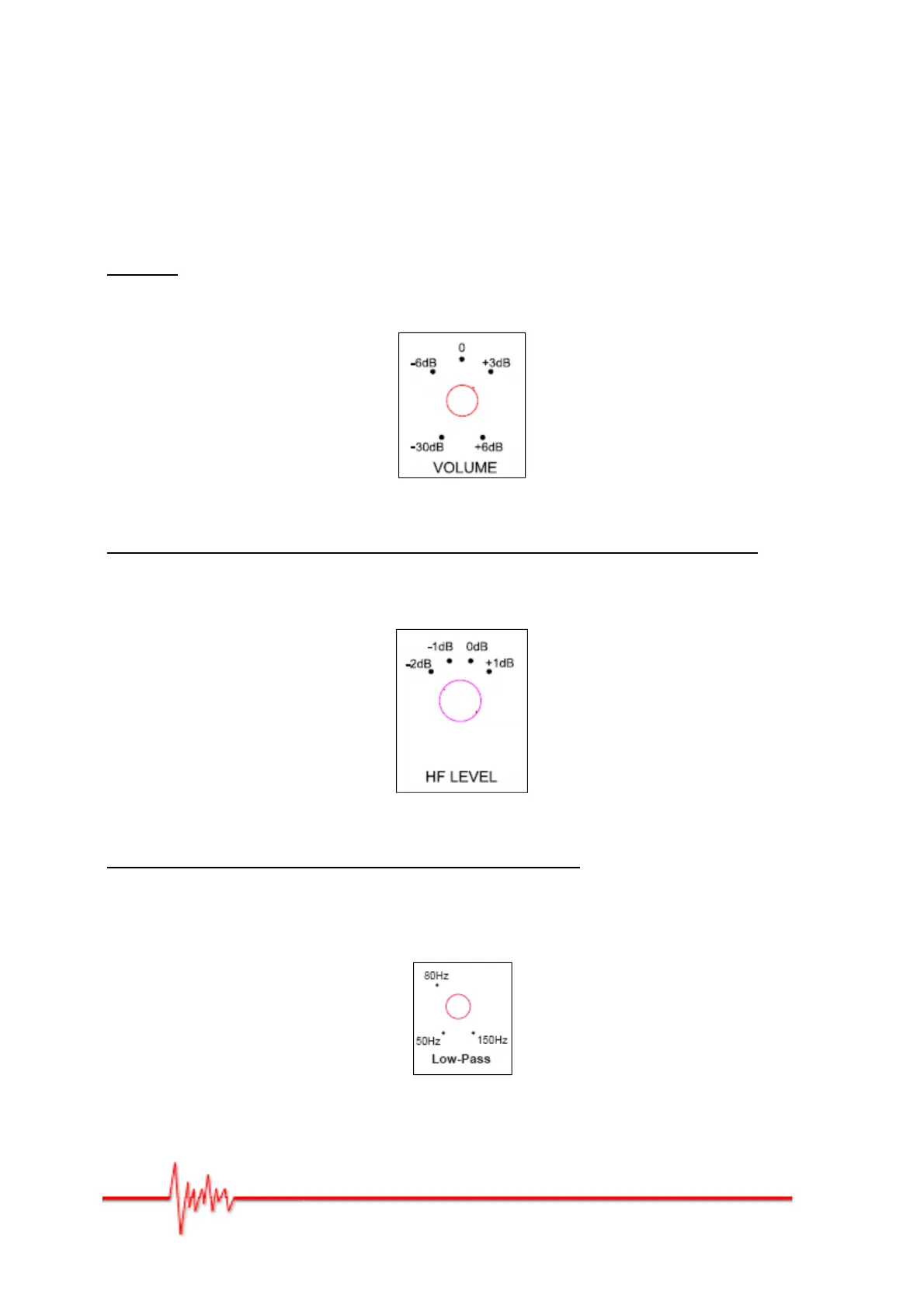
VOLUME
You can adjust the gain setting at the back of the monitor using the changeover switch in
Figure 3. It can be set from -30dB to +6dB.
Figure 3
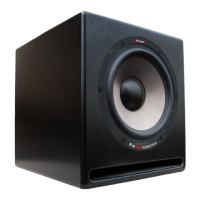
ADJUSTING THE HIGH FREQUENCIES (HF LEVEL) – Pro5 v3 and Pro8 v3 only
You can adjust the high frequencies at the back of the monitor (Figure 4). The possible
values are -2dB, -1dB, 0dB (flat), 1dB, or at around 2 kHz. The crossover frequency
between the tweeter and the woofer is 3KHz (Pro5 V3) and 2.4KHz (Pro8 V3).
Figure 4
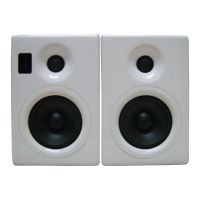
ADJUSTING OF THE LOW-PASS FILTER - Pro10s V3 only
By adjusting the low-pass filter you can set the high cutoff frequency so that the
performance of the subwoofer is optimised relative to your front speakers. The subwoofer
audio outputs that connect to your speakers rely on a high-pass filter to ensure that any
subwoofer infrasound is eliminated.
Figure 5


 To Next Page