Illustrations et photos non contractuelles
Copyright © 2015 IPE Music
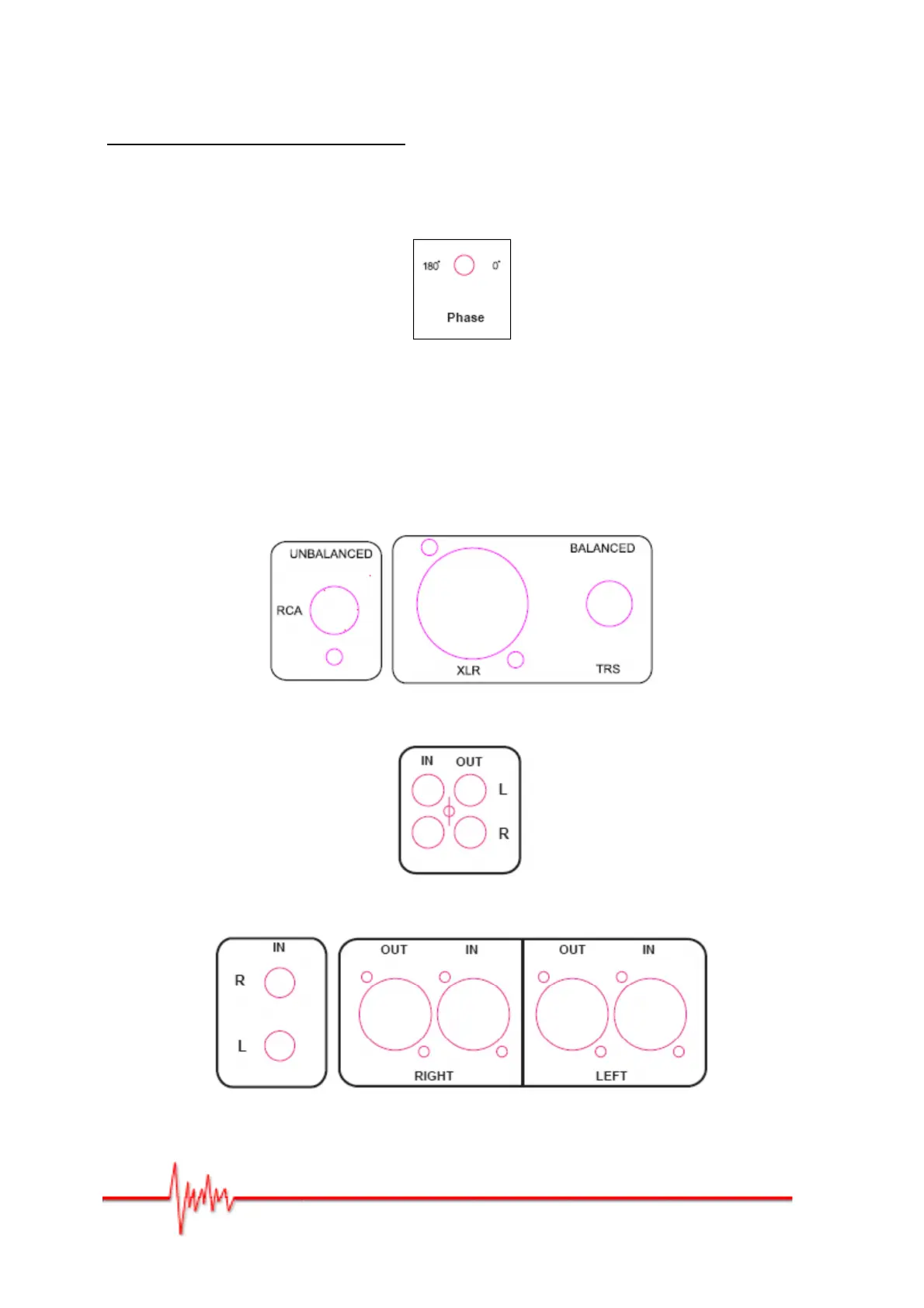
PHASE ROTATION - Pro10s V3 only
By setting the phase switch to either 0° or 180° you should be able to perfectly synchronise
the subwoofer with the woofers from your front speakers. Try the phase switch at O°, then
at 180°, over a wide range of musical styles, and choose the setting which produces the
strongest bass. Generally, the switch should be set to 0°, which is the default value.
Figure 6
4 – Audio Inputs/Outputs
The XLR and TRS connectors are balanced whilst the RCA connectors are unbalanced.
Figure 7 – TRS, XLR and RCA inputs for Pro5 V3 and Pro8 V3
Figure 8 – RCA inputs/outputs for the Pro10S V3 Subwoofer
Figure 9 – TRS, XLR inputs/outputs for the Pro10SV3 Subwoofer


 To Next Page