14
3. For mobile devices it is okay if they remain switched on, but if they are operated during charging, the charging
time will be longer.
4. Connect the mains plug of your device to the AC power sockets.
5. Set the inverter/USB switch to position "II".
6. Observe the power display of the inverter If the LED is green, the inverter is operating properly.
If the power indicator does not light up, reduce the connected watt load if possible. If the inverter still does not
light up although the load has been reduced, refer to the troubleshooting table at the end of this user manual to
avoid further problems.
7. After use, remove the plug and turn the power switch to the "O" position
8. Recharge the power station as soon as possible after use.
12V DIRECT CURRENT OUTPUT SOCKET
The DC accessory socket can supply a DC load of up to 11 amps. Overloading the socket will result in tripping of
the self-resetting circuit breaker. By removing the overload, the power supply is automatically restored. For
proper and safe operation of the 12V DC accessory socket, do not insert anything other than the 12V DC plug of
the accessory to be used.
1. Check the required power consumption of the device/appliance to be powered and make sure does not exceed
the maximum wattage.
2. Remove the dust cover from the 12V socket
3. Plug the 12V DC plug of your unit into the DC socket of the power station.
4. Operate your unit as normal.
5. After use, remove the plug from the unit and close the dust cover.
6. Recharge the power station as soon as possible.
USB-POWER CONNECTION Quick Charge 3.0 (5V, 9V, 12V)
The connection can be used for all standard power cables with USB type A plugs. Devices that are compatible
with the built-in quick-charging function charge up to four times faster than with a conventional USB
connection. In addition to 5V, also 9V and 12V devices can be charged via USB, if supporting Quick Charge.
1. Connect a user-supplied USB cable to the USB power port.
2. Set the inverter/USB switch to the "I" position. (You can also choose to operate the USB and AC power
output simultaneously by setting the switch to position "II").
3. Check that the indicator lights up.
4. Operate your mobile device as usual.
5. After use, disconnect the USB cable and turn off the inverter/USB switch
6. Recharge the power station as soon as possible
WORKING LIGHT
The work light is a group of bright LEDs located on the side of the power station. The location of the of the work
lamp allows you to use the lamp while you are wearing the power station.
1. Set the light switch to the "I" position
2. The lamp will light up.
3. Turn off the light when it is not in use.
AM/FM RADIO
The radio can receive frequencies in the standard AM and FM radio bands (AM 520-1710 kHz / FM 88-108 MHz).
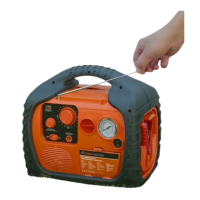
A retractable antenna provides an adequate signal to receive all local radio stations. When not in use, the
antenna should be stored in the retracted position. This will prevent damage to the antenna during transport.
NOTE: All AM band radios are subject to interference from electronic equipment, static electricity, static
electricity and other sources, such as lightning strikes and some motorized devices. If you operate the power
station inverter and noise is received on the AM band, switch off the inverter or switch the radio to FM reception.
Turning on the radio
1. Lift the antenna carefully and extend it
2. Turn the radio power/volume knob clockwise to turn on the radio. The further you turn the knob, the more
the volume increases.
3. Turn the "TUNING" knob in both directions to tune the radio.
4. When you are finished, turn the "Power/Volume" button on the radio counterclockwise to turn the radio off.
5. gently pull the antenna back and return it to the lowered position.


 To Next Page
 Loading...